goddi
-
Posts
3,596 -
Joined
-
Last visited
-
Days Won
27
Everything posted by goddi
-
====================== Eric, You must have me confused with someone else. I definitely do NOT "cherry pick" from different folders. Quite the opposite. You showed three images in your posting. Two are in the Slide View. However, the problem I am describing only happens in the Timeline View. And in your third image you show the problem very clearly. I think the solution to not having an icon cover other icon is to have the bottom border of the Files List to end just above the row of icons beneath it. When the File List window is resized left to right, the icons beneath remain in their place and not override the other icons. Gary

-
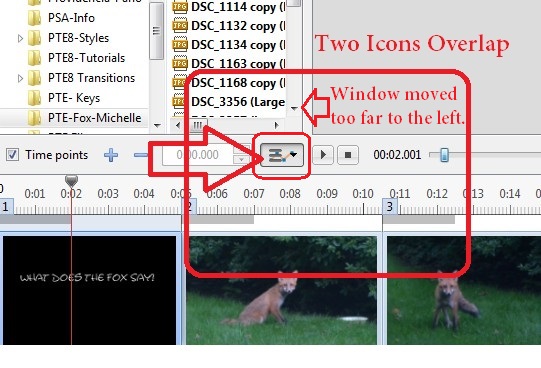
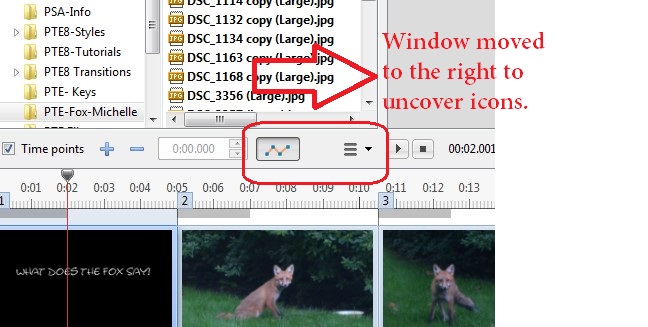
========================= Greetings Lin, It might be a result of how Windows works but the problem is a placement of the icons and design of the Files List window. It the affected icons (under the Files List window) are moved to the right, where the mini-player is, then the icons would not be covered or overridden by the movement of the Files List. Also, why not put a limit on how far the Files List can be moved to the left so as not to override the icons. I don't see any excuse for menu icons to be able to disappear or be overridden when a window is re-sized. Or, better yet, why not have the bottom edge of the Files List window to end just above those icons so the re-sizing of the Files List window will not affect those icons???? Gary
-
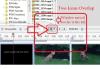
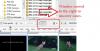
Greetings, I opened a show in V.8.0.1 and I noticed something strange. On the main screen, two icons were overlapping each other. At first I thought that my screen was having problems so I re-opened PTE. After a few seconds, I happened to move the Files List window to the right and the icons then separated. I think this could cause a problem for someone who might not realize that this can happen. Perhaps, the dropdown menu (with Fit All Slides...) should be moved to the right so that when the Files List window is moved to the left, it will not cause an overlap of icons, one sitting on top of another one. Or reposition most of the icons to the right of the Files List window border so no icons would be 'hidden' if the Files List window was adjusted to the left. And the problem varies whether you have the 'Show File Tree' selected or not. Gary
-
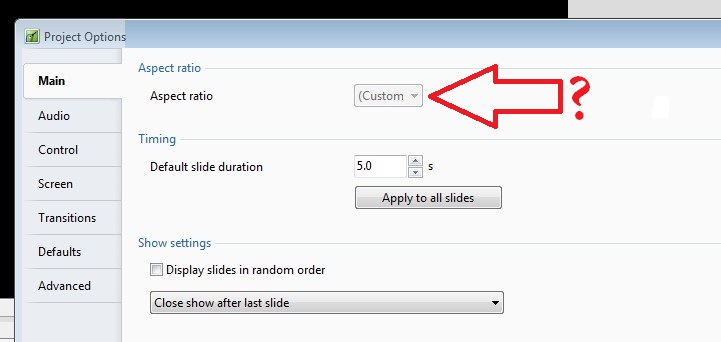
===================== Igor and all, Yes, that was it. I had inadvertently had the 'Windowed Mode' selected, since I had used a previous show that apparently had the 'Windowed Mode' selected, I just inserted a different video. I switched back to 'Full Screen' and it un-greyed-out the '(Custom'. But, the '(Custom' choice was stll there in the drop-down menu. And it is missing the last closed parenthesis. So there must be something else going on. I tried to make the same mistake/correction a previous show that I had selected 'Windowed Mode' but I can not get the '(Custom' selection to show. Thanks for the help. Gary ADDED LATER: Ok, I see why I still get the 'Custom' setting. I had an non-standard aspect ratio set. But the fact of seeing the '(Custom' made me think there was a problem. Perhaps Igor should remove the first '(' (parentheses), so it does not look like an error. Gary
-
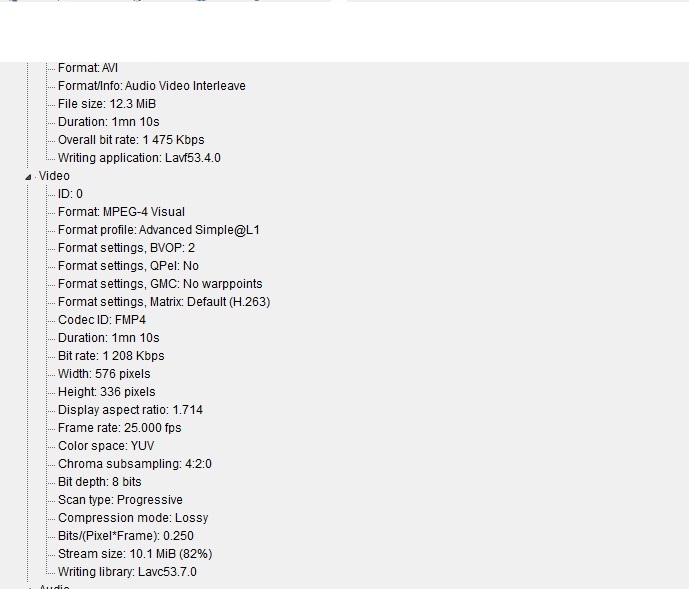
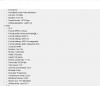
========================== Lin, The show is an introductory blank slide and the next slide has an inserted video about a minute long, and ends with a blank slide. I have made this similar show many times but never had this grey-out 'custom' thing show up. I just resized the inserted video within the blank slide. Here is the video info attached. Gary
-
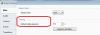
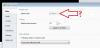
Greetings, I just created a show in 7.5.10. I noticed that when I went into the Project Options/Aspect Ratio, I see that the Aspect Ratio is greyed-out. I have never seen this happen in the past and I am wondering how this could happen. Any ideas? See attached. Gary
-
============================= Jan, You blew me away with your '...In The Basket' show. You continue to do sensational work!!! Merry Christmas... Sincerely, Gary
-
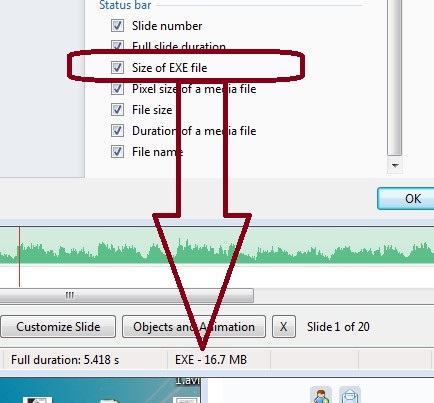
'Size of EXE File' not in Preferences - Ver 8.0
goddi replied to goddi's topic in General Discussion
==================================== Greetings, Being close is better than nothing. Gary -
'Size of EXE File' not in Preferences - Ver 8.0
goddi replied to goddi's topic in General Discussion
========================= Yes, my terminology was not quite right so I did a quick edit. There is room for the 'Size of Exe File'. I hope it will be put back as it was in 7.5. Gary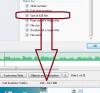
-
Greetings, The 'Size of Exe File' is not available to be shown in the Status bar in 8.0. Has this been eliminated? Gary
-
==================== Barry, Wow...that is quite a compilation of information!!!! Thanks much. It will take long time to get through it but I am sure it will help a lot. Thanks.... Gary
-
===================== Greetings Tom, It seems there should not be a problem with Fences when updating to Win8. I'm familiar with the snapshot process. I'd take a snapshot just before upgrading to Win8, just in case. The big question is whether to upgrade to Win8.0 or to Win8.1. From my reading of Microsoft sites, you will lose all applications if you upgrade directly to Win8.1, but not if you upgrade first to 8.0, then upgrade to 8.1 (when going from Win7 to Win8). But this is certainly not clear. Microsoft likes to leave minefields for us. I know the best way is to reinstall all applications when making a major Windows upgrade, but I've got just too much stuff to go through that process. Thanks... Gary
-
===================== Greetings Tom, I don't mean to hijack Lin's posting, but, since you mentioned 'Fences', I'd like to ask you a question about it. I use 'Fences' extensively on my Win7 desktop PC. I want to upgrade my Win7 to Win8. I am afraid of losing all of my 'Fences' configurations. I know I can make a snapshot and restore my Fences but I was wondering if you went through that process. I know all my programs work in Win8 but the process of upgrading a Wom7 Desktop to Win8, with Fences, makes me a little apprehensive. I don't want to mess anything up. I assume my Fences will appear in the Win8's Desktop with no problems???? Did you have any problems, if you did this same process??? Thanks... Gary
-
============================== Lin, I see you have a special reason or need to run DOS. In the 'old days', I remember using it and having a need for it. But, nowadays, DOS is a distant memory. I really have no idea about Win8 and 'true DOS emulation'. But I ran across this site that might be a program that might allow you to do what you need to do in Win8. Just for kicks, take a look at this site for DOSBox: http://www.dosbox.com/wiki/Main_Page "DOSBox is an emulator that recreates a MS-DOS compatible environment (complete with Sound, Input, Graphics and even basic networking). This environment is complete enough to run many classic MS-DOS games completely unmodified. In order to utilize all of DOSBox's features you need to first understand some basic concepts about the MS-DOS environment." This site seems to say DOSBox is compatible...mostly at least: http://www.microsoft...sid=Windows%208 And here is a YouTube that shows DOSBox and Win8 installation: I don't know if this fits into your needs but it looks interesting. Gary
-
======================== Greetings Lin, I am wondering about you plan to replace Win8 with Win7. I am not wanting to start a "which is better than...' thread. But I am just curious about your feelings that you apparently want to avoid Win8. I am bringing this up because I recently purchased a laptop with Win8. I was dreading the fact that maybe some programs would not run in Win8. But, to my surprise, all of my programs from my Win7 desktop PC were installed onto the laptop and I've had no problem with them. If you are not liking the Win8 'design', I, too, was apprehensive. But I found that, since I never used the Start window in Win7, all I do is click on the Desktop square on the Win8 Start window and get to the Desktop that looks just like Win7. I, in fact, like Win8 to the point that I am considering upgrading my Win7 desktop to Win8. Now I really have apprehension with this process (and the potential pitfalls), but I want to try it sooner or later. So, just wondering why you would go through the trouble of replacing the Win8 with Win7. And your new desktop sounds 'sweet'!!!! Gary
-
================================= Greetings, Well, it seems that nobody has given the Netgear's Push2TV device a try. Since my new laptop has the WiDi capability, I finally pick up one and gave it a try yesterday. I wanted to send my PTE's exes from my laptop to the TV wirelessly. First of all, the instructions can lead you astray when you first try to install it, at least it did for me. After several hours on the phone with Netgear's tech help ( in India), the said to return it and get another one. I had tried to reset the device (with the paper clip in the small hole) so many times, the reset button must have broke because the paperclip went all the way in with no effect. Nor could be get it to work. Also, the on-screen instructions, somehow, switch from English to Spanish or Italian, for example, and we could not get it back to English. Anyway, I was really curious what the results would be, so I exchanged it for another one. I finally figured out the proper steps that were not that complicated. The results, when playing the PTE exes from my laptop wirelessly to the WiDi device (that is plugged into an HDMI port on the TV), were impressive. Played just fine and no degradation of the video or sound. In fact, it looked better than on my laptop. Sound and video were in sync. It looked just as good as if it the laptop was directly connected to the TV via an HDMI cable. But...I noticed that when I switch to playing a YouTube video, for example, it did not function too well. Not sure why yet. But that was not my main purpose for the use of the WiDi device. I wanted to not use my 24 foot HDMI cable strung across my family room from the TV to the sofa. So, I think I will keep it. Gary
-
Greetings All, I went back to the BestBuy store with my thumbdrive and my PTE exes. I played my PTE's exe that has video clips on the Microsoft Surface Pro2 and the Samsung ATIV9. Both played the shows just fine with no problems with the video clips. I don't know if there is any difference among the laptops/notebooks/s Window operating systems on the store's demos. But I really like the Samsung ATIV9. The keyboard on the Surface Pro2 is too flimsy. But as long as it plays the video clips with no problems, that is the important test. Gary
-
========================= Tom, Yes, I figured I could do that. And it might play just fine. But since it plays perfectly on my home PC through my thumbdrive, I want the notebook to have the same capability. I am wondering if the salesman's story is plausible. Gary
-
Greetings, I am trying to find a notebook or small laptop for my wife. One of my criteria is that it plays my PTE shows (that contain video clip) with no problems. I bring in the shows on a thumbdrive and play my PTE exes on them to see how they play. First problem is that it seems to take a long time before the PTE show actually starts. But more importantly, most of them will freeze at the point of my video clips. This worries me. The salesmen tell me that it is only because the operating system that is in the store's demo (BestBuy) units are not the full regular Windows version. I see something call Allison, or something like that. Not sure if that has anything to do with the operating system that is on the demos. The thumbdrive is plugged into the USB3 port. So my question is, can this be true, that it is the 'dumbed' down operating system on these computer demos that is causing this? They tell me that if it plays correctly on my home PC, then it will play on the notebook or small laptop with the 'real' Windows operating system. I just don't want to go through the trouble of buying one and it not play correctly. Gary
-
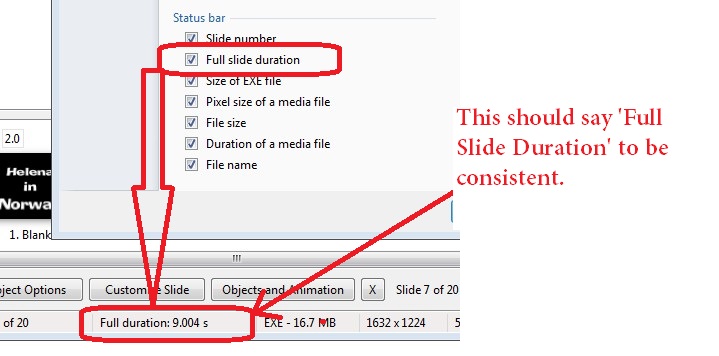
=============================== Greetings, Yes, but that leaves "half possible". :)/> First, let's establish the correct terms that we should use and be consistent in its use. One of the difficult things I have when I make a posting is to find the correct term to use. I wish Igor would put in the '?' feature so that you can click on it and then click on any window, or menu or title in PTE, you would get the proper definition or term to use. If we had the correct terms to use, we can at least point out that the correct term is not being used or it has not yet been defined. Gary
-
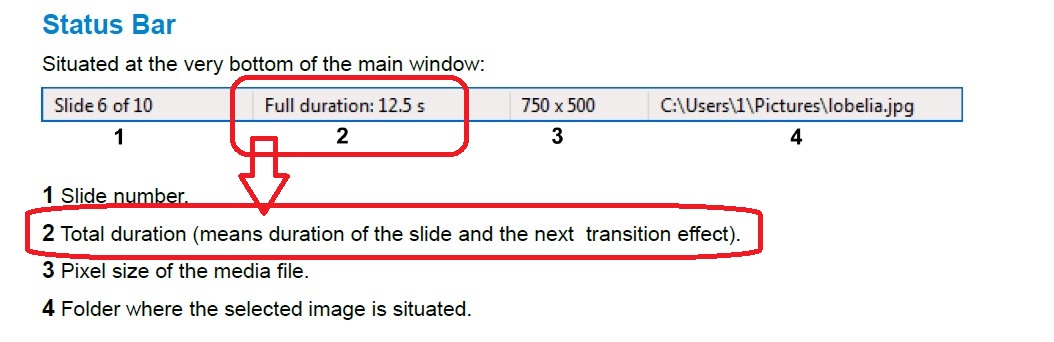
= Yes, let's correct the posters! It is apparent that those who are posting in a discussion seem to understand what they are talking about but others may not, especially when different terms are used for the same meaning. The Forum managers should step in and insist on using the correct terms when posters stray from the proper terms so we can all learn and be on the same page. Without consistency, we have confusion. And, can you direct me to where Igor has defined these terms for the different 'duration' terms? Thanks... Gary
-
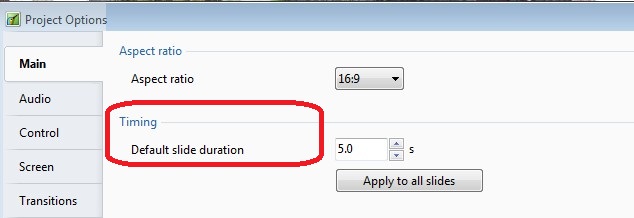
========================== Greetings Dave, But does it define: Full Duration,Total Full Duration, Pure Duration, Transition Effect Duration, Default Slide Duration, Slide Duration? Posters are using many different terms for duration and it is difficult to follow what they are referring to. Let's bring some order into this. I wish someone would establish the correct terms to be used and insure posters stick to them. I am tired of trying to translate what they mean when I try to understand their posting. My point is to get everyone to speak the same 'language' for better understanding of their discussions. You say there are 'only two durations' but there are more than two 'duration' terms used by posters. The Glossary of the Users Guide just gives a generic definition. How about being more specific...A to D...or B to D or.... ???
-
================================= Greetings Ken, I am not sure that is the way to go. Many of the documentation problems are not related to Version 8. I think we should have a 'User Guide Documentation Problems' topic for users to post where they think there are inconsistencies or problems or misunderstanding. These can be collected so when Ver. 8 is ready to go, the User Guide can be revamped quickly and become more useful. There are also places where the English can be improved to be better understood. Starting to work on bettering the User Guide now will improve the usefulness of the new version. We are always pointed to read the User Guide first before asking questions, so we should improve it without waiting for new versions to be finalized. Just my thoughts. Gary
-
=========================== Greetings, I took a look at the PTE with video. The first few seconds made me think it was going to be a little 'cheesy' Christmas show. BUT...you made a striking point and I appreciate the work you put into it. It got my attention. Well done. I have heard that song many times but I never noticed the ending about 'the war is over'. Perhaps you should send it to all the world's leaders. Thanks... Gary
-
====================================== [quote name=davegee' timestamp='1383894763' post='113172] Gary, There are only two durations which possibly need clarification for you and both are being discussed elsewhere. The time from the beginning of a slide to the beginning the next transition is being refered to as "Pure Slide Duration". Each slide is visible from the beginning of its own transition to the end of the next transition and is being refered to as "Full. Slide Duration". Hence "Keep Full Slide Duration" or KFSD. DG