Lin Evans
-
Posts
8,206 -
Joined
-
Last visited
-
Days Won
12
Everything posted by Lin Evans
-
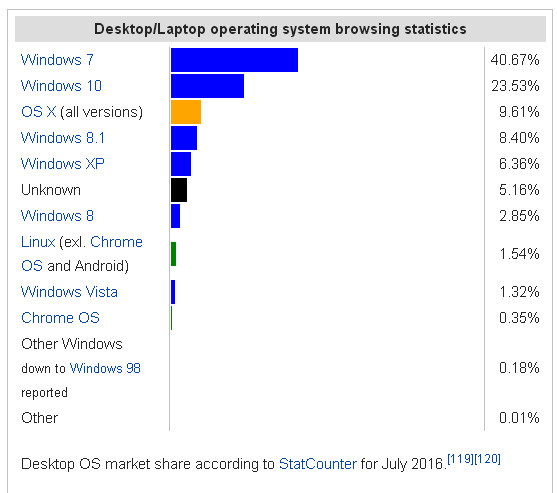
Barry, that's only a valid assumption if one can also assume that visitors to the web site also accurately reflect those "who would" have an interest in PicturesToExe. In the case of people in the United States, that probably isn't a valid assumption. My reasoning is based on a serious dearth of advertising. In this country PTE is pretty much a "secret" and what advertising there is, is primarily word of mouth and perhaps somewhat aided by YouTube presentations, etc. The competition, on the other hand, has a fairly well-established presence because of a varity of reasons including appearances and booths at numerous trade shows, etc. Even back in the days of COMDEX the competition was well-represented. Obviously, the competition has financial resources to do this while Wnsoft is severely constrained in that respect. Add that to the discrepancy between published market share and recognized presence and one has to question the validity, especially when we find that published market share says Windows 7 users are nearly double Windows 10 users. Why then should these figures not be very similar for users of PTE? Just saying... Best regards, Lin
-
Not a problem as long as older versions of PTE support XP - there are lots of people in the world who still use XP - see this article from a couple years ago: http://www.pcworld.com/article/2142578/windows-xp-lives-on-avast-survey-shows-27-percent-of-its-xp-users-dont-plan-to-switch.html As long as version 8 of PTE is kept available - people using XP probably won't complain - they just will not purchase new copies of PTE or other programs which do not support that OS. There is a bit of a problem with making assumptions about use of XP by what browser reports in that pehaps people have multiple systems but use one for browsing and others for other purposes. For example, I use XP almost exclusively for browsing and rarely if ever go online with my Win 8.1 or Win 7 systems. So even though I use Win 8.1 daily, I don't browse with it. Conversely, people might use Win XP for things other than browsing and use their newer systems to access websites. This uncertainty can lead to errors in assumptions about use by using only browser reports to website to judge which OS is more popular? Perhaps a survey with questions might shed more light? Best regards, Lin
-
Yep - I read it - Wnsoft website... not Microsoft website which is presently advertising statistics about Windows 10. The question is, how are statistics on use gathered from the Wnsoft website? I don't remember being asked here either. Does everyone here have a new PC? LOL... How do you count people like me who have computers with Win 98, Win XP, Win 7 and Win 8.1 By the way, the "title" of the post is confusing because it says "Market Share of Windows XP" Lin
-
I suspect that statistic by Microsoft might be very misleading. Here's why. It's about the number of "visitors" to the Microsoft site. Many of us absolutely never go to the Microsoft site. Since they no longer support XP why would any XP user bother to go there anyway? Their latest software is literally always the "most popular" if you count the number of versions of Windows 10 including "shipped" but not yet purchased which is how they can make such a claim. How does one determine "popularity" of an operating system? I didn't get a survey question from Microsoft and I'll bet no one else did either. They make their claim about "popularity" based on the numbers of an operating systems being shipped. Since they only ship Windows 10 these days, it's bound to be the largest number, hence the "most popular." Beware of statistics - LOL Best regards, Lin I apologize about this being concerned with Microsoft statistics rather than Wnsoft statistics - but still the question remains how are the Wnsoft statistics gathered? How do you count those of us who use multiple systems with multiple operating systems?
-
Directly? No. But if you have a 2010 or later version of Powerpoint, it can export a show as a wmv or mp4 video which can then be imported into PTE. Otherwise other than exporting jpgs, the answer is no. Best regards, Lin
-
Just another fun project - a moving magnifying glass for your videos. Perhaps a tutorial will follow to demonstrate how to customize for a particular video in terms of motion and placement of magnifying glass... http://www.lin-evans.org/styles/MagnifyingGlassForVideo.zip (Link to style) Lin
-
Hi Igor - Thanks! Here's the same two styles with larger magnifying glass: http://www.lin-evans.org/styles/magnifylargerstyles.zip


-
Set PTE to 4:3 Aspect Ratio - No need to change aspect ratio of the images but set the "Project Options" aspect ratio to 4:3. One 60 second and the other a 35 second effect. http://www.lin-evans.org/styles/linsmagnifyingglassstyles.zip (link to styles) http://www.lin-evans.org/styles/magnifylargerstyles.zip (link to 2 more styles with larger magnifying glass)
-
Hi Jim, From Objects and Animation - Select your slide, click on "Slide Options" Main Tab - Advanced Options and check "Run External Application" then click on the little Open Folder icon and navigate to your slideshow and choose it. It will then run in a loop from the end of that slide back to the beginning of your show where the Menu should be the first slide. Do the same at the end of each segment and put an "exit" choice in the menu to end the cycle when desired... Best regards, Lin
-
Create Waterfall Tutorial and Example
Lin Evans replied to Lin Evans's topic in Tutorials & Video Lessons
Don't forget to download and play the small exe file which has additional animation... Lin -
You can do this with PTE Essentials, but I would recommend using something like IrfanView or FastStone to resample your 5-8 megabyte images down to a size which all computer systems can more easily handle in quick succession loads. There is no advantage in terms of image quality in using images this large. Consider the hardware on which this show will eventually be played. Take the largest display you expect to see and resample your images to no larger than that native resolution with a compression of somewhere around Photoshop 7 and you will then have images which will work much, much better without quality loss when displayed in quick succession. Also consider whether you might want to do more later using some of the features of the deluxe version of PTE before you decide on which version will best suit your needs. Best regards, Lin
-
Hi Laszlo, Could you explain a bit more what the problem appears to be. I looked at both exe files, but am not certain what you are having issues with. High resolution video will not usually run smoothly in exe format unless you let PTE convert it. The best way I've found to run a high resolution video file in exe format is to convert it then load the converted video into PTE and create the exe file from that rather than trying to do it directly from the original video file. The reason AVI may be better has to do with the compression. Usually, but not always, AVI files have less compression so are larger in file size than an equivalent MP4 or MOV file. That's why when PTE converts, the converted file is usually larger than the original, but having less compression will play better in real time on PTE. Best regards, Lin
-
Create Waterfall Tutorial and Example
Lin Evans replied to Lin Evans's topic in Tutorials & Video Lessons
Jak - the PNG snow file is zipped in with the tutorial, just extract the wmv and snow5.png from the zipped second link above... Best regards, Lin -
First the Example - then a link to the tutorial and PNG file to create the falling water effect: Link To Tutorial and PNG file (also found in PTE Made Easy Tutorials) Here's a link to the zipped win exe for a bit better quality - small exe file... http://www.lin-evans.org/tutorial/waterfall.zip Windows and http://www.lin-evans.org/bob/roxannemac.zip (Mac) Note: There is one subtle addition to the exe file in the link above - if people are interested - perhaps another tutorial to show how it is done also? http://www.lin-evans.org/tutorial/fallingwateranimation.zip Best regards, Lin
-
Mike, Did you look at the PTE file I linked you to in your other post? Are you trying to only change the brightness of a building, or the brightness of the entire image other than the sun? If you use the PTE default black background, when the "opacity" of the image is changed via keyframes, the entire scene will get dark as it did in the example I linked you to. Why don't you zip up your project and link us to it so we can see exactly what you are doing? It would be much easier to show you than to tell you how to proceed... Best regards, Lin
-
PTE Version of Electronic Photo Frame
Lin Evans replied to Lin Evans's topic in Slideshows & AV Shows
Colorado has some pretty fantastic views for sure... Best regards, Lin -
Just a fun little project in response to a question by a forum member on the PTE Facebook Group. An alternative to using the "Copyright" method of using a PNG picture frame for each image is the simple creation of a "style" which contains a PNG frame and cycles any number of images... A seen in this little demo, the Picture Frame and content can easily be controlled with a PTE controlling frame a "parent" and the Picture Frame and content as child. The ensemble can then be placed anywhere such as on the wall and controlled with 3D for perspective as well as conventional PZR controls... Watch the Picture Frame at the right of the fireplace on the wall.... Lin.
-
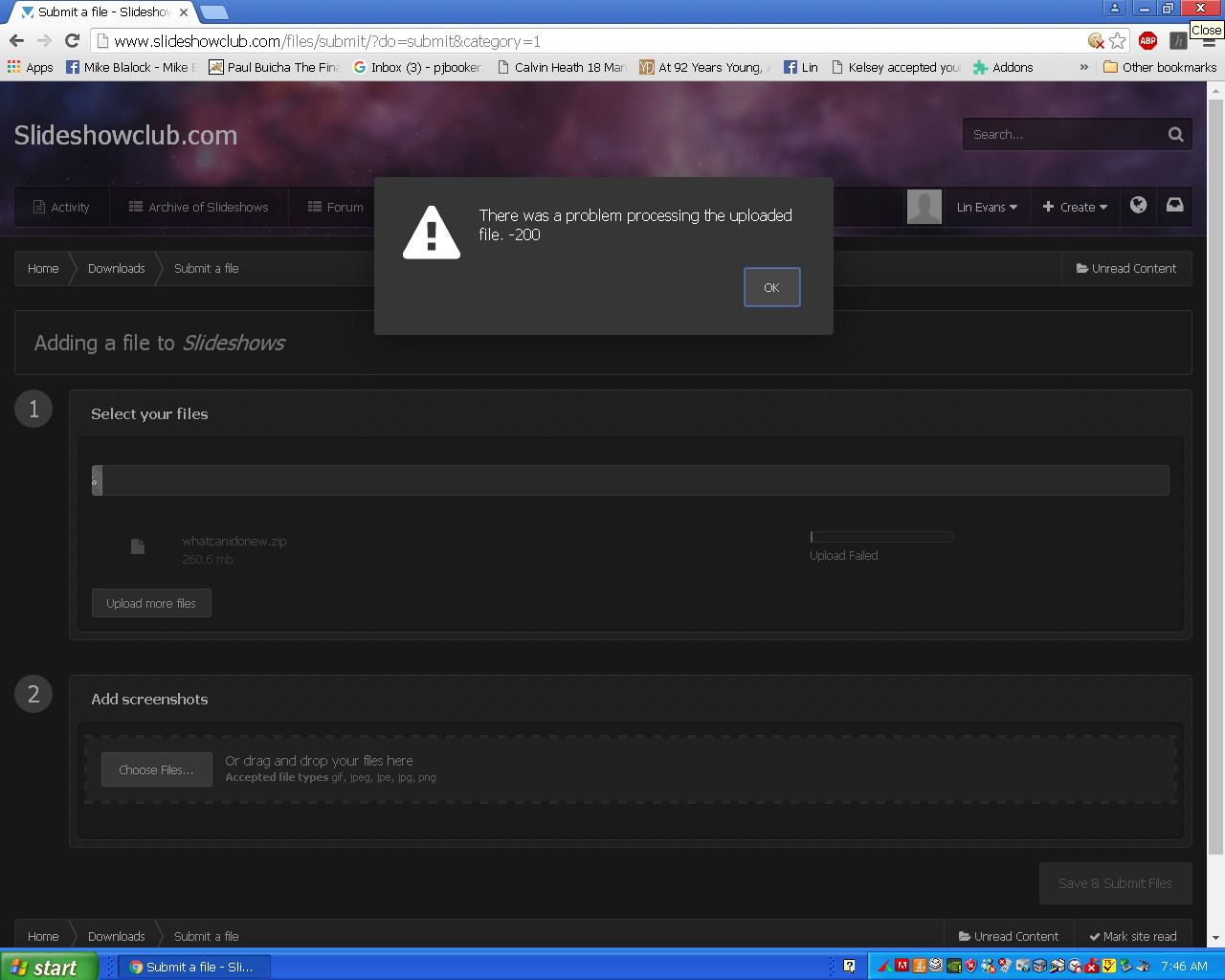
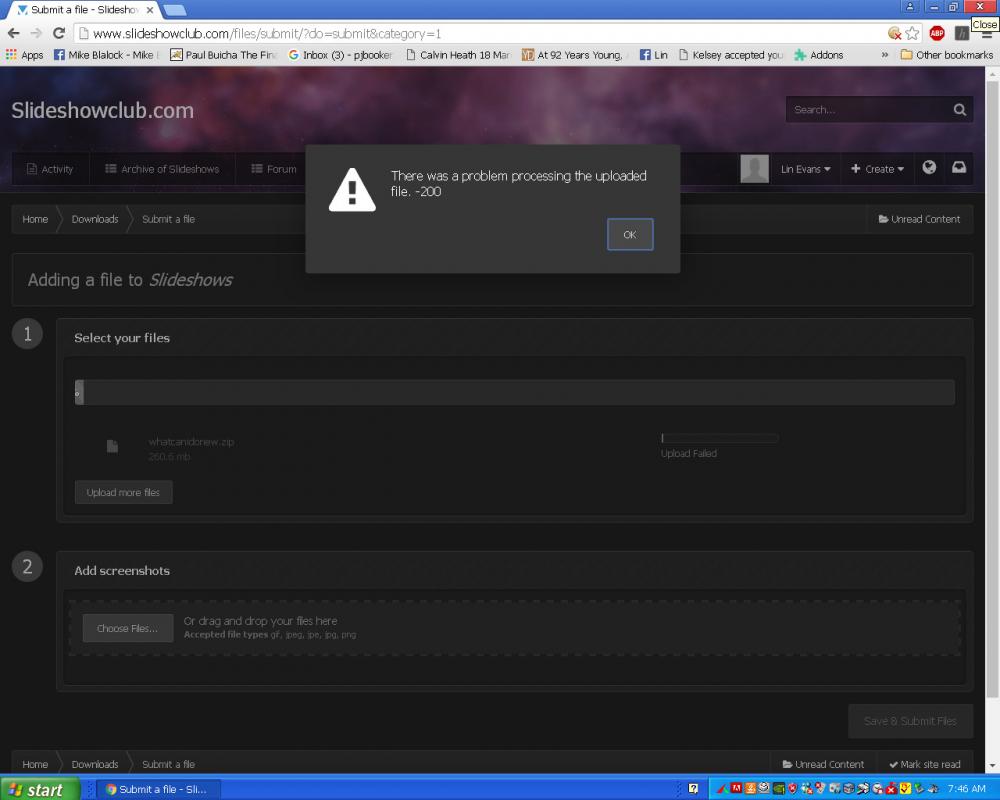
Hi Igor, Slideshowclub opens normally now - but it will still not accept larger files - this is the error message when I attempt to upload a 260.6 mb zip file: Best regards, Lin
-
I only use Windows 7 on a notebook not connected to the internet. I use XP and 8.1 and no, there isn't the same reporting home information gathering from either Windows XP, Vista, 7, 8.0 or 8.1 as from Windows 10. Install a router with blocking and reporting and see for yourself... As you can see by the issues Barry had - restoring Win 7 with USB ports, hardware drivers, etc., is not always all that simple. Best regards, Lin
-
I can't open it either Bert... Lin
-
How much "security" is there when Windows 10 is sending your information you assumed was private home to Microsoft who is doing God knows what with it? " Microsoft's mandatory data collection is a privacy concern, but it was a privacy concern long before they removed Cortana's off switch. You can, of course, refuse to sign into Cortana or Windows 10 with a Microsoft account. But your usage data will still be collected, albeit anonymously." Just a thought folks... Best regards, Lin
-
Yes, it seems that the software will not accept the size files which it is supposed to accept. My last show was a 260 meg zipped exe file but SlideshowClub would not accept it even though the limit has been raised to 280 meg... Best regards, Lin
-
Hi Bert, I also tried several times to upload a rather large zipped file, but under the new limit of 280 mb, but was unsuccessful so I gave up... Best regards, Lin
-
LOL - I certainly "hope" so! L
-
Well, here's yet another reason why I won't be using Windows 10: http://www.cnet.com/how-to/cortana-is-mandatory-in-the-windows-10-anniversary-update/ Best regards, Lin