All Activity
- Today
-
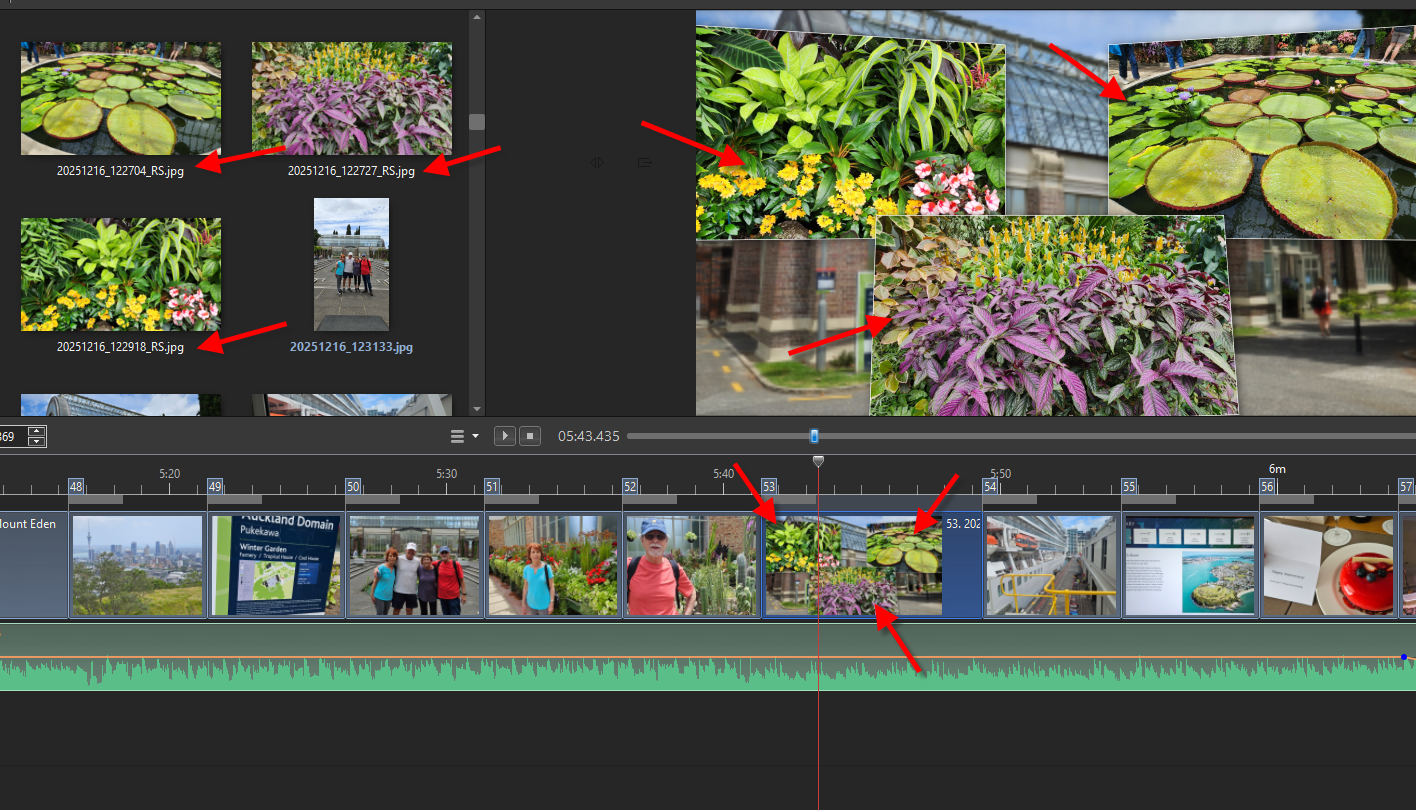
The first image/object that you drag into the slide list is automatically designated "Main Object 1" and its name turns blue in the File List. All subsequent object in the same slide are left blank and are not turned blue in the File List. You can manually assign an Object number in O&A and these are used when creating a Style. The way in which multiple images are applied in a Style is determined by the order of the Main Object designations. See Styles in the OH. DG
-
Thank You Igor. I look forward to testing this later Jill
-
I have to admit it has never been quite clear to me as to how or why something is designated "Main Object" in the O&A properties tab and/or the number of the object.
-
Thanks a lot!!!
-
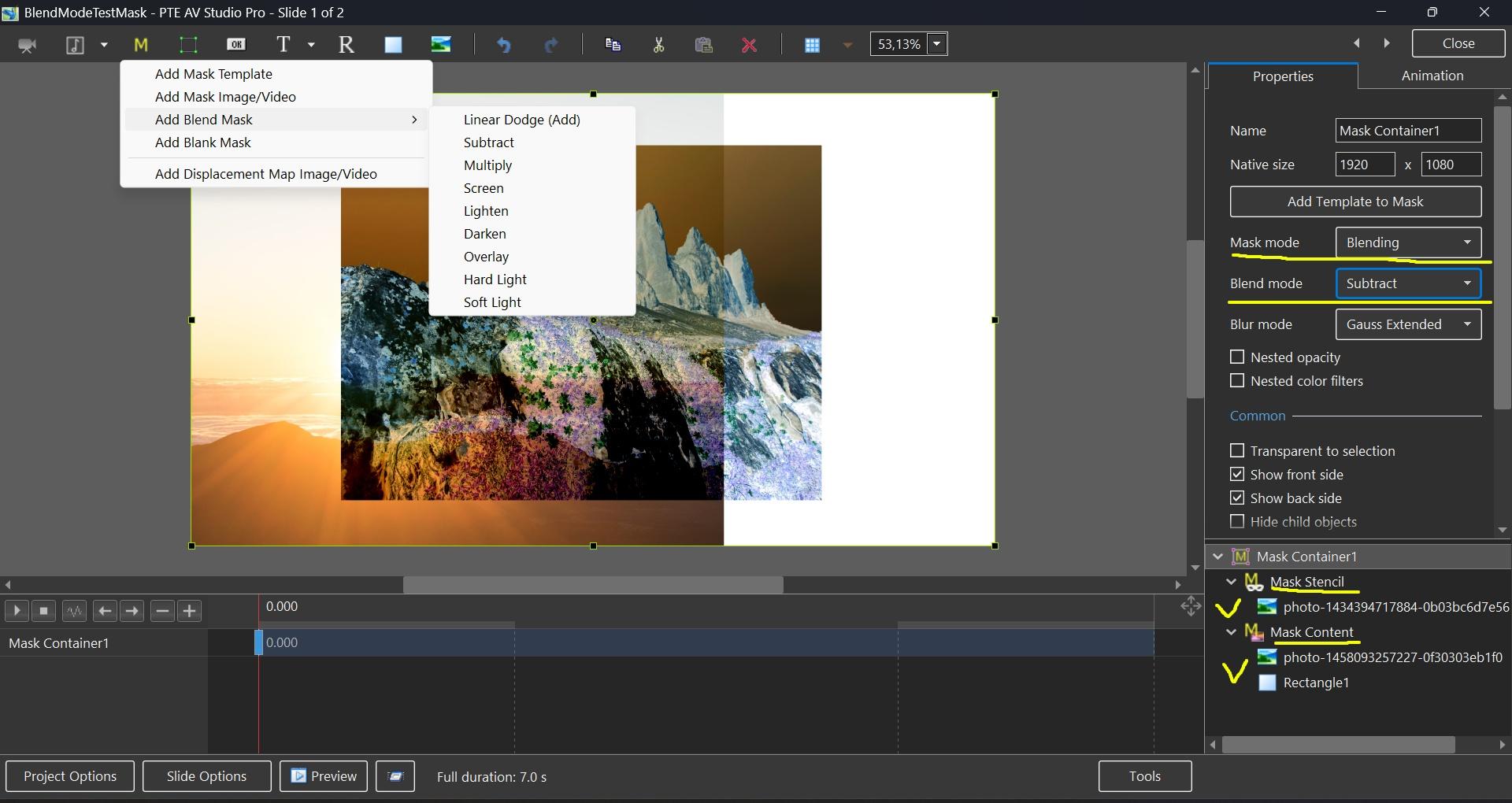
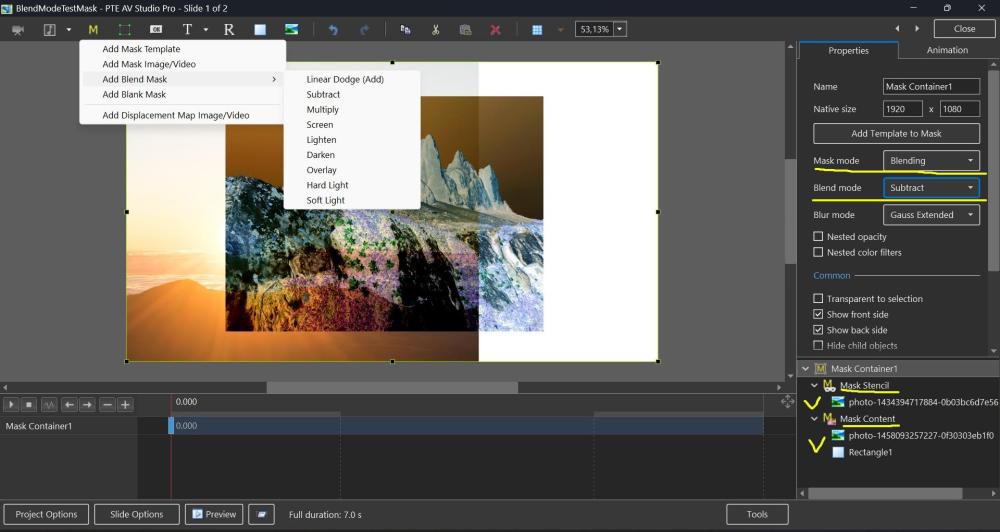
Hi, In PTE AV Studio 12 (Beta 15+) we've added a new "Blending" mode to the Mask container with support for 9 blend operations: Linear Dodge (Add), Subtract, Multiply, Screen, Lighten, Darken, Overlay, Hard Light, and Soft Light. To use: place the first image into the Stencil, and the second image into the Content of the Mask container. You can add video, text object, rectangle object, or multiple objects (several images, for example).
-
Hi, We've added Blend modes in PTE AV Studio 12 (Beta 15) today: https://www.pteavstudio.com/forums/topic/55029-blend-modes-in-pte-av-studio-12/
-
Beta 15 is available See the download links above. Added a new "Blending" mode to the Mask container with support for 9 blend operations: Linear Dodge (Add), Subtract, Multiply, Screen, Lighten, Darken, Overlay, Hard Light, and Soft Light. Learn more To use: place the first image into the Stencil, and the second image into the Content of the Mask container. You can add video, text object, rectangle object, or multiple images.
-
Dave, you are absolutely correct! That didn’t occur to me at all! We can always count on you to get us back on track! Thank you so much, Robert.
-
Could it be that what you are both seeing is the fact that ONLY Main Object 1 Images are shown as used by the Blue Text? If you have a BG Image, it will be Main Object 1 and any Images added (on top) will not be designated as being Main Object. DG
-
 IcropLess joined the community
 -
Downloaded from TheDom yesterday the "Trio slideshow". The issue I'm finding, when loading 20 images, every second slide has only half the time allow from the previous slide ... therefore only starts animation, but fails to complete. Anyone else finding this issue ... any suggests how to correct the style? Cheers, Peter
-
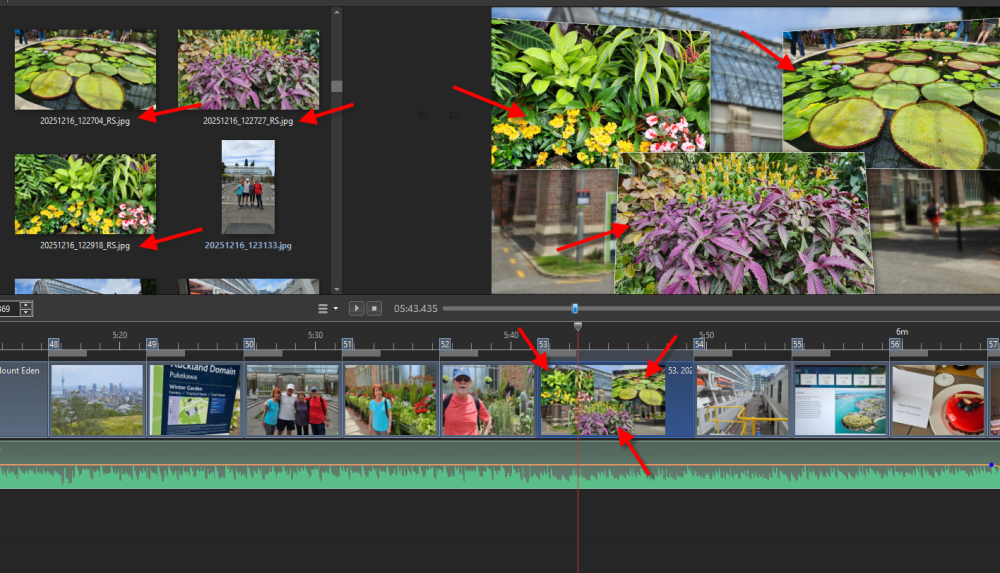
Hi SeismicGuy, thank you for your reply. That really confuses things with the approach I am taking by adding more photos and not being able to see the ones I have already added. I got it done but it would have been easier with the indicator present. Thanks again for your help.
-
On a tangential issue similar to this is that I found that when you have a slide with a style that includes some of your jpg images, those images in the image area do not have a BLUE indicator to show they are actually being used already--see below:
- Yesterday
-
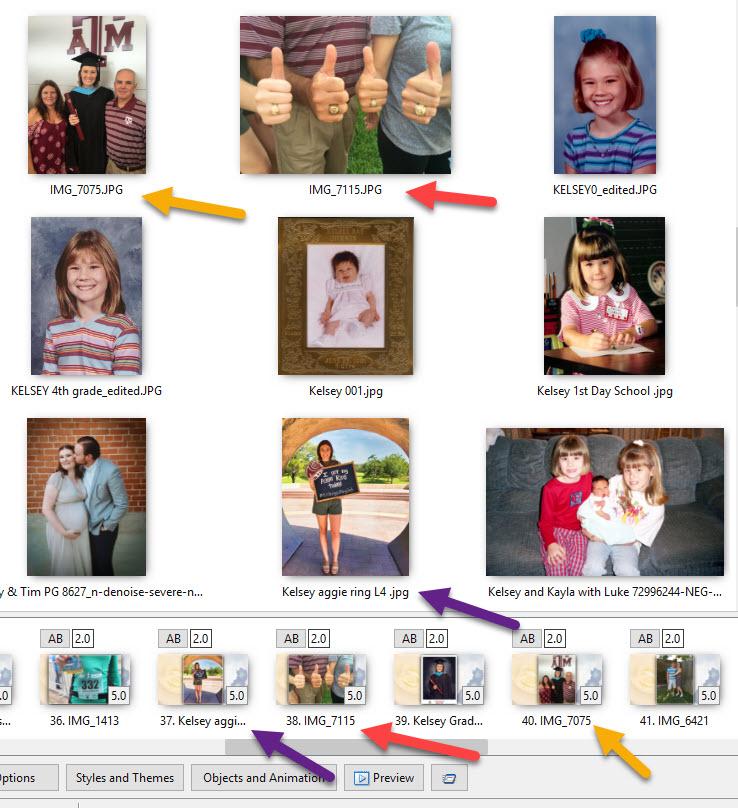
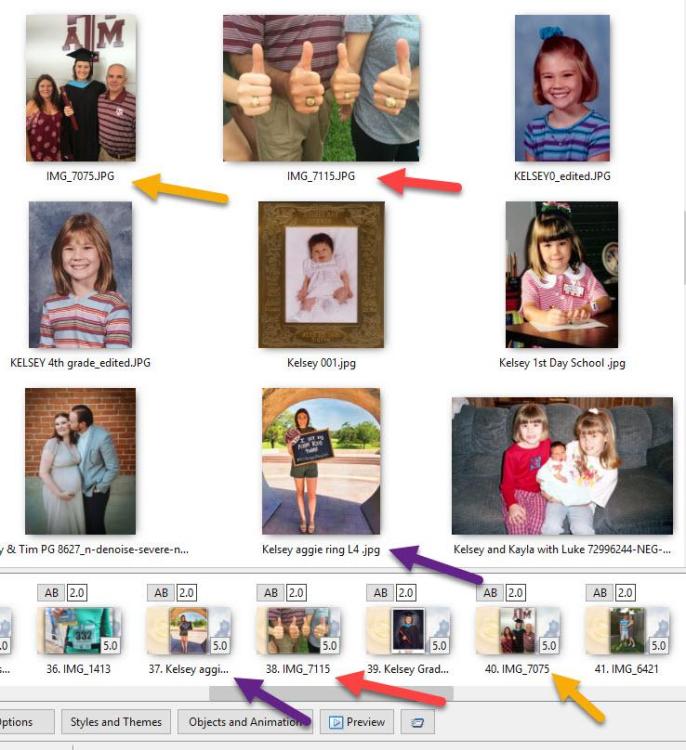
HI everyone, I am reworking a show from last year, and there is no blue indicator that I have used each old particular photo. I had created a saved zip file and moved it to another folder. Would this move have caused what I am seeing? Thank you for any help, Robert.
- Last week
-
creatos joined the community
-
Thank you - glad you enjoyed it.
-
yes you can open old shows made with an earlier version of PTE in the current version - as long as you have the .pte file. Or just download the older PTE from the website if you want to stay with the same version it was made with. If you only have the exe or MP4 then no. Jill
- 1 reply
-
- 1
-

-
Is there any way to open old shows and modify them?
-
.thumb.jpeg.275a23bb9c94b74fa0ee2ccae5279a1c.jpeg) GordW changed their profile photo
GordW changed their profile photo -
Very impressive... Alex55
-
We solved the freezing issue in Beta 14 today.
-
Beta 14 is available See the download links above. Fixed a freezing issue in all previous Beta versions that could appear in the mini player, Slide Styles, or Slide Options for transitions when a project had slides or custom transitions with many video objects.
-
That's great opportunity for the Camera Club ! And great benefit for the cast and crew. (PS- my name is Jim 😊)
-
Hello everyone, and thank you all for your feedback! I really love this new effect in version 12. It makes creating creative effects incredibly simple and intuitive. I've already prepared a collection of transition effects built around this new feature, and I'll be releasing them as soon as version 12 is officially released. Pascal.
-
Thanks for your comment. @Digartal, I'm glad you found them useful. I just watched your presentation, and as you said, it's something to be happy about. I really liked both the effects and the animations. Congratulations!
-

Error Creating style version 12 [SOLVED]
jienense replied to jienense's topic in PTE AV Studio 12 Beta
Thank you very much, it works well. -
Thanks Jim, I have shared this with the group both as individual images and well as the AV. The camera group I started 16 years ago has photographed over 75 productions for this theatre group. For this one we had about 15 members present and 20 - 30 images from each member, so the cast and crew get around 400 images for their use. Mark