All Activity
- Today
-
Igor, I have a small collection of sounds (1-3 seconds). If you're interested and CC0 rules allow, here's the download link: https://drive.google.com/uc?id=1gg-c_MZuX7aMWOz2Q0S0D8z3HsO-Vuxg&export=download These sounds and many others can be found on the website: https://zvukogram.com/category/
-

Changing the speed of a video is broken in several ways.
Ghulya replied to mhwarner's topic in PTE AV Studio 12 Beta
PTE 12: Why is Video Optimiser still a separate tool? With the release of PTE 12, it is time to address a critical issue regarding workflow efficiency. PTE AV Studio has evolved into a full-fledged NLE (Non-Linear Editor), yet we are still forced to use the Video Optimiser as a standalone external utility. In 2026, this fragmented approach is no longer acceptable for a professional. The technology for stabilisation, noise reduction, and frame interpolation is already yours. Keeping it locked in a separate tool creates an unnecessary mess for the user. We should not have to jump back and forth between two programs to prepare our clips before bringing them into the V12 timeline. The competition is moving much faster in terms of native integration. If PTE 12 wants to be taken seriously as a modern editor, these tools must be accessible with a single click directly from the File List or the O&A editor. Is there a technical reason why you are keeping this split environment, or can we expect a full, native integration in the upcoming V12 builds? Thanks Ghulya -
Thanks Dave. Have downloaded and will import to try out - your help is appreciated.
-
Try this Style. After IMPORTING you will find it in USER STYLES. Details are in the Style. Joe Bloggs.ptestyle DG
-

Changing the speed of a video is broken in several ways.
Igor replied to mhwarner's topic in PTE AV Studio 12 Beta
I reproduced this issue. Thanks. -
Perhaps the "Integrated Loudness (LUFS)" and "True Peak (dB)" values are set significantly different (or not) for the music compared to the sound effects? Just a thought.
-
Thanks, Dave, will try this.
-
Bruno, thanks for your suggestion.
-
You can already add your own sound files to your projects - just use the "Add Sound" button (not Sound Library) and select your local audio files. We plan to expand our built-in sound library. However, we only include sounds under CC0 (Creative Commons Zero) license - meaning they must be in the public domain and free for everyone to use without restrictions.
-
Hi, Thanks, I reproduced the issue by replacing the Sound file. We'll fix it. Temporary workaround: remove the existing Sound object and add a new one.
-
Changing the speed of a video is broken in several ways.
Igor replied to mhwarner's topic in PTE AV Studio 12 Beta
Hi Mary, Thanks for checking video editing functions. Please send me this video file which causes freezing and incorrect speed. Better with a project file (.pte). Write me a personal message with a link. I found a couple of issues with editing of video speed and duration. We'll fix it. -
Gary, Frame interpolation is always applied to the entire video object, from start to end. For example: A. The original video is 30p. Your display operates at 60 Hz (or you are creating a 60p video export). Video speed is original, 100%. PTE will generate intermediate frames (1 real frame + 1 blended/interpolated frame) for the video object. B. The original video is 60p. Your display operates at 60 Hz (or you are creating a 60p video export). Video speed is set as 10% / 0.1x. In this case, PTE will generate 9 intermediate frames (1 real frame + 9 blended/interpolated frames) for the video object.
-
I initially applied loudnorm normalization (for all sound files in the library) using the EBU R128 standard with a target level of -16 LUFS. loudnorm с I=-16 in FFmpeg. I noticed a problem - some quiet sounds get to the same level as loud sounds, destroying the natural dynamic range. Probably I'm wrong and I can try again. UPD. I normalized all audio files in the sound library in future Beta 4.
-
Me too I agree, the volume is too low, even at a setting of 200% 🤮
-
Thank you, the best time is the rising tide in the morning. The birds are busy preening and feeding and a slow, gradual creep up allows me to get closer. If you move slowly, the larger birds are more accepting but the smaller birds are always more flighty. Cheers Mark
-
Thanks John, glad you liked it. I probably have a few others from other cities in Europe from the trip. Amsterdam was early. Time and more recent imaging are preventing it from happening. Cheers Mark
- Yesterday
-
They will, if you use a frame and DO NOT ALTER THE PAN X VALUE dg
-
Thanks, Dave, I will look at frames as these are not something I have ever used before!
-
Thanks, Jill. It appears that I have to manually get it right the first time, and that PTE will not align the text boxes to each other!
-
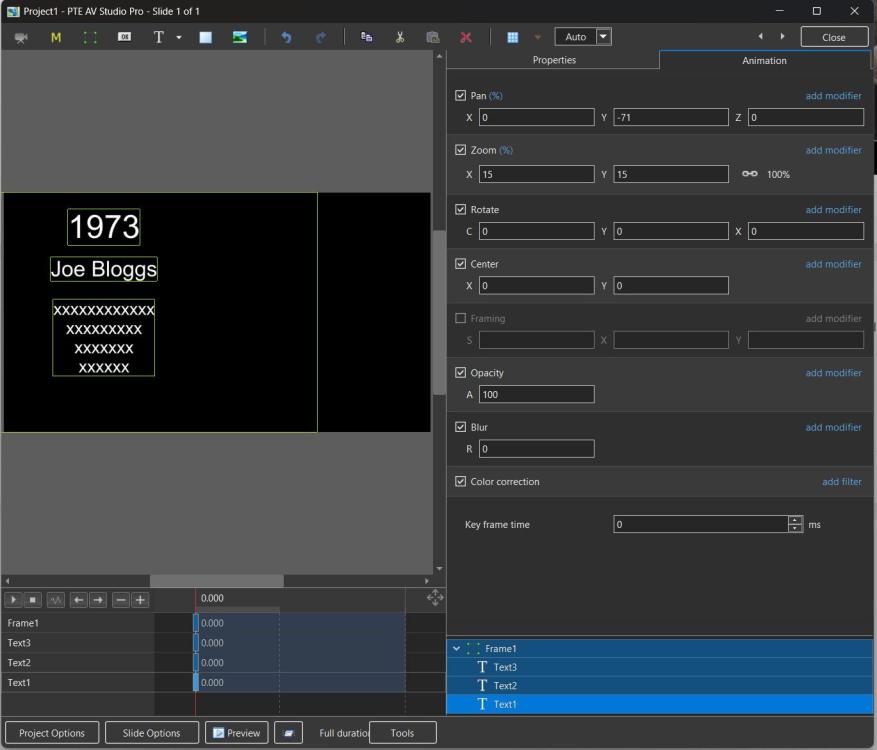
Try adding a frame and adding your text boxes to the frame. When you have the first one set up you can pan the FRAME to the left with everything maintaining its position. Save as a Style or Quick Style. DG
-
Get it right for the first slide, then copy and paste onto all the other slides. You can do this in one go by using a quick slide style. Then you just have to change the text for each slide. Jill
-
Nicely put together. Also nice the birds co-operated and stayed still long enough to get the images
-
Very nicely done Mark. Nice infrared effect in the vegetation.
-
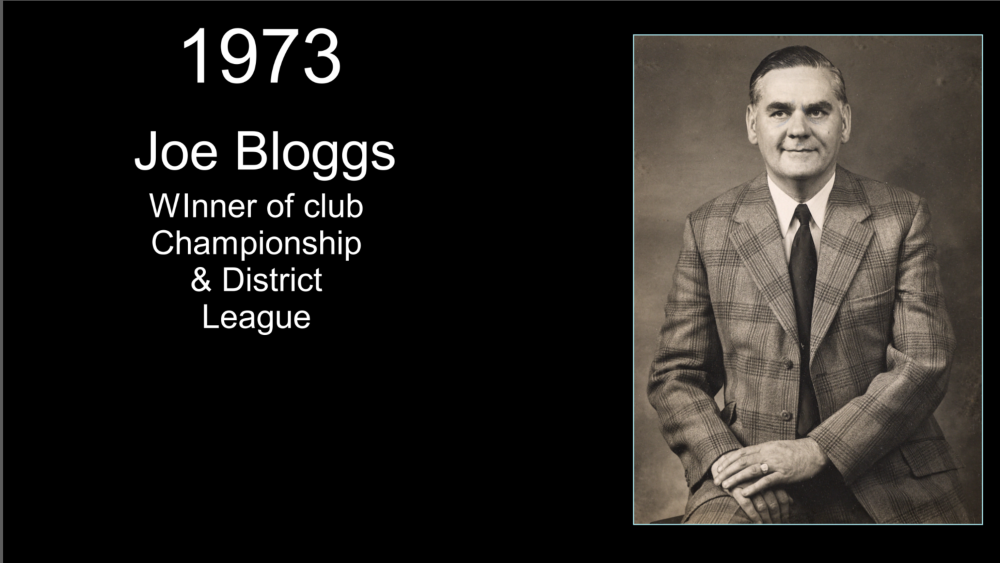
Dave, thanks for the reply and information. Perhaps I am mistaken, but my understanding is that this will only align the text within each individual box/object. I may not have explained my issue properly, but I am looking to have each text box aligned vertically above each other on the slide. I have tried selecting three text boxes, and while I can get each box to have the text aligned within its own box, the boxes are not aligned on the page. Hope this makes some sense! Have added a screenshot to try and explain what I wish to achieve.
-
In O&A / Properties /Alignment, choose Centre. Yes, the alignment can be incorporated into a Style or Quick Style and once applied the Text can be edited. DG