mhwarner
-
Posts
674 -
Joined
-
Last visited
-
Days Won
11
Everything posted by mhwarner
-

Playing with possibilities of PTE (incl. project files)
mhwarner replied to Adda's topic in Slideshows & AV Shows
Andreas, Thank you so much for taking the time to put this together and for sharing it with us. There are some wonderful ideas in the presentation (and lovely photos, too). The project files will be a great learning tool and I can't wait to spend some time figuring out how you've accomplished the effects. Thanks again! -
Thanks Ken! I had forgotten Igor's recommendation. The video looks just fine using the MPC Homecinema player. So the moral of the story is don't use the Quicktime player even though it will in fact play the video -- unless you want crummy results.
-
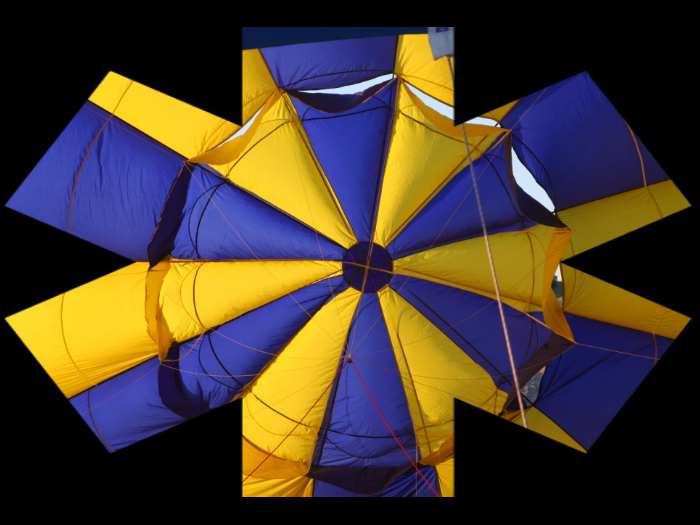
Not sure if this is a bug, a limitation in the program or just ignorance on my part of the correct way to do something. I have created a small show with 11 slides. The slides are 1044 x 703. Each image is surrounded by a 20 px white border (looks like a snapshot). (The borders are created and saved as part of the image, not as object rectangles in PTE. And there is in fact no object animation on any of these slides -- just than the transitions selected from "Screen" in project options. I am using all 4 of the "Flip 3D" transitions with the "Rotation axis in middle of slide" UNchecked. Previews and show look fine in PTE and as .EXE file. They are also OK when created as DVD. Problem comes when I choose "Create HD Video for PC and Mac". Because the horizontal borders at the top and bottom were being chopped off, I selected "Custom" and unchecked Pan & Scan as indicated by Igor in an earlier posting today. Width is set at 1280 x 720 and mode 1-pass, quality at 100 (although I have tried a number of variations of these settings with no resolution of the issue at hand). There is currently no audio. Anyway, the problem is that when I view the created mp4 file in quicktime, each time the images flip, the white border is sort of "broken" into pieces (maybe pixellated would be a better explanation) until the animation is completed and the picture shows "flat". I also just created the same animation with 4 slides WITHOUT borders and the same pixellation of the edges is visible (not as obvious as with the solid white borders, of course). Is this a bug, should we not use the new 3d transitions when creating mp4 files, or should I be using different settings to create the mp4 file?
-
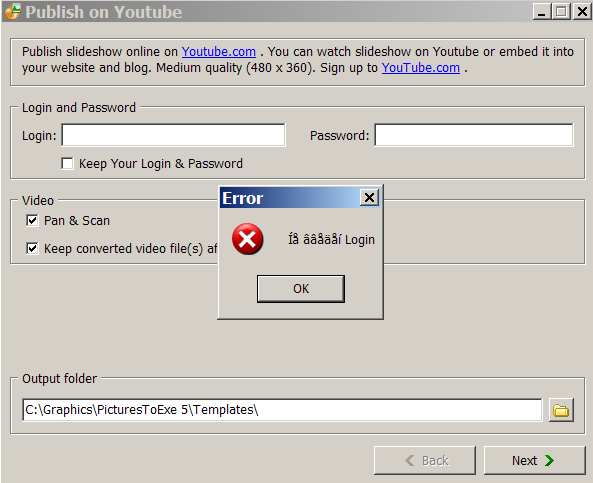
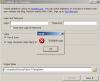
Very small bug in error dialogs ... If you attempt to publish your slideshow on either YouTube or Vimeo and you do not enter a password but then attempt to click the "Next" button, an error dialog appears. Presumably the error dialog is telling you that you first need to log in to the service. Unfortunately, the error dialog is mostly in Russian. Picture below:
-
Just a little Fun Thing for my Grandchildren
mhwarner replied to Lin Evans's topic in Slideshows & AV Shows
Lin, I think perhaps you might have too much time on your hands. Cute video and I'm sure the grandchildren just loved it. I especially liked (1) the music and sound effects and (2) the slobber coming from the monster at the end. Kidding aside, the quaity of the video was just amazing. Just out of curiousity, although I am assuming you have a good high-speed connection, can you give us an idea of the timing to record your "feature" to the appropriate video in PTE and as well as the time to actually upload it to Vimeo. Thanks. Oh, and Happy Halloween yourself! -
Barry, I hope the move has gone well for you and Carol. I can't wait to see some photos and/or a slideshow of your new home once you get settled!
-
How to make PicturesToExe more simple and intuitive?
mhwarner replied to Igor's topic in Suggestions for Next Versions
My first suggestion would be that it should be much easier for users to synchronize their slides to one or more pieces of music. Perhaps their is an easier way that I'm not aware of, but in the project options clicking the "Synchronize Music and Slides" does not have the effect that a first-time user or newbie would expect. You have to go into the timeline, as far as I know and click "Timed Points" and then "arrange all points" to spread the slides on the timeline. Not very intuitive. I understand the importance of the timeline for creating sophisticated shows where the transitions match the beats of the music or Aside from suggestions others might make it seems to me that you could use your very own software tool to create a couple of quick tutorials for users who just want to put a simple slideshow together, perhaps launched by some sort of "Quickstart" button. 1. Select some slides 2. Set your project options (how long should each slide stay on the screen, choose a background, add some music, choose a screen size and resolution, choose your transition effects) 3. Do you want to synchronize the slides to the length of the music? (Make it easy to do this). 3. Preview your slideshow and make changes to taste (Maybe add something here about modifying individual slides to change a single transition) 4. Save it to an .exe For some number of users, that is all they might need or want. For level 2, maybe add something simple about panning and zooming. For level 3, tell them how to quickly create a dvd, save it for an iphone, send it to uTube. Beyond that, you could probably spend a long time trying to make all the wonderful and sophisticated options of the program easy to use. I'm not sure that is necessary, but I think a series of quick slideshow tutorials that briefly cover targeted areas would be a huge help to people who want to get deeper into the software and learn how to make more sophisticated shows. You've got the perfect product to do it ... why not use it! (I realize we have some very excellent manuals, both PTE's and the one developed by Lin and others, but sometimes people just don't want to sit down and RTFM, where they might take a few minutes to see a quick tutorial that points them in the right direction.) -
Here's the original thread with a beautiful example slideshow (which still seems to be a working download as of today): http://www.picturestoexe.com/forums/index....ting+watercolor
-
My backup laptop is a 4-year old Dell with an NVidia GeForce FX GO5200 graphics card and 1.5 Gigs of RAM. All 3 of the mask demos posted so far, as well as the mipmapping demo run fine on that laptop. And of course, they run ok on my working machine (except for the annoying ATI darkening) with an ATI Mobility Radeon X1400 card and 2 Gigs of RAM.
-
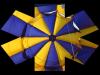
Thanks Lin! That was helpful. For the effect I was trying to achieve (no animation, really, just providing some "ragged" edges for the photos), I was missing the part about inserting something else into the Mask Container. Once I put in a black rectangle directly below the mask itself, I was seeing exactly what I had expected to see initially. For others who might want the same effect, in the O&A window, it looks something like this, Mask Container |---Mask (some raggedy edge png file) |---Rectangle (this is sold black) ImageFile XYZ And the slide then looks like this:
-
Hi Lin, Could you please share a few quick tips on masking. I have tried everything I can think of with every sort of mask I have (and I have a lot of them). Although the masks (and transparencies) seem to show up find in the O&A windows, when I run a preview, they show up only as a faint series of lines on my photos. Doesn't seem to matter whether the mask is a child of the image or whether it is at the same level as the image. Thanks in advance. Any help would be appreciated.
-
Not a bug, just a major disappointment! I thought that the ATI "fade to darker" on load problem was supposed to be resolved in this version. Did I miss an announcement that it was never going to be fixed? I have never found any sort of driver update for my card, so I was really hoping it would be fixed in PtE. Bummer!
-
Patrick, I have just watched the show again (and I am sure I will return to it many more times). The photography is just stunning. The selection of music and your choice of photos for the show are an excellent combination. Thank you for sharing!
-
Is there anyway of keeping the image behind the
mhwarner replied to goddi's topic in General Discussion
Hi Lin, Yes, I assumed that since Igor referenced masks as "objects" it would be necessary to go into the object editor for every slide. And while I watched Jean Claude's video several times (since I don't speak any french, of course, I had no clue what he was saying). But I found his technique interesting, so just for fun, I created a 1600 x 900 black file then deleted the center 1024 x 768 to transparency. Then I went into the program properties and loaded the transparent .png as a logo and set it to centered, 100% opacity, 100% size, etc. When I previewed my show, since I had set a black background as well, all of my zooms and pans on larger files were indeed contained inside the transparent center frame -- a very cool technique which requires only a couple of clicks in the project options. I will try some additional experiments when I'm don't have a programming deadline looming. It does seem to solve the problem of pans and zooms displaying outside the chosen image area (as when the screen might be set at 90% or 95% to accommodate the save zone). The exact sizing of the transparent frame is something one would have to experiment to get it just right. Gary, Experiment with the above technique. I think it will do what you are looking for -- without requiring you to edit every single slide. (Thanks to Jean Claude for the idea, even though I think it is slightly different from the way he is doing it!) -
Is there anyway of keeping the image behind the
mhwarner replied to goddi's topic in General Discussion
Gary, I believe that version 5.6 will include some sort of mask object. Obviously, we will have to wait for the first beta to see how it works(which according to Igor's last posting before his trip is on schedule for the end of September). But I'm guessing that in any case, it will be necessary to "touch" every single slide in the show to use it. If you're not in a huge hurry to finish your show, you might wait until next week to see whether we get a nice surprise from the PtE team. -
Thanks for pointing this out. Photoshop has a similar feature. This is really helpful in deciding which font looks best. Another tip that I discovered, which may or may not be documented somewhere, is that if you click on the text object itself, while you can drag any of the handles to resize it proportionally, if you hold down the SHIFT key and drag on one of the sides, you can resize in that direction only (i.e., make taller text or fatter text without resizing the other direction).
-
Indeed, look at the way the basic hardware requirements keep increasing with each new version of MS' operating systems. Somehow, I doubt that the computer makers are unhappy with the situation. They are definitely all "in bed" together. I'll stick with XP2 until I have no choice next April when they quit issuing security patches for it. Maybe by then, the rest of the kinks will be worked out. Unlike those here who are retired, or "hobbyists", I am still earning my living from computer programming and can't afford any problems whatsoever.
-
Actually, I downloaded the software program you mentioned and am enjoying playing with it. It definitely can be addictive. As for your slideshow, I would really love to see it. I'm sure it is well-done as always. Unfortunately, I tried a couple of times and I just can't afford the bandwidth right now to pull down a 150 MB file (I am on a satellite connection). Any chance you could put together a "light" version of the show?
-
I think something must be slightly different because Tom's Random Slideshow Generator no longer works. If I create a simple slideshow and save it in 5.5, Tom's utility doesn't appear to recognize the utility and does not create the random effects. Yet if I open that same slideshow in 5.1 and re-save it, Tom's utility does recognize it and will save it out with the random effects. I haven't taken the time to report it yet and haven't seen Tom on the forum for a while. I just assumed there was some difference between versions of PTE.
-
Lovely pictures, Mark, and the music is most appropriate. You were able to get some good highlighting effects. Just out of curiousity, what is the font you use for the titles? It is a good fit for the subject matter. Thanks for sharing.
-
Igor said he was still thinking about it back in April, but I don't think he's ever updated us. I too am very interested in this fix. I'm guessing it will not be available. http://www.picturestoexe.com/forums/index....ost&p=52107
-
Thanks Dom! Your explanation does clear things up. I didn't realize that the new "Show real slides in Slide List" parameter was there. It is in fact checked "on" by default. And I believe you are correct that what is actually being displayed in the slidelist is the slide at the BEGINNING of the transition. If I uncheck the box, I do indeed see exactly what I did in version 5.1 -- the entire picture/image that I had designated as "Show as main image". So in the slides which contain only "fly in" images, only the background is displaying at the start of the transition and that is what I am seeing. For example, with the "Show real slides in Slide List" checked on, your "Avalanche" template shows nothing but 4 gray slides in the slide list. With the parameter unchecked, I see pictures 1, 6, 11 and 16 only. I do agree with you that the slide as it exists somewhere in the middle of the transition would be preferable to the way it looks at the beginning of the transition. Maybe we can add it to the wish list. Thanks for responding. And thanks for your graphic image, which by the looks of it is a template for the "World Tour" show. I hope it will be available soon!! Peter, thanks for taking the time to test as well. However, in my testing it appears the slide that is displaying is as it exists at the BEGINNING of the transition rather than the end. I wonder what the could be different in our setups? So in the end, I guess it is not a bug, but a new "feature" after all.
-
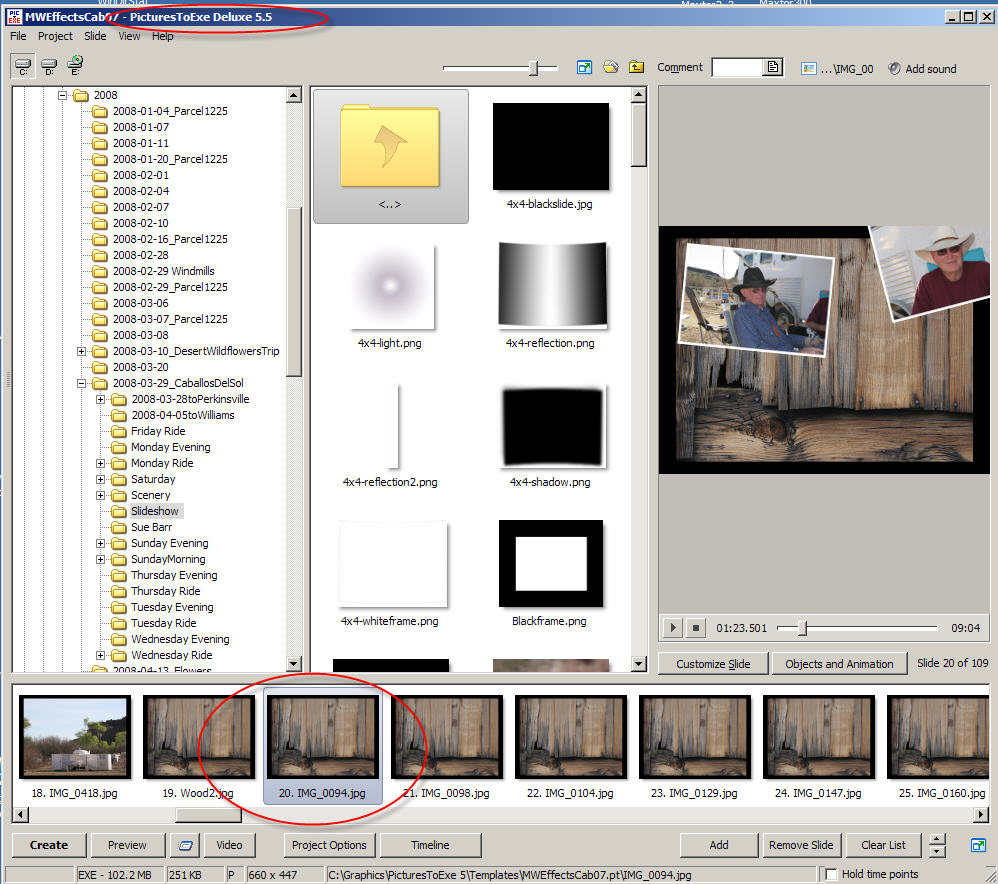
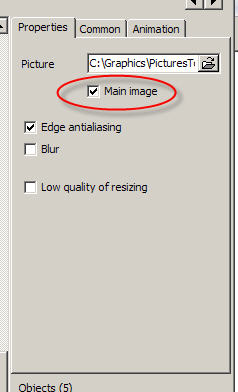
I still think it is a bug. And if you had taken the time to look carefully at the images I posted (including the red circle annotations I added), you would see that it is definitely NOT how it worked in 5.1! I specifically went back and tested in 5.1 before posting, and the behavior is quite different. Why bother to have the check box for "Main Image" then? What is that for? I personally don't agree with showing only the background image -- which in my case is what is there when the transition STARTS -- not when it finishes. When it finishes, the background and all 4 of the "fly-in" objects are visible. That would be an even better solution, as far as I am concerned, but I am happy to live with at least allowing me to select one of the objects/images to set as the main image. Thanks for jumping in here, but I'll wait to hear Igor's explanation on whether it is a bug or whether the functionality has changed and if so, what the "Main Image" checkbox now is used for. And I would personally think that someone like Dom, who sells lots of interesting templates, would be annoyed to know that the horizontal slidelist for all of his templates now shows nothing but a bunch of black slides. So now you have to click on the list to find out what a particular slide contains to know whether it is something you want to modify in the O&A editor. A large step backward as far as I am concerned.
-
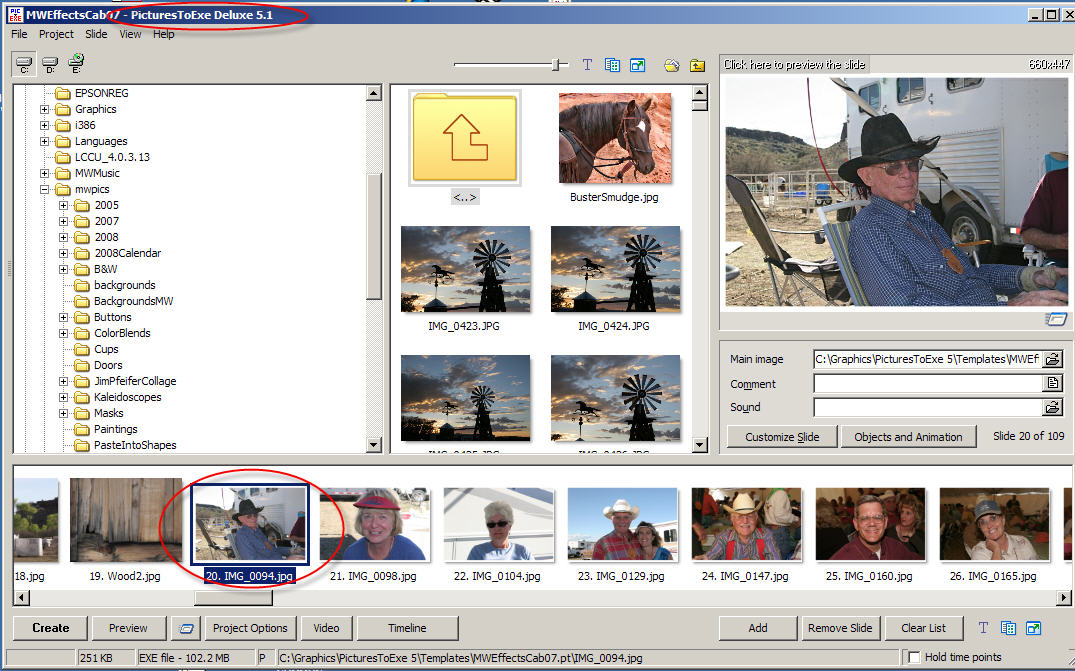
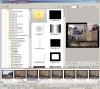
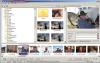
Sorry not to have posted sooner, but I haven't been able to test much with 5.5. However, I noticed this other day but wrote it off to possibly being related to someone else's template I was using. However, I noticed it again with one of my own shows and I have gone back to 5.1 to verify that it did not exist there. It was definitely present in 5.5 beta 5 (the earliest I tested and which I just reinstalled to be sure it still had a problem) and is present in beta 11 and RC candidates 1 and 2. Anyway, here's the issue. I set my screen to display the slides as a horizontal list. I have a slide (multiple slides actually) that have animations. There is a backround image with 4 secondary images which "fly" onto the background. I have selected one of these secondary images and checked the "Main Image" checkbox. In version 5.1 of PTE, that secondary image/object correctly shows in the slidelist. However in 5.5, including the latest RC2 only the underlying slide/background shows in the slidelist. The animation window does correctly show the whole animation. Here are some screen shots to illustrate what I mean. I do hope that this is not a new "feature" as it makes it very difficult to tell what I have on a slide just by glancing at the slide list. If it's a new "feature" for some reason necessitated by the new animation screen (I hope not), then the check box for "Main Image" needs to be removed from the O&A window.

-
I have a Canon 20D with a 10D as backup. Will probably purchase a 40D within the next month. I also have a Canon A95 which I always carry in my purse so I am never without a camera. When I first started doing serious photography many years ago, I had a Konica 35 MM rangefinder, then a Konica SLR. I went through a couple of non-SLR Olympus cameras and my first digital was an Oly 2000 back in 1999 (which amazingly enough cost more than my current 20D and a couple of decent lenses!). I had and still have an Oly 2100 UZ which I use some for IR photography. I also had a Minolta Dimage Zi (I think that's what it was). I had no investment in lenses to steer me toward either Canon or Nikon, but the forums I frequented seemed more heavily weighted toward Canon and the 10D had just come out so that's what I picked. With the dSLR, I love the viewvinder over the EVF of my earlier Minolta and Olympus cameras and of course the interchangeability of the lenses. The A95 "spare" that I care is one of the last of the small cameras which use the standard AA batteries and a compact flash card and so I can use all the smaller 500mb and 1G cards and batteries that I acquired as I upgraded through the series of cameras. I also have a waterproof housing for the A95, so it has come in handy on some raft trips where I wouldn't feel comfortable taking the more expensive cameras. When I buy the 40D, I am going to send the 10D off to have it converted to an IR only camera, since the Oly 2100UZ is getting on its "last legs". I do a lot of horseback riding event photography professionally No matter your choice of camera, Dom, the thing is to just go out and use it. With the creativity and talent you have display in your imaginative templates for PTE, I have no doubt that we'll begin seeing some great new slideshows displaying your artistic talents in photography. I can't wait.