goddi
-
Posts
3,593 -
Joined
-
Last visited
-
Days Won
26
Everything posted by goddi
-
Greetings, Thanks, Tom. I'll see if my computer club will continue with this and I'll give it a try. Gary
-
A computer club is looking for someone to edit recorded Zoom videos. I have not participated in a Zoom so don't have a Zoom file to play with. I understand Zooms are saved in MP4, but not sure if there would be any other problems, such as with audio. Any ideas? Gary
-
Yea, I like the 'work in progress' approach so it is clearly a request for critique or help. Gary
-
Why have to choose??? Both are fantastic!!!! Gary
-
Greetings, I have used a separate Route Generator program many times. It is a separate program but works well and, its results, can be added to a PTE show. Here is a link with a PTE show that uses a Route Generator program several times. I don't think we need it to be added to the PTE program, but you can get the separate program to get good results. The link to the Route Generator program I use is shown in one of the replies at this link. I originally tried to do it in PTE but much more difficult and time consuming: Gary
-
Greetings.. Very, very cool! Can video clips be used? Gary
-
Greetings, There is a Comment box for when an Author creates a Style. However, if a Style has been created, the user can not add any comments of their own. It would be nice it there is an editable Comment box for users to put in their thoughts about the Style, in addition to the Author's Comment box. Gary
-
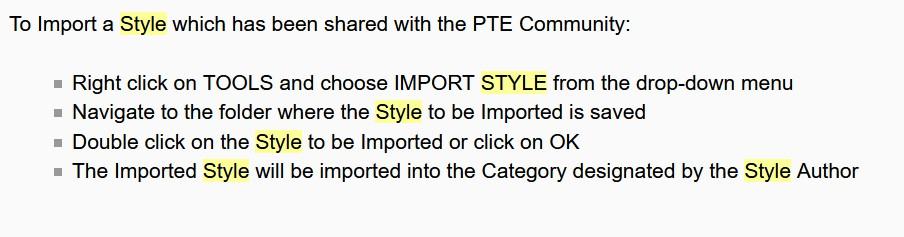
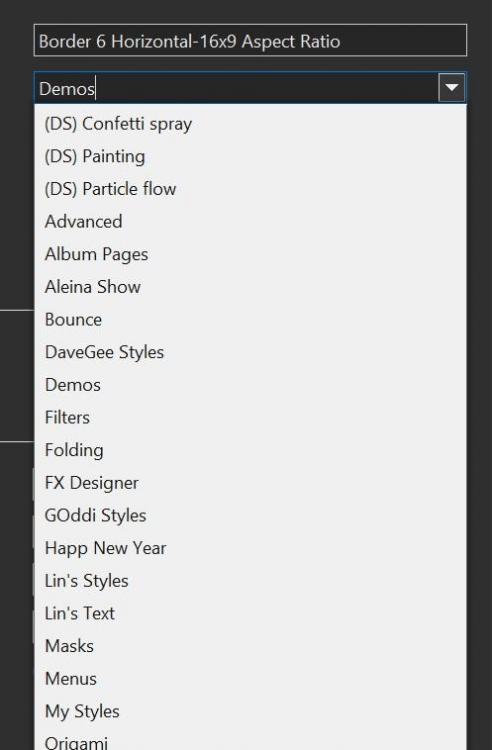
Greetings, When a Style is Imported, the Style will be imported to wherever the author designated the Category he wants it to be placed it in. Sometimes, you might not be aware of where it went or you might want it to be saved to a different Category or to an additional Category. It would be helpful if, when the Style is being imported, you have the abilty to see which Category it is to be saved to before it gets saved, and the opportunity to choose a different Category (similar to the drop-down menu you see when Creating a Style). I see that if you save it again or move the Style to a different Category, it will delete the Style in the original Category. I think we might want to be able to save the Style in different Categories. Gary
-
ooppsss. I meant my 'DaveGee Styles' folder. Brain fart. Gary
-
Ok. But out of curiosity, when I import a Style with a different filename, why would it overwrite a Style with a different filename. Really just curious why this can happen. And, the 'Simple 3D Set.ptstyle' ended up in a 'Temporary' folder, instead of my 'theDom styles' folder. Yes, I can move it, but is there a way to re-direct a Style to a chosen folder as the Style is being imported (to avoid having to move it and also being able to find it after the import)? When we 'create' a Style, we have the drop-down menu to select where it will go, but 'import' just dumps it somewhere and you have to find it. Gary
-
But I can not import the v2. It wants to overwrite the other Style. Gary
-
Dave, It seems that each one overwrites the other when I try to import both, even though the filenames are different. Are these two separate Styles? I can't import both. And if I even change the name of one of them (Simple 3D Set v2 to Sile 3D Setv2) , it still goes into the Temporary folder with the 'Simple 3D Set' name. Not sure what is going on... Gary
-
Audio Keypoints in Timeline Disappeared [SOLVED]
goddi replied to Tejano Bob's topic in Troubleshooting
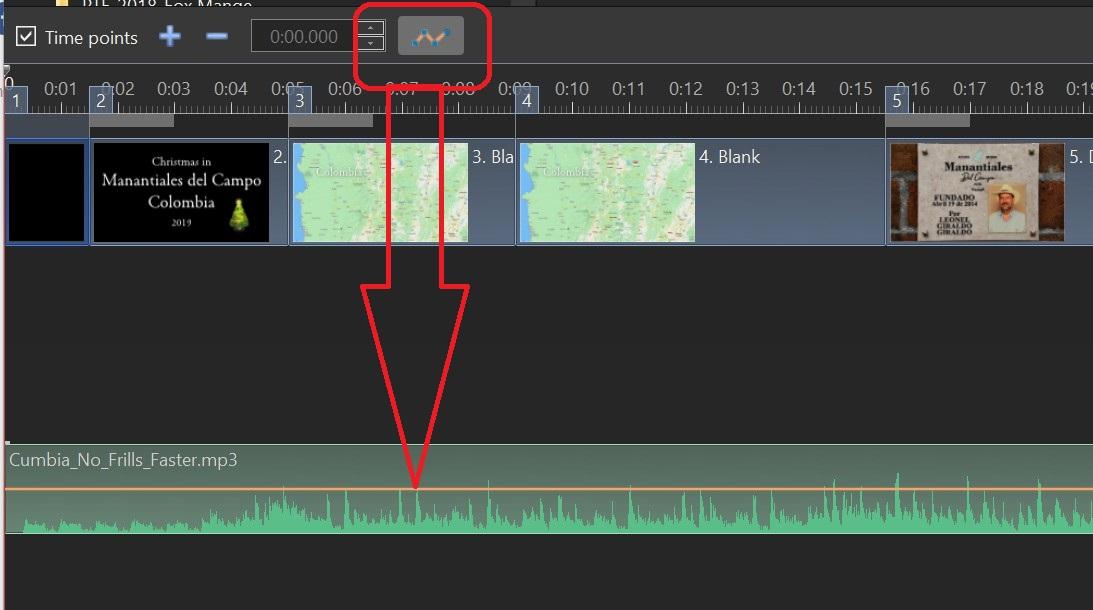
If you still have the orange audio line but no audio keypoints, did you accidentally click on this? Gary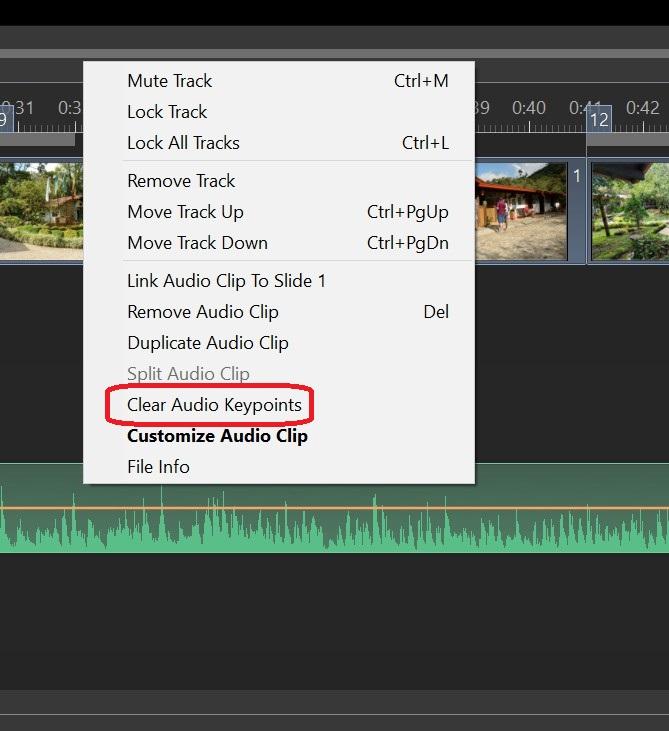
-
Audio Keypoints in Timeline Disappeared [SOLVED]
goddi replied to Tejano Bob's topic in Troubleshooting
Greetings, Did you accidentally click on this icon? It will make the orange audio line disappear. Gary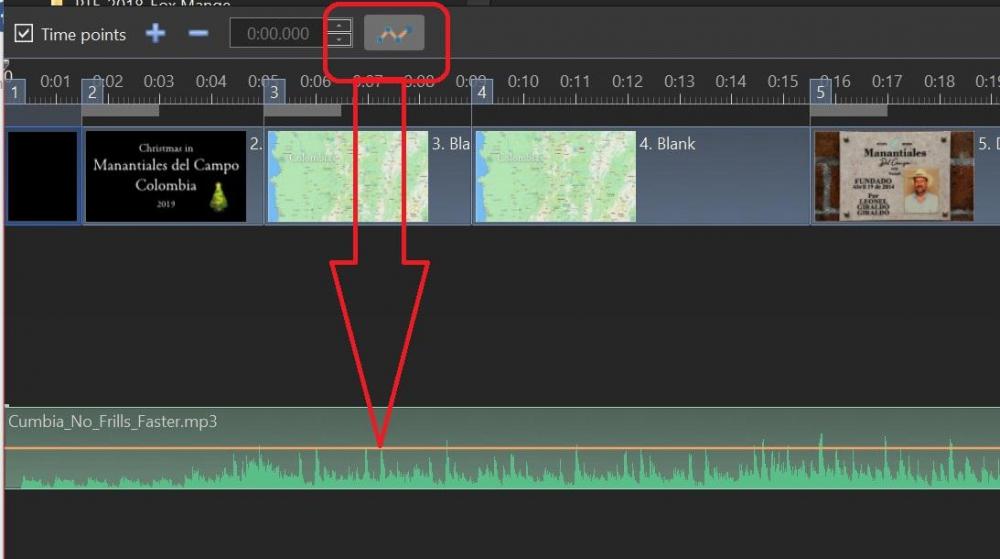
-
Greetings, You guys are the seeds of inspiration! I couldn't even come close to creating stuff you do, but it is fun to tweak them and still learn from them. Thanks... Gary
-
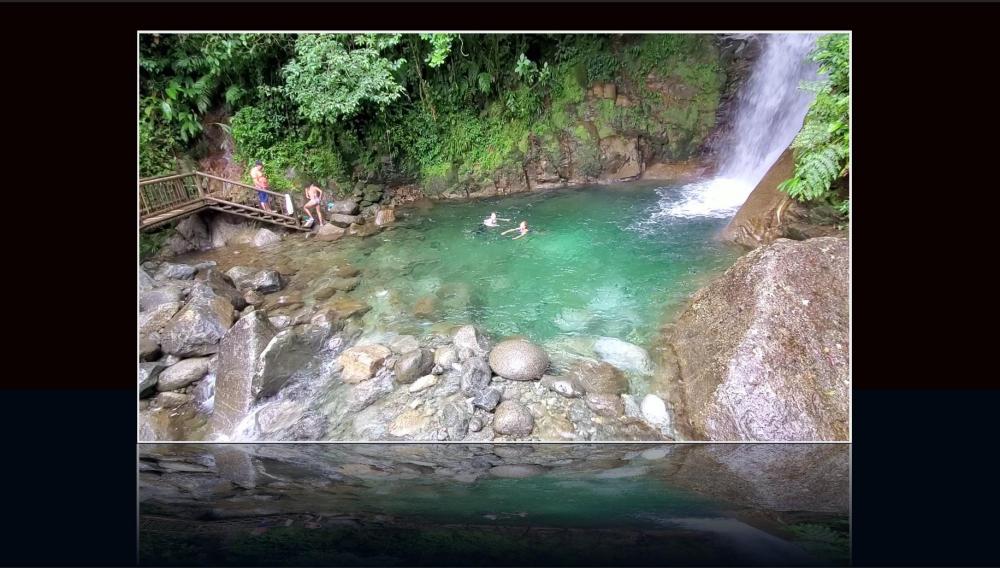
Greetings, Great!!! It took a while but I figured out how to modify it a bit. Nice that we can fiddle with it to make it fit our own use. Thanks so much for your creativity. Gary Water Reflection-modified2.ptestyle
-
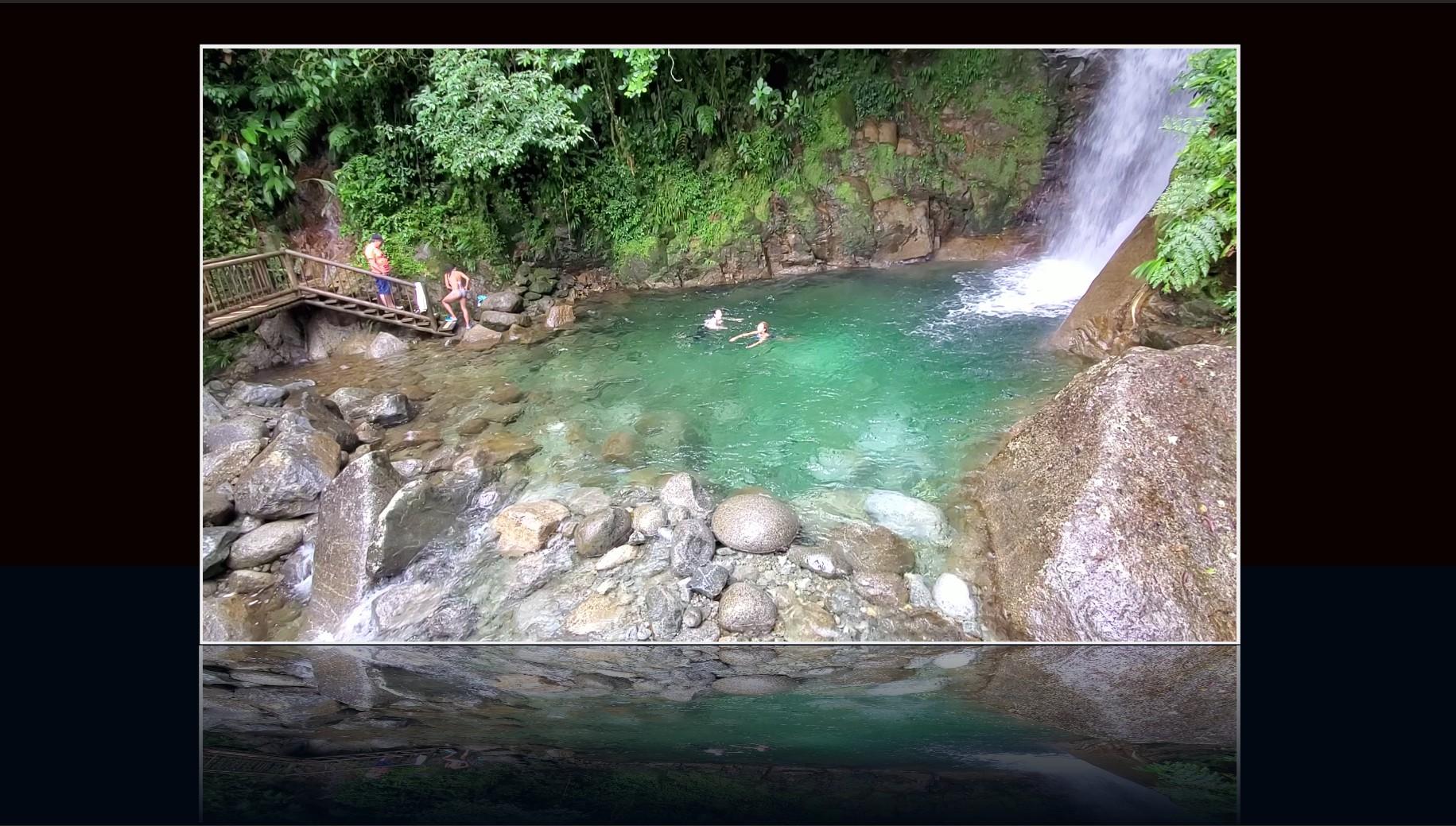
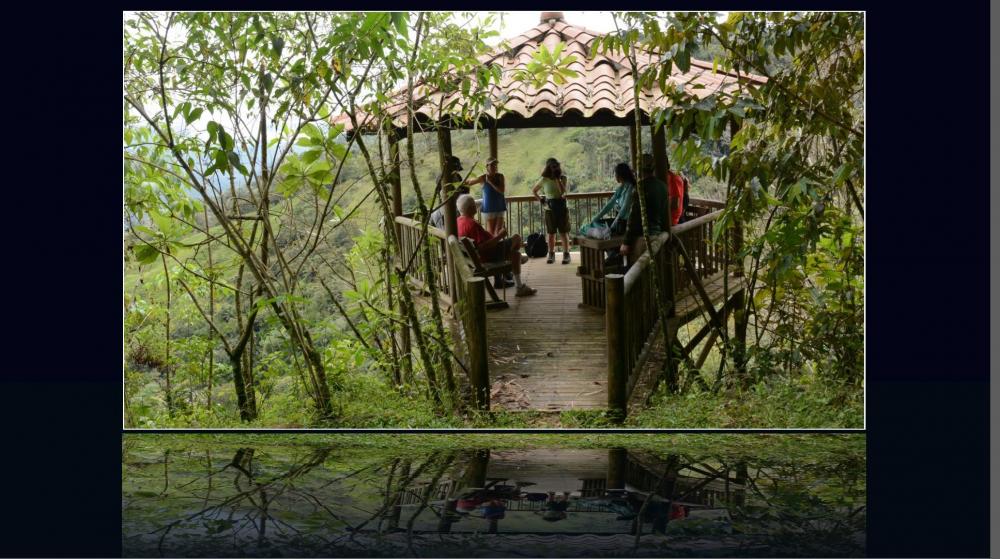
Greetings Tom, Yes, you did your magic!! It works very nicely. Thanks. Cool style and the audio is perfect. I made some adjustments for my own use. I put a border around the main image and changed the blue background to black. But, is there a way to put the same border around the bottom reflection area? Just curious to see if it can be done. I can't figure out if it is possible because the reflection area is made up of many rectangles. Any ideas??? Thanks... Gary
-
Jill... Hmmm... Ok. We should say the "Transition Duration of the AB". Or..."TD", for short. No, wait... 'Transition Effect Duration'... 'TED'. We need a glossary of terms so we are all speaking the same language!!!! Thanks...learn something every day. Gary
-
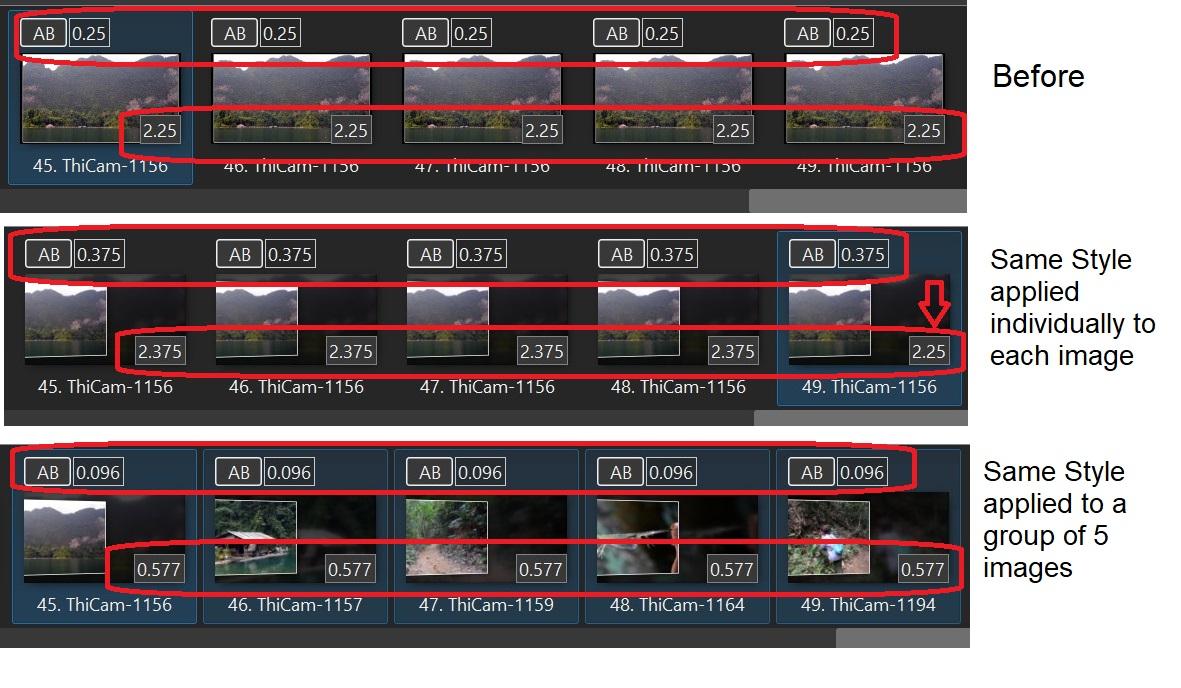
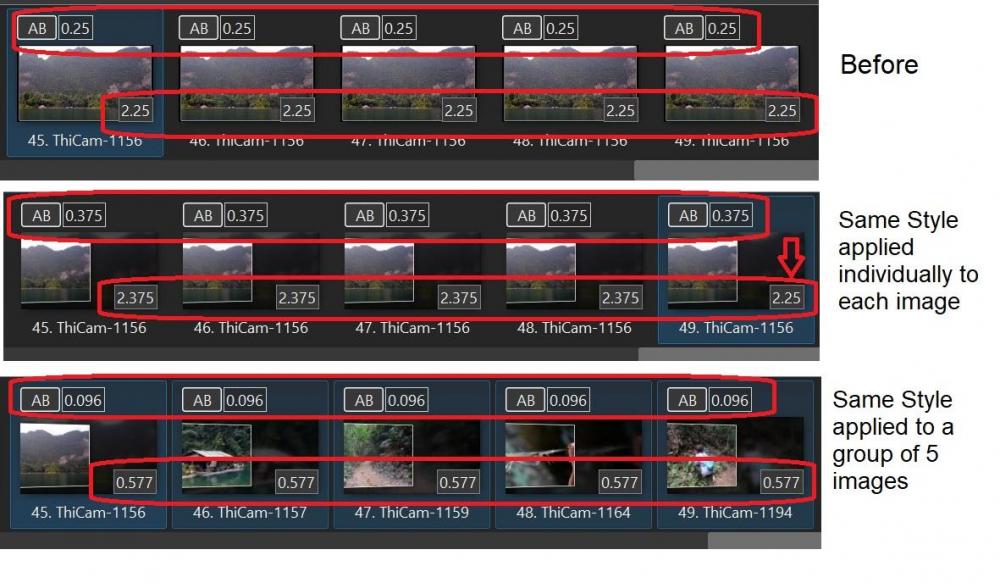
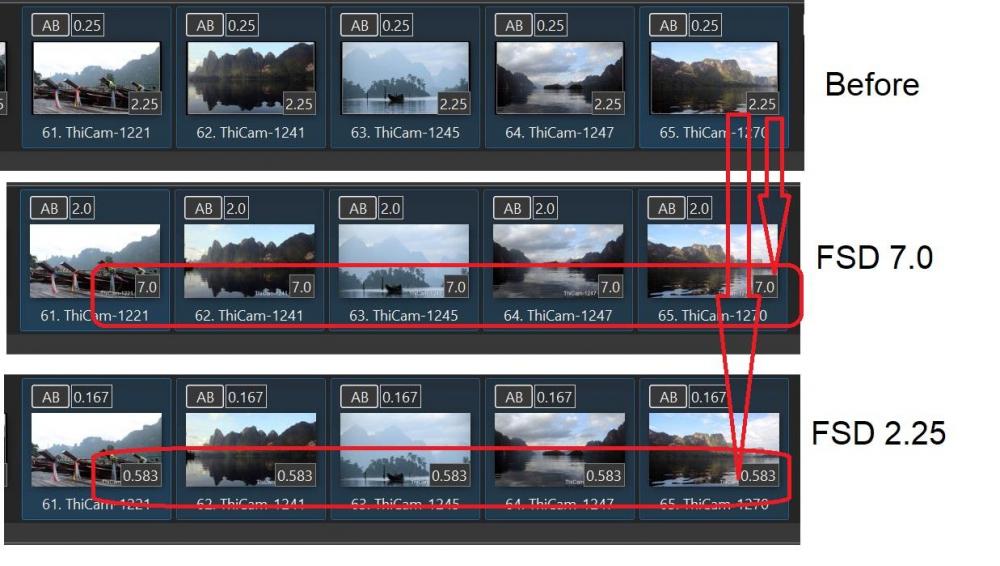
Gave that a try. When a Style was applied to each image (all had the same FSD and AB) individually, the ABs were changed from 0.25 to 0.375, and the FSDs were all changed from 2.25 to 2.375, except for the last one, stayed at 2.25. When a Style was applied to 5 images (all had the same FSD and AB) all at once, the ABs were changed to 0.096 and the FSDs were changed to 0.577. So you have to be careful and apply a Style, made for 1 image, on an image by image basis. Or calculate the total FSD for that group.These inconsistencies are why it would be helpful if, whether you applies a single image Style to a single image or a group of image, the FSD and AB of each image should be retained, or at least have a box to select to do it that way. Gary
-
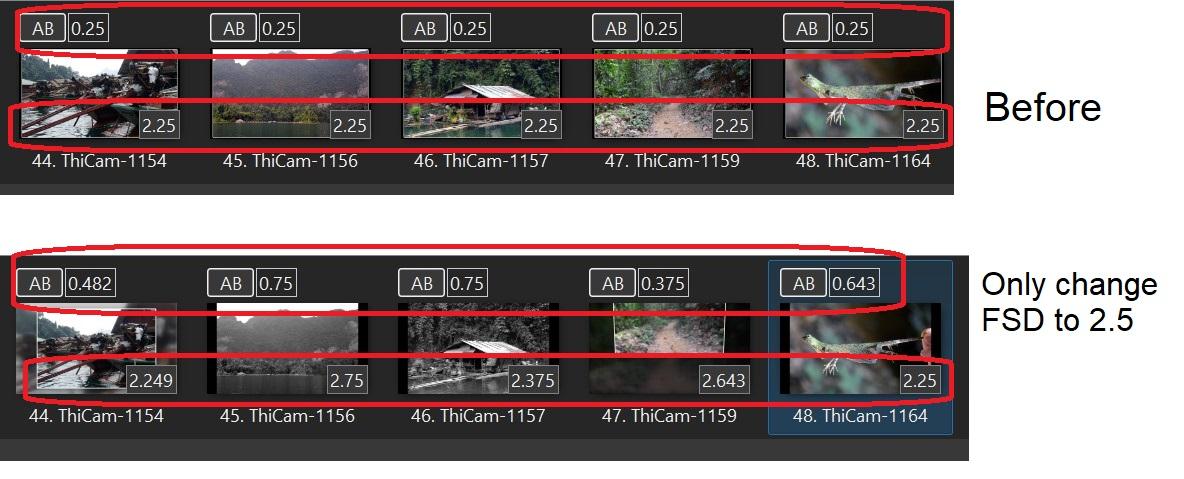
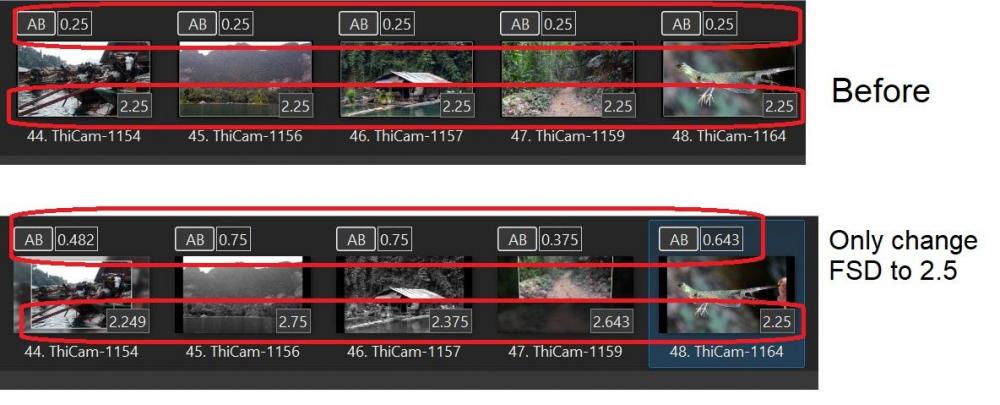
I chose 5 images that all had the same FSD and AB. I randomly selected a Style for each one (1 image required) and changed the Styles' default FSD to 2.25 for each of them. I get inconsistent results. I can usually 'fix' the results but for new users, it must be confusing. Gary
-
Greetings, I just noticed that Wideangle had a similar request several years ago. I would add retaining the AB transition duration,too: And in 2015: Gary
-
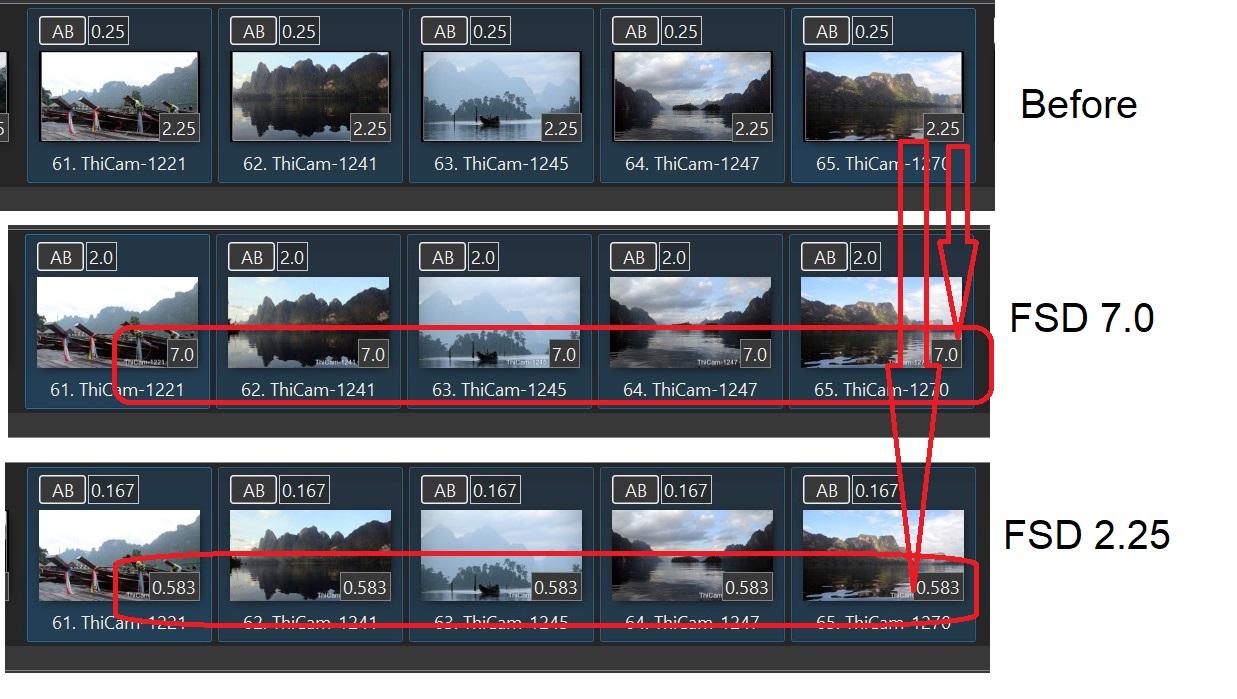
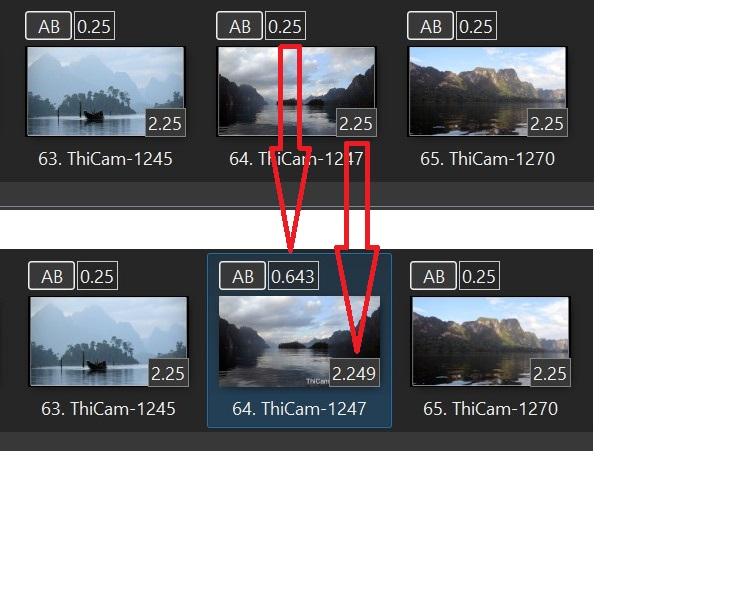
From what I see, single image Styles offer their own FSD default. If you want to keep the FSD you already have set for your image/video, you have to manually change that default FSD. Then after you have entered that Style with the FSD you wanted, the AB for that slide can change. And the FSD might not show the exact amount that had been entered. (I think this has already been noted in the past). See slide #64 below. Also, the duration of the previous slide can change if you are not careful. What I am asking for is the ability to enter a Style and have the choice to automatically retain its existing FSD and AB of the slide and not change the settings of any other slide. In the example below, I selected your 'Name' Style and the FSD default for that Style is 7.0. If I reset the FSD to the 2.5, I get the following results. Also, I notice that if I apply the Style and accept the default FSD of 7.0 for 5 images, each image gets the FSD of 7.0. However, if I change the 7.0 to 2.25, the 2.25 duration gets spread over the5 images. The AB gets changed too. Not consistent. Gary
-
Greetings, It would be helpful if the 'Styles and Themes' would have a choice to "Retain the AB (transition time) and FSD (Full Slide Duration)" of slides/videos already set in the project. (Probably should appear for Styles that require only a single image or video.) (I understand selecting a style will remove any already added animations). Gary
-
Greetings Tom, You fixed the SlideID but the audio of the GoPro video clips are still scratchy. Seems to work OK on the Nikon DSLR clips. Strange... Gary
-
Tom, Here is a short GoPro video clip that you can use to see (hear) the difference. When the Style is applied, the sound gets distorted. The distorted sound shows up even in the Style's preview window. Gary https://www.mediafire.com/file/hcu3uqt8fsvhdyx/GH010387.converted.mp4/file