

davegee
-
Posts
9,374 -
Joined
-
Days Won
61
Everything posted by davegee
-
In that case they are both "driven" by something like a dvd or bd player. If it is a modern bd player and the output to each tv is hdmi then there is probably a usb port which you can utilise.
-
P.S. you might find that there is a suitable BD Player connected to all TVs which will have a usb input.
-
If you want to fill the screen then the Images should all be cropped to 16:9, 1920x1080 in an Image editor or inserted into a 16:9 show at their original 3:2 and use Cover Mode. The position or crop can be adjusted using the Framing Controls. If there are going to be multiple screens then I assume that the best way to show them is via USB Key(s) using MP4 output from PTE. This assumes that the TVs have suitable Media Players. If you want to use EXE then you will need to use one or more laptops connected via HDMI cable. One for each TV? Whichever you decide on a rehearsal is recommended preferably a couple of days in advance to iron out any problems. Try it out on your own TV first?
-

Juddery Playback of Video on a Laptop - Could this be a solution?
davegee replied to Xenofex2's topic in Troubleshooting
Has this problem arisen since the upgrade to "1803"?? If so have you checked your graphics card settings to see if they have been changed by the update?? One possibility is that it has changed from "Quality" to "Performance". What card do you have? It is also fairly easy to revert back to the previous Windows version in Settings to get back to where you were. Many laptop users, myself included, have had to do this. It might benefit desktop pcs in some cases. DG -
See Online Help: https://docs.picturestoexe.com/en-us/9.0/project_settings_1/project#addingextracting_the_audio_of_a_video_clip_to_an_audio_track DG
-
I also failed to comment at SSC. It is an easy going look at a place I have never been to and am not likely to now. Music fits well and the animation is great. DG
-
Tried and tested - works ok. DG
-
If you have iTunes on your PC/MAC: https://www.digitaltrends.com/computing/how-to-convert-m4a-files-to-mp3-format/ DG P.S. Scroll down for other options.
-
Igor, Are there any problems on desktop pcs with W10 and nVidia and the latest update?? DG
-
.........and if you have already updated to 1803 you can uninstall it and revert back to the previous version with the previous performance........or at least I was able to. DG
-
UK Sky: HD+ TV Telephone (Rental) Fibre Broadband - Unlimited 38Mbps Download All for around £80. DG
-
This Style accompanies the above Style/Tute (no 5:4): Elliptical Motion.ptestyle Change the Object for one of your choice. DG
-
One of the things that I tried was to disable the Intel Card in the Device Manager thinking that this might force the use of the nVidia Card. The result was that the laptop reverted to some sort of basic graphics unit and the nVidia did not exist. I also tried connecting the laptop to my main external monitor. While the indication was that the nVidia was being used the performance was really bad. The only way (for me) was to go back to the previous version. DG
-
Done. DG
-
Igor, Whenever I try to update drivers for the nVidia card I am told either that no updates are available or that the downloaded update is not appropriate. Someone else reported this earlier. The laptop came preloaded with W10. As I reported, I can assign PTE to the nVidia card but there is no difference in performance - jittery animation. As soon as I reverted to the previous Windows version the performance returned to normal. I tried right clicking on an EXE and trying to force it to use nVidia but the performance was bad. DG
-
The Windows 10 Feature Update hit me last evening and I have spent most of today recovering. None of the "fixes" here helped. Although I was able to assign PTE to the nVidia Graphics card the reality was that the Intel 530 HD was actually being used - animations jittery and unsmooth compared to yesterday. I had no option other than to revert to yesterday's Windows version and that has cured the problem. In doing this I noticed that it is impossible to assign programmes like MPC and Media Player to the nVidia card. Another wasted day - thank you Microsoft!! DG
-
The mechanics of this excercise have been around for many years - nothing new. I thought that it might help to bring it up to date in a Style/Tutorial for newer users. Although some might not consider it to be a "true ellipse" in the strictest sense it is close enough for most AV purposes. It has been configured to fit within the confines of a 16:9 Project AR. Simulating Elliptical Motion.ptestyle Import and Apply to a single blank slide. DG
-
Lin, Here's an idea - don't know if it would work but maybe worth a try? Instead of uploading/downloading the MP4 why not upload the BIZ and let the USER make the MP4. Maybe in this case the BIZ is quite heavy (those videos) but it is maybe worth looking at? DG
-
Lin, I was not brave enought to download that file size, but for a long time now I have been using MP4 versions of shows in HD and High Quality/60fps and playing them on my TV as my prefered viewing experience. After reading your post I converted the Demo file which I have just posted as a style today ( https://www.picturestoexe.com/forums/topic/20620-advanced-swap-with-jump-ct/ ). It is only 1m 15s and 45Mb but enough to reassure me that what you have said is correct. DG
-
You can use a STYLE to do this. Edit your first slide - create the style - apply the Style to other slides as required. More on Styles here: https://docs.picturestoexe.com/en-us/9.0/slide-styles/create DG
-
Added two variations to the Custom Transition: Advanced Boring 2.pteeff DG
-
Neither does Auto Save. You have to come out of O&A into the Slide View before the Auto Save will do its job. DG
-
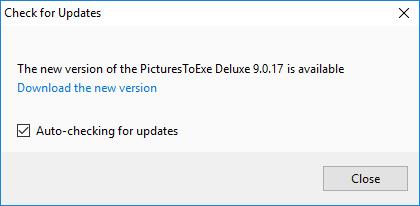
Help/Check for updates:
-
Hi Bob, If you are Publishing an Exe or Safe Exe just direct it to the USB in the Save dialogue. Alternatively save to your data drive and then copy to the usb. I recommend using the Safe Executable option. Same applies to mp4 video. DG
-
Both run fine on my Updated W10 Laptop - nVidia NOT updated. DG