davegee
-
Posts
9,365 -
Joined
-
Days Won
60
Everything posted by davegee
-
Anyone here using Fastrawviewer? It takes some of the guess work out of RAW conversion if you are "struggling" with RAW. It gives you a precise starting point in your RAW converter of choice regarding exposure before you start fiddling with the other sliders. It does this by displaying the RAW histogram rather than a histogram based on the embedded jpeg. It also helps with "culling" of images due to exposure and/or sharpness problems. I have been trying it for a few days and I can recommend it. Take a look at their site and some reviews on the web.
-
The image that you are masking should sit between the "mask container" and the "mask". Click on "mask container" so that it is highlighted and then right click to "add" your image. http://docs.picturestoexe.com/en/techniques/addmask
-
Thanks Igor. DG
-
J-C, This was also reported on your French forum recently (early February?). The problem is (apparently) caused by using the Category Name - Slide Styles when saving or renaming. Only the first "S" should be capitalized. Igor knows about it. DG
-
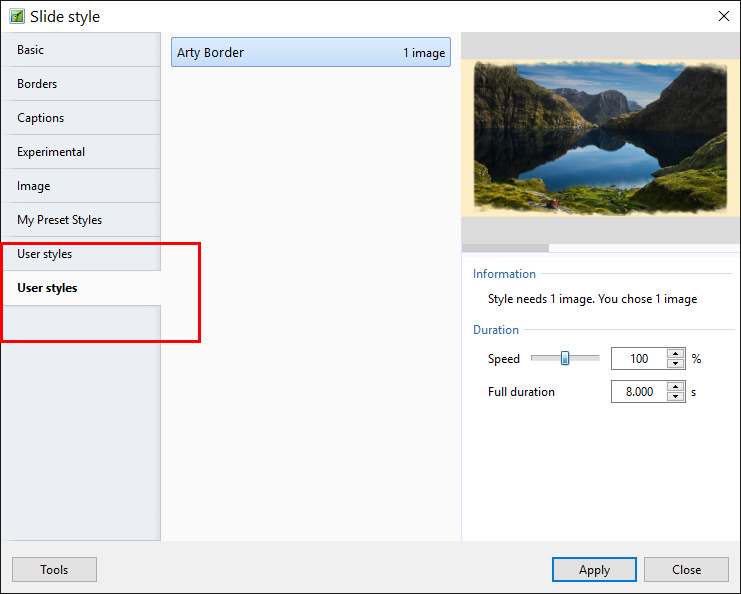
Does anyone else here get a "problem" when importing Styles made on another PC that the imported Style appears in a second User Styles folder? Getting it into the original User Styles is fairly easy but I am trying to find out if it is just my PCs (W7 and W10) or a wider problem.
-
Combining a couple of these which only takes about two minutes each using the Photoshop actions and PTE Style(s). Could be used for Titles?
-
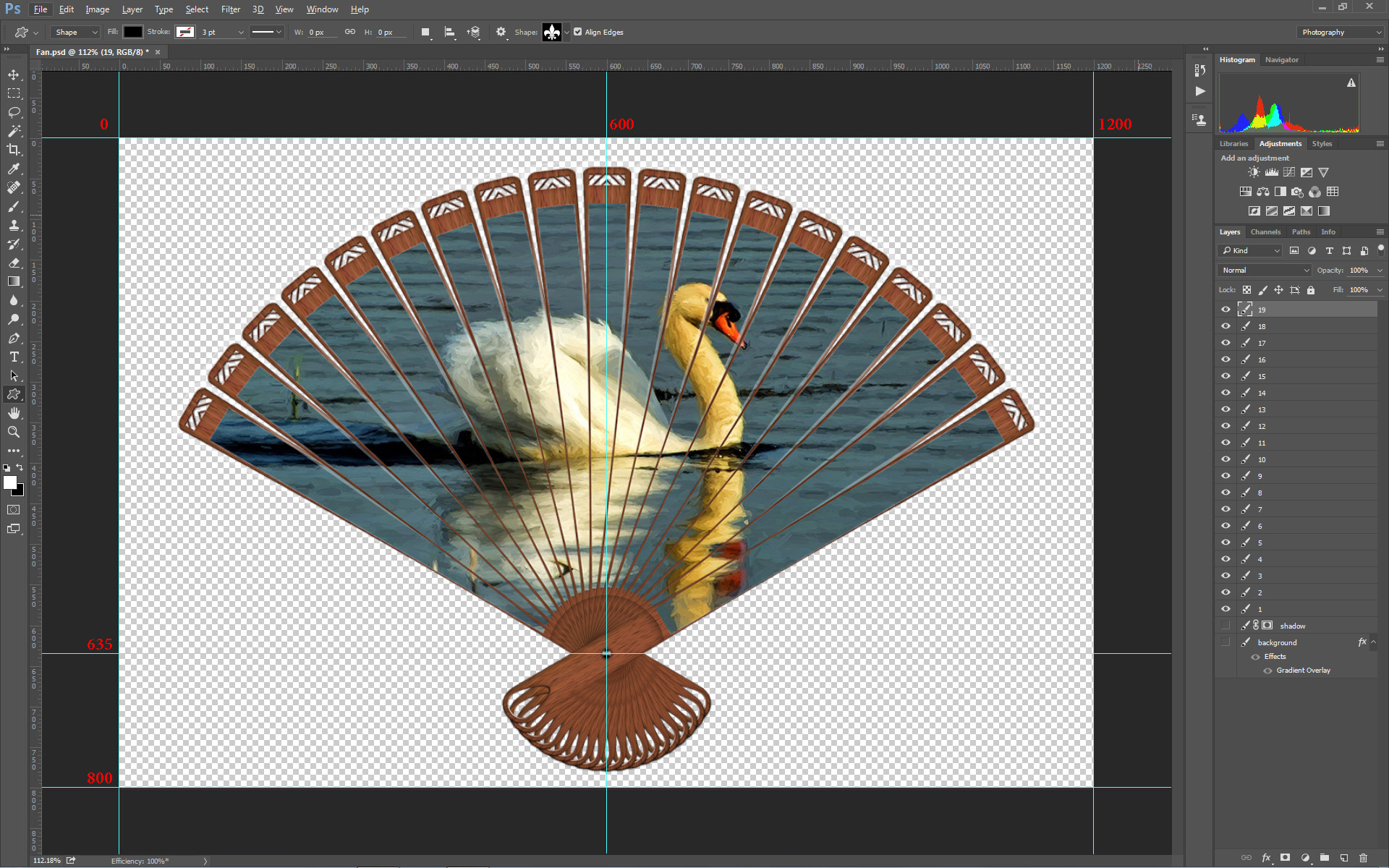
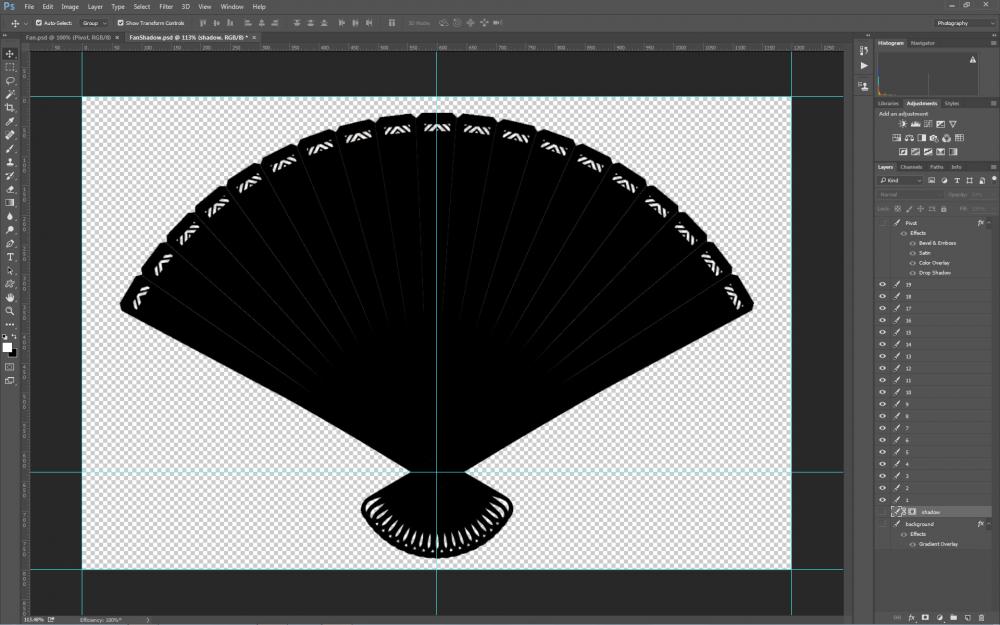
It is fairly quiet at the moment so a REVISION of this project seems to be a good idea. I have created a Photoshop Action (Daves Set.ZIP) which prepares the PanosFX Fan Ceation for Export to a folder for PicturesTo Exe. 1. It Merges Down the Pivot Layer to the Layer 19. 2. It turns the Background Layer and the Shadow Layer OFF. 3. It resizes the project from 4140x2341 to 1200x800 and puts the Pivot Point on the correct point for my PicturesToExe Style. After running the "PanosFX Setup Action" the Layers can be Exported using the File / Export / Layers to Files command. Dave Set.zip Some issues arose out of the EXPORT of the various components from Photoshop in an order which was the reverse of the Layer order in Photoshop. So I completely re-ordered the Main Image Settings in the Fan and Shadow Styles. I also created a Composite Fan and Shadow Style: Fan Style 2.ptestyle Add the Fan Blades in the order that they were Exported from Photoshop and Apply this new Style. Fan Shadow 2.ptestyle Add the Fan Blade Shadows in the order that they were Exported from Photoshop and Apply this new Style.The Shadow Blades can be re-used and only have to be made once. Fan and Shadow Style.ptestyle Add the Fan Blade and Shadow PNG files in the order that they were exported from Photoshop (19 Fan Blades followed by 19 Shadow Blades - 38 PNGs in total) by dragging them into the Slide List in PicturesToExe. Highlight all 38 Slides and Apply the "Fan and Shadow Style". Add your choice of Background in Slide Options. The Shadow Blades can be re-used and only have to be made once.
-
I have had to modify the Tutorial Text. The File / Output / Layers as Files will always save in the wrong order. Using that procedure is by far the quickest way but requires a re-numbering procedure after saving. Or, you can use "Settings / File Sort Order / Reverse Order"
-
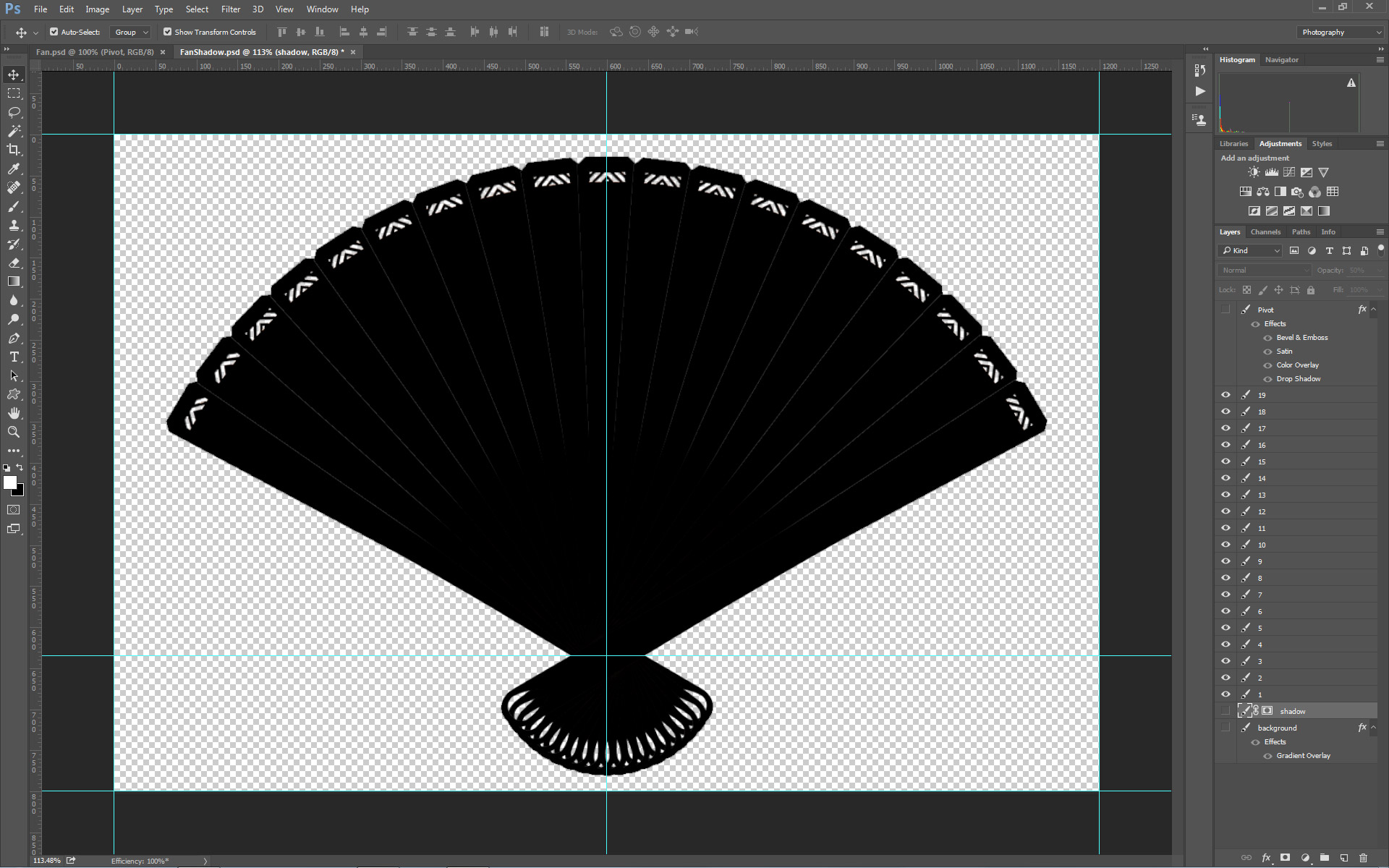
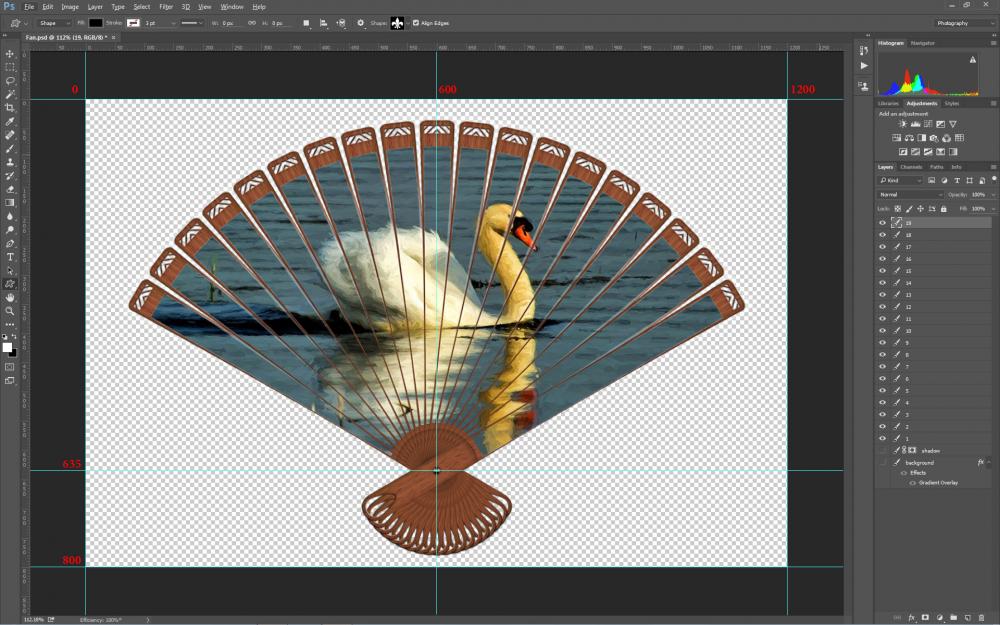
Please note a couple of things: A fast PC with a good Graphics card is required to deal with this kind of Style. Full frame PNG files are treated by PTE in the same way as full frame JPEGs with respect to file size and 40+ full frame pics in a slide is quite strenuous on the PC. There are other ways of dealing with the required PNG files but they will probably appear elsewhere. I have used full frame PNG files - one for each blade of the fan - 19 in total. The "Pivot Pin" has been "grouped" with the 19th blade. After applying the action the Fan Object must be resized to 1200x800. The Procedure. Apply the PanosFX Fan Action in your Image Editor. Since this lies outside of the remit of PictureToExe I will not go into detail about it. Resize the resulting file as shown in the attached screen shot. It is essential that the guides intersect over the Pivot Point and that the guides are placed with "Pixel Perfection". This part of the Style deals with the Fan itself and the Background and Shadow can be ignored. Now Save each layer as a PNG-24 file where Layer 1 equals Blade 01 (through to Layer 19 equals Blade19). Browse to your Project Folder and create a new folder for the images created. In PTE: Browse to the Project Folder and the Folder containing the Blade PNG files. Select all 19 Blades and add to the Slide List. Check that they are in the correct ascending order. Import the Style attached below. Highlight all of the Blade PNGs in the Slide List and Apply the Style. The result is a 5 slide sequence. Fan Style.ptestyle The Shadow In your Image Editor, create a solid black version of each blade in turn. Select Transparency / Invert / Fill with Black. Make sure that the holes in each fan blade are selected. When finished it should look like this: Now Save each layer as a PNG-24 file where Layer 1 equals Shadow 01 (through to Layer 19 equals Shadow 19). Browse to your Project Folder and create a new folder for the images created. Add all 19 shadow images to the Slide List after the original 5 slides and with all 19 shadow blades highlighted apply the following Fan Shadow Style. Fan Shadow Style.ptestyle This creates 5 slides with the shadows. In O&A, copy and paste the blade frames from slide 1 to slide 6 (slide 2 to slide 7 etc). When complete you can delete Slides 1 to 5. The result is a combination of two applied styles and to complete the project just add a Background Image to all five slides.
-
A "How To" will appear in the Styles Section along with a Fan Style.
-
Panos seems to like this one - good advert for PicturesToExe. https://www.facebook.com/PanosFX-169363473080226/?fref=ts DG
-
I like his (Full) Book Action and I have that as you know.
-
Thanks for confirming. Each one of these is individual and if I figure out how to make a Style or Template I will post, but don't hold your breath.
-
Fixed - I think?
-
Thanks Frans - I will fix it.
-
I recently downloaded a couple of free Actions by Panosfx (thanks, Lin for the heads up) and was pleasantly surprised by the quality of his work. Here's a (short) Demo of how one of the actions could be used in PTE. Please choose 720p quality.
-
Is it possible that the reason you are seeing this problem is that you are working on the original "A" version even though you have "Saved As" the "B" version? The only version that you have opened, if I read your explanation correctly, is the "A" version. When I tried your original steps I closed PTE and opened the "B" version and because the "B" version was then the "current" version its name was suggested when I tried to make the Safe EXE. It seems to depend on which version is the "current" open version. Is that a fair statement?
-
 The hard part is that you would have to set up your initial show exactly how you want it. Drag 100 images into the slide list. Set up all the Transitions, durations etc the way you want them. Highlight all 100 slides and create the Style in Slide Styles. The Style will sit in USER STYLES. The next time that you want to do this, drag 100 images into the Slide List and highlight them all. APPLY your previously made Style and it will create a clone of the Initial show albeit with different images but the exact same Transitions and Durations. Read the information when applying the Style and it will tell you if you have added the right number of Images. DG P.S. another option would be to create similar Styles for 25 and 50 slides and build the show up in stages.
 -
I do not think that a Template would help you much here because you would have to add your images one at a time in Objects and Animation which is no quicker than changing transitions and durations. Theoretically, it would be possible to create a Style to do exactly what you want but there would be "rules" that you would have to adhere to. Always 100 images etc. See the Online Help for info on Styles. DG
-
Daniel, I tried it again and got the same result as before - the new name is suggested. DG
-
File names missing from Timeline & Slide view
davegee replied to harbrimar's topic in Troubleshooting
It is normal and many requests have been made similar to yours to have all images displayed in bold if they are used in a slide. The request has not yet been "granted" -
File names missing from Timeline & Slide view
davegee replied to harbrimar's topic in Troubleshooting
Try taking the two images into your Editing Software and use "Save As" a different name. Then drag the two images into the slide list and see what happens. If you have the same result in PTE you could post one so that one of us could look for a reason? DG -
So there is no need for special entries in the Hotkey list for Mac users with Parallels etc?
-
Tom, A question - when using Parallels do you use a Windows Mouse or a Mac Mouse? I am thinking about mouse function which use the Mouse Wheel. DG
-
I think that this is what "might" help Ken (aplman): http://www.askvg.com/how-to-disable-numerical-file-name-sorting-and-enable-classic-literal-sorting-in-windows-xp-vista-and-7-explorer/