Tonton Bruno
-
Posts
596 -
Joined
-
Last visited
-
Days Won
8
Everything posted by Tonton Bruno
-
Hi Mur. Congratulations for this animation. I copied it to make a transition Expansion.pteeff
-
 Thanks Barry !
 -
I'm very impressed by the quality of these short videos and I imagine the amount of work needed to prepare them and keep them short and simple.
-
Hi Barry. An other great video ! May I suggest you to create several playlists under Youtube, to separate PTE tutos, Photoshop tutos, and ACR tutos ? You're getting the 100 'five minute Fix" now, so it is difficult to navigate between them.
-
Text shadow retain previous adjustments
Tonton Bruno replied to tom95521's topic in Suggestions for Next Versions
+ 1 -
Great job, as usual !
-
+1
-
Inaccurate display in Objects and Animations window [SOLVED]
Tonton Bruno replied to Tonton Bruno's topic in Troubleshooting
Thanks Igor ! It is OK ! -
I encountered a problem in Objects and Animations window when using blurred images. I put 2 blurred images under a frame, the second image has opacity=0. In O&A window, the display is correct only if it is the first image which has opacity=0. In preview mode or in the timeline, the displays remains good. I join a simple project to show the problem. Inaccurate display.zip
-
086 - 5 Minute Video - PTE AV Studio - Motion Blur
Tonton Bruno replied to Barry Beckham's topic in Tutorials & Video Lessons
Thanks Barry. Very convincing ! -
So you will not do it again. Thank you !
-
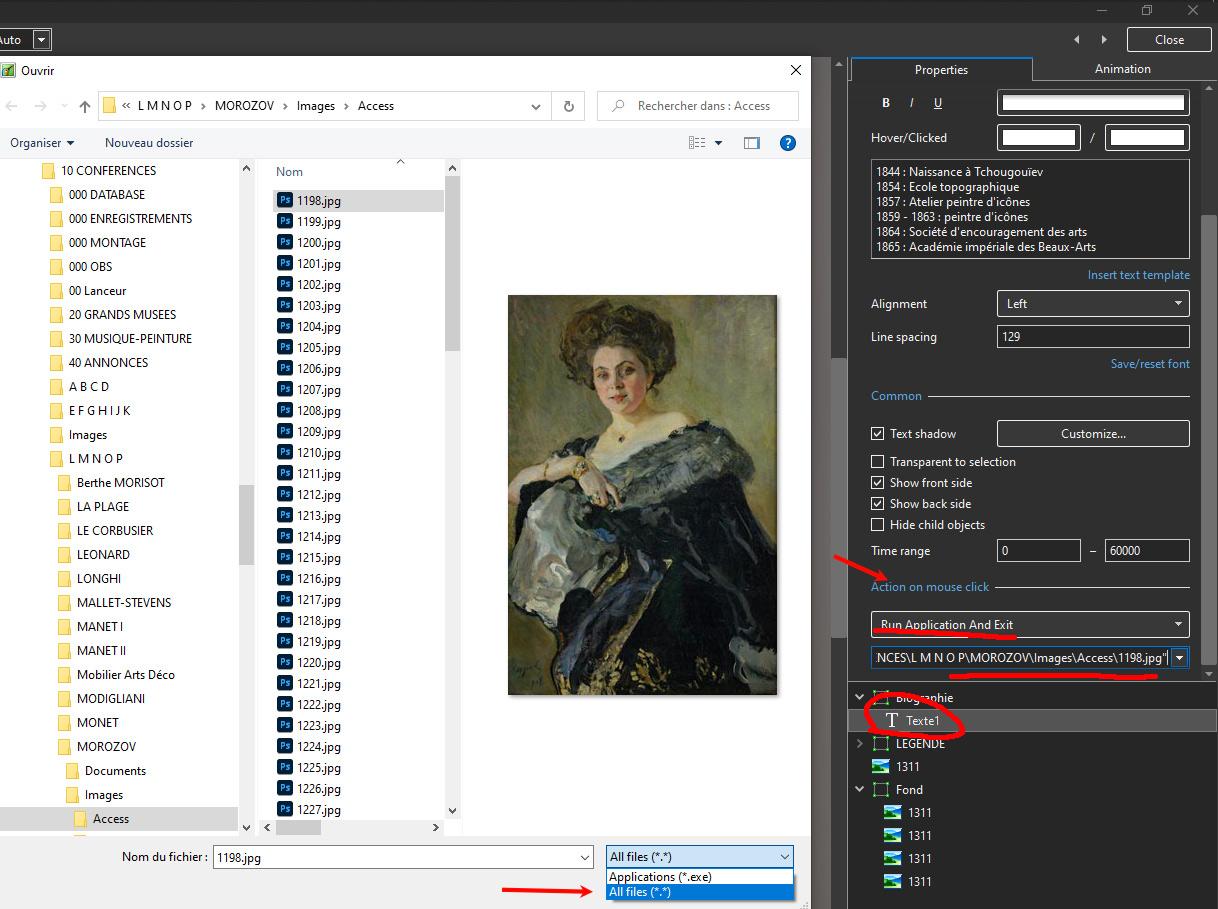
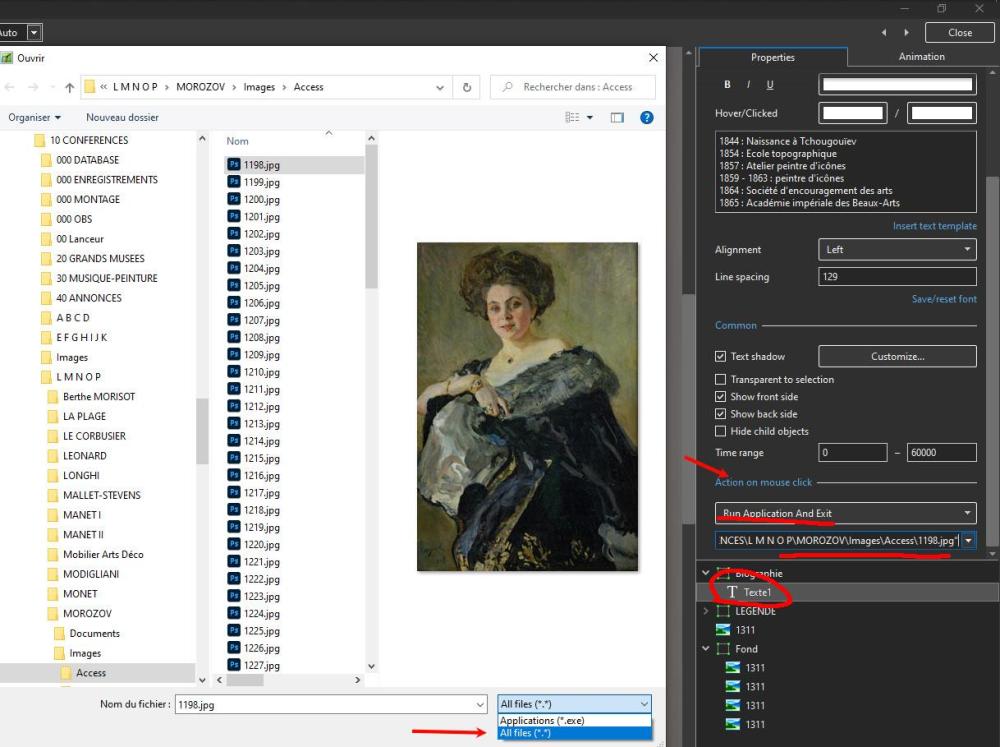
Hi Peter. I made a try and it works fine with all files, but there is no way to open a folder. Don't forget to choose "All files" for the browser.
-
You can cut and trim any vidéo, and parse it on many consecutive views. You can also aply almost all the filters on a video. Here a tuto (sorry, it is in french) on the use of filters.
-
Greetings Goddi You seem to ignore many capabilities of PTE AV Studio. Try it !
-
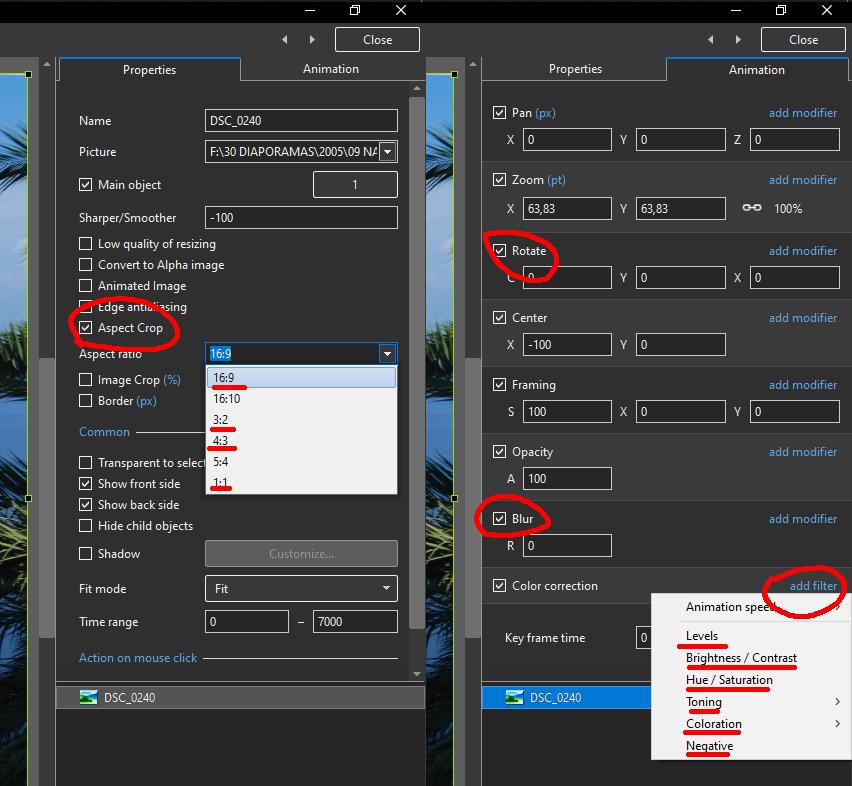
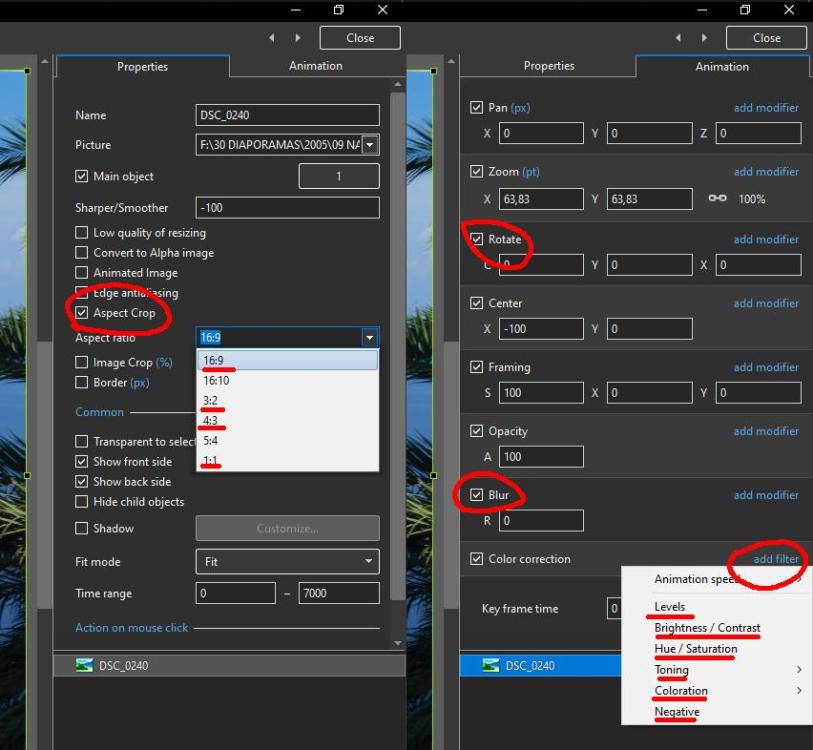
You can do all these operations with PTE. You don't need a graphic editor for that. Use Animation - Color Correction - Add Filter Select the filter you need: - Levels - Brightness / Contrast - Hue / Saturation - Toning - Coloration - Negative
-
Lightened vignette on images that are PTE blurred
Tonton Bruno replied to Delicate's topic in General Discussion
+ 1 -
Here is a video. If I say there is a wrong way and a wright way, it is mainly because I have difficulties to mobilise my vocabulary in english. Let's say there is a more appropriate way to proceed.
-
There is no special behaviour for keyframes on text objects. I think I know what wou did the wrong way and how to avoid it. I will try to demonstrate it in a video.
-
Bravo Barry ! Now it is clear and easy for everybody !
-
And even on the french site, several PTE users have difficulties to understand what I mean. I will prepare something more pedagogical in the coming days.
-
Hi, I made a video on this subject. It is in french, but it is self explanatory.
-
Template for iso - shutter - aperture
Tonton Bruno replied to Barry Beckham's topic in Suggestions for Next Versions
To use my script, you have just to copy 3 files on the right directories and then run the Action on any photo under Photoshop. -
Template for iso - shutter - aperture
Tonton Bruno replied to Barry Beckham's topic in Suggestions for Next Versions
A Photoshop script written in Javascript for Photoshop language, and Launched by a Photoshop Action. I have to send the script and the action subset, then to describe how to implement them in your Photoshop copy.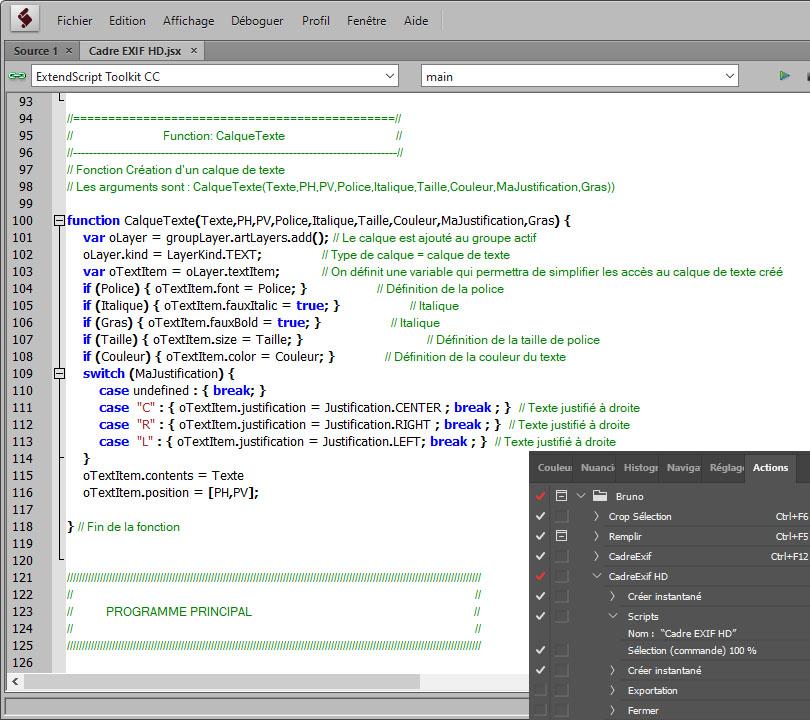
-
Template for iso - shutter - aperture
Tonton Bruno replied to Barry Beckham's topic in Suggestions for Next Versions
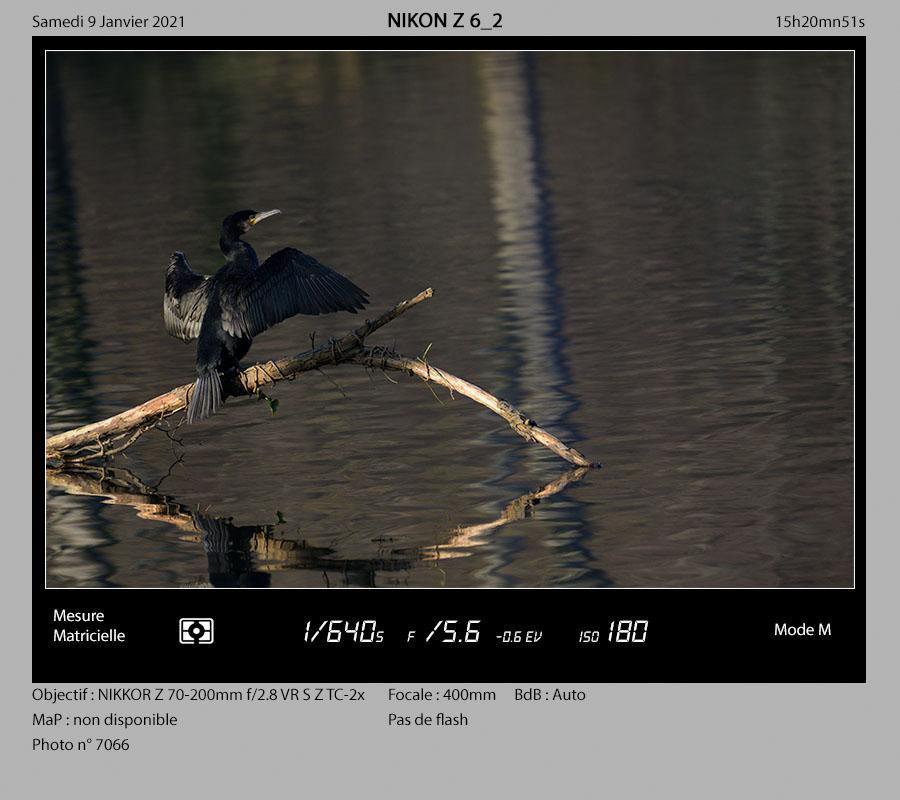
In my opinion, these parameters are relevant only if the photo is not cropped. I made a script under Photoshop to obtain automatically this presentation, and I can share it with the community, if people ask for it.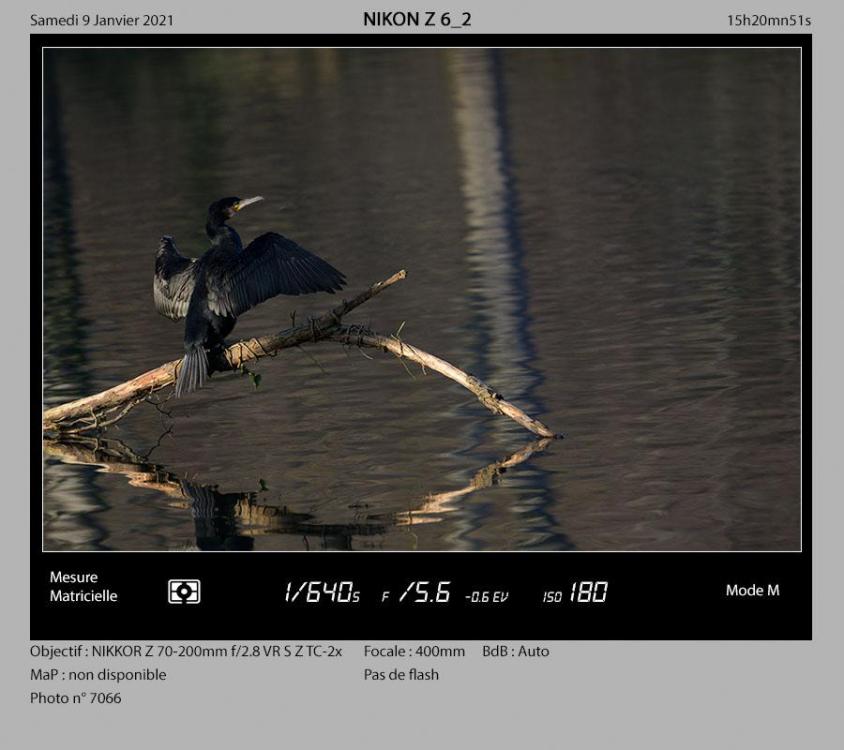
-
Hi Laslo. You have to record the project first and then program the loop. I don't know why, but you have to go to Youtube to see this vidéo.