Tonton Bruno
-
Posts
600 -
Joined
-
Last visited
-
Days Won
8
Everything posted by Tonton Bruno
-
Denis, JKB, Tom, thank you for your suggestions. I will experiment them.
-
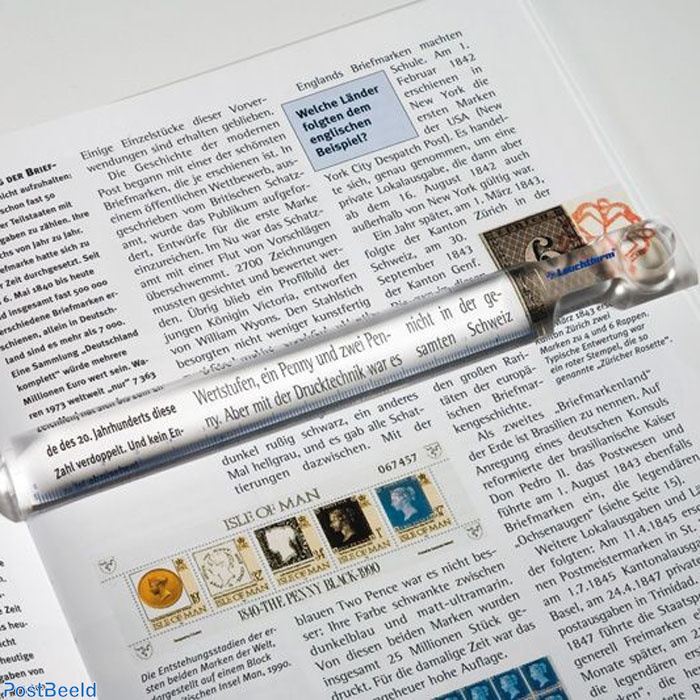
Hi. Is somebody able to find or create a normal map in order to simulate a magnifying ruler ? I plan to make this kind of animation.
-
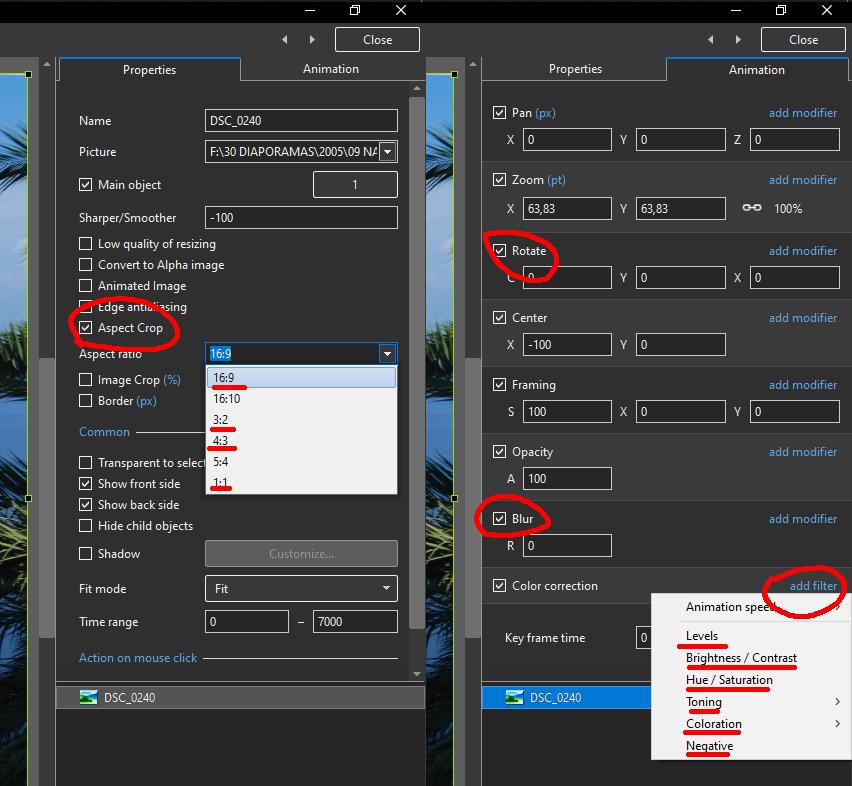
 I suggest that Barry modifies its style and forces main objects to the 16:9 ratio. If the user is not satisfied by the crop, he or she can open the image under Photoshop and reframe it with the apropriate ratio, but by default the style should do it automatically. It is the way I proceed when I share a style, but it is just a suggestion.
.jpg.88dcbe2aad89487184e359f874f600f4.jpg)
-
This is the reason why I always force the aspect ratio to 16:9 (or any other) for all images included in a style.
-
Hi Mur. Congratulations for this animation. I copied it to make a transition Expansion.pteeff
-
Thanks Barry !
-
I'm very impressed by the quality of these short videos and I imagine the amount of work needed to prepare them and keep them short and simple.
-
Hi Barry. An other great video ! May I suggest you to create several playlists under Youtube, to separate PTE tutos, Photoshop tutos, and ACR tutos ? You're getting the 100 'five minute Fix" now, so it is difficult to navigate between them.
-
Text shadow retain previous adjustments
Tonton Bruno replied to tom95521's topic in Suggestions for Next Versions
+ 1 -
Great job, as usual !
-
+1
-
Inaccurate display in Objects and Animations window [SOLVED]
Tonton Bruno replied to Tonton Bruno's topic in Troubleshooting
Thanks Igor ! It is OK ! -
I encountered a problem in Objects and Animations window when using blurred images. I put 2 blurred images under a frame, the second image has opacity=0. In O&A window, the display is correct only if it is the first image which has opacity=0. In preview mode or in the timeline, the displays remains good. I join a simple project to show the problem. Inaccurate display.zip
-
086 - 5 Minute Video - PTE AV Studio - Motion Blur
Tonton Bruno replied to Barry Beckham's topic in Tutorials & Video Lessons
Thanks Barry. Very convincing ! -
So you will not do it again. Thank you !
-
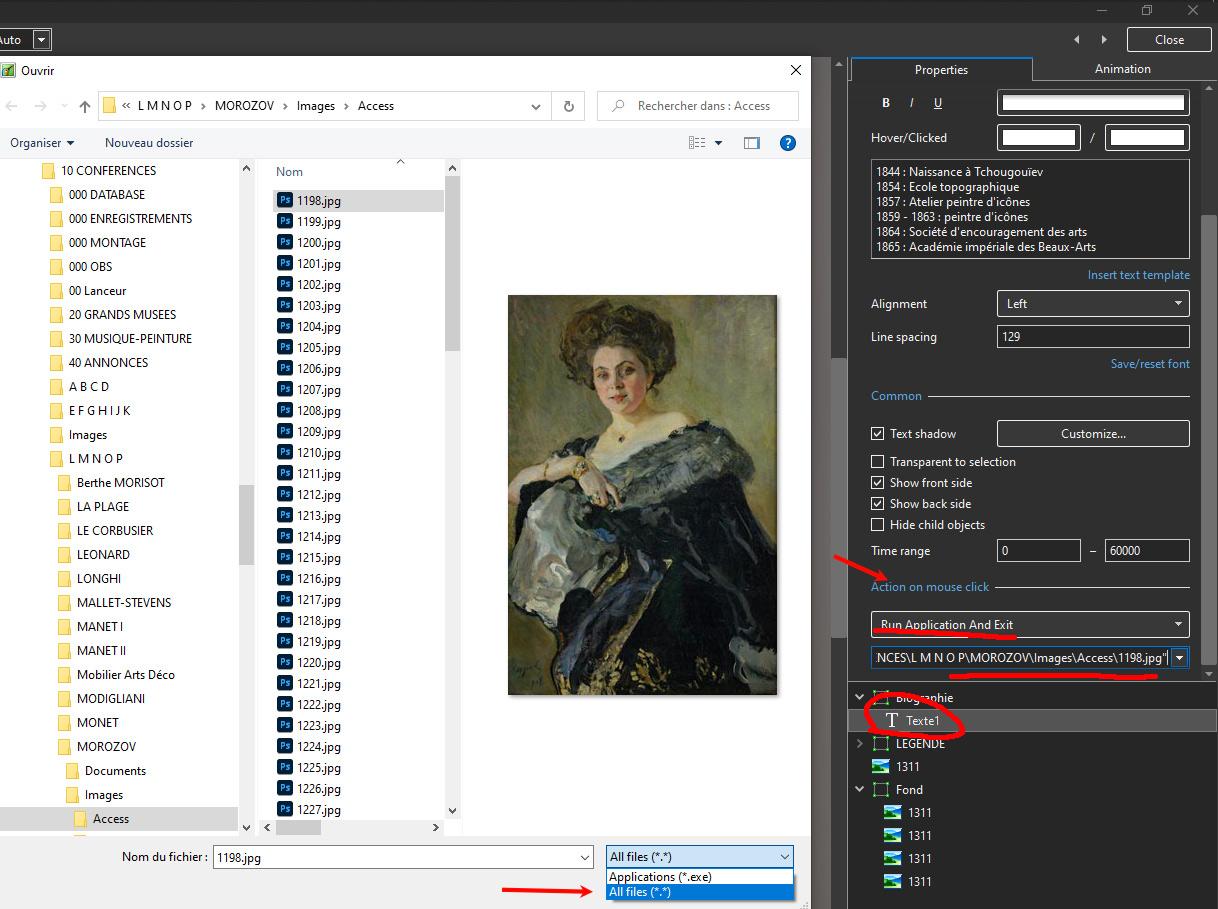
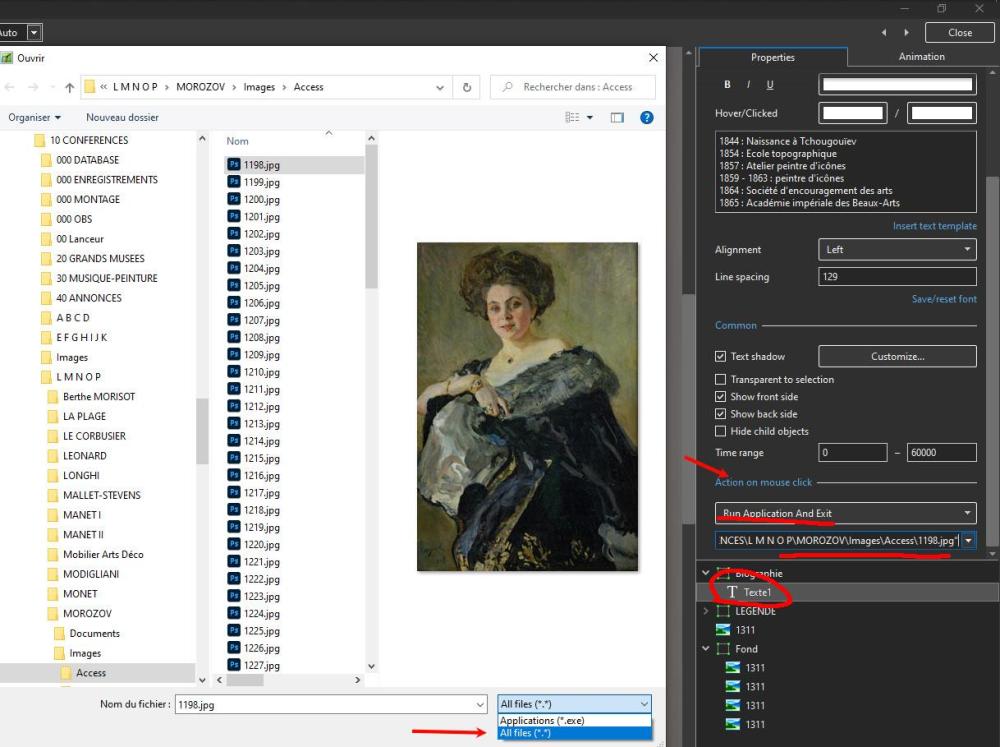
Hi Peter. I made a try and it works fine with all files, but there is no way to open a folder. Don't forget to choose "All files" for the browser.
-
You can cut and trim any vidéo, and parse it on many consecutive views. You can also aply almost all the filters on a video. Here a tuto (sorry, it is in french) on the use of filters.
-
Greetings Goddi You seem to ignore many capabilities of PTE AV Studio. Try it !
-
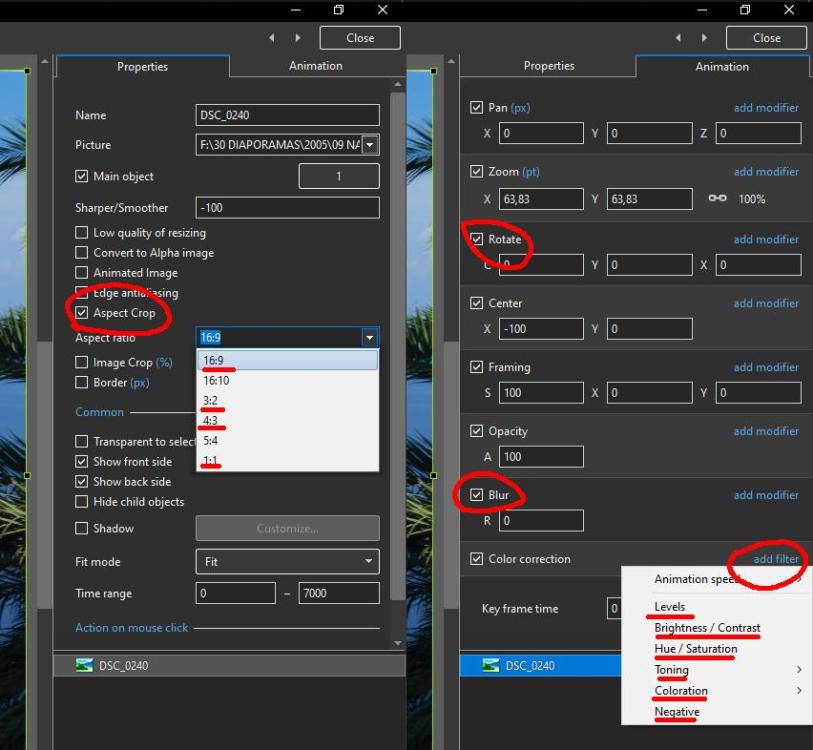
You can do all these operations with PTE. You don't need a graphic editor for that. Use Animation - Color Correction - Add Filter Select the filter you need: - Levels - Brightness / Contrast - Hue / Saturation - Toning - Coloration - Negative
-
Lightened vignette on images that are PTE blurred
Tonton Bruno replied to Delicate's topic in General Discussion
+ 1 -
Here is a video. If I say there is a wrong way and a wright way, it is mainly because I have difficulties to mobilise my vocabulary in english. Let's say there is a more appropriate way to proceed.
-
There is no special behaviour for keyframes on text objects. I think I know what wou did the wrong way and how to avoid it. I will try to demonstrate it in a video.
-
Bravo Barry ! Now it is clear and easy for everybody !
-
And even on the french site, several PTE users have difficulties to understand what I mean. I will prepare something more pedagogical in the coming days.
-
Hi, I made a video on this subject. It is in french, but it is self explanatory.