jt49
-
Posts
1,457 -
Joined
-
Last visited
-
Days Won
16
Everything posted by jt49
-
Only recently, I had a similar problem, when I tried to load about 20 images of size 10 MP into the O&A editor. All images were zoomed to small sizes, and they ran well in the Preview, while the O&A editor was not in the position to show all images at the same time. I learned from one of the developers that the O&A editor does not use the same optimization as the player in the Preview or Exe presentation. Bruno's show runs a bit jerky on my system, and the slides containing the large image do not work in the O&A editor (Win 8.1, i7, 16GB RAM, Nvidia 660GTX 1.5 GB). Regards, jt
-
Sounds like Pachelbel's Canon Regards, jt
-
I do not want to argue in which way tho offset should be defined (relative to zero or relative to end of the previous clip). But I would like to agree with Peter that in the present situation the dragging of clips in Project Options > Audio does not work well. Regards, jt
-
In the O&A window, the origin is in the center, coordinates are in per cents. In the Size/Position tool, Pixel tab: The origin is the left upper corner. Coordinates are (virtual) pixels, and they refer to the fixed or virtual size of slide. In the Size/Position tool, Original tab: The origin is in the center. This mode helps to place the image according to the former "Original Mode" (relative to the fixed or virtual size of slide). This tool was introduced when the Original Mode was cancelled. Regards, jt
-
I know about (and in my situation I should know about) the virtual size and its interplay with the size-position-tool, and I remember the discussions with JPD on the original mode and related subjects. But that's not the point here. We have two tabs that are related to the aspect ratio. In the Screen tab, you can enter values for the size (virtual or fixed, full-screen), say 1600x1000 which is 16:10. If you then click on 16:10 in the Main tab, the size values change from 1600x1000 to 1280x800, without a warning I do not have any problem here. It's just an observation. Regards, jt
-
In my opinion, it is more or less a matter of taste if we require a precise AR value, or not. Is 1906x1072 to be regarded as 16:9, or not? I, myself, do not care for this problem. What I do not like here is the position (or may I say the misposition) of the AR field in the Main tab. It belongs to the Screen tab. A funny observation: If I choose a fixed size of 960x540 in the Screen tab, and if I then go to the Main tab (where I see 16:9), and if I then click 16:9 in the Main tab, the values in the Screen tab change to 1920x1080, and I do not see this. This effect should not be a real problem for an experienced user. But it shows again that the PT user interface has its deficiencies. Regards, jt
-
Cèlou, the method that you describe, is called the Hawk-method. It is a bit outdated now, but it still works, and it has been the typical method for copying slides in the older versions of PTE, which use for copying an internal clipboard. In the meantime, PTE copies slides via the Windows clipboard. So copying now works between projects that are open simultaneously; or you can copy some slides in project A, close A, then open project B and paste the part copied from A. The problem in this thread refers to copying slides from one computer to another one. Regards, jt
-
You may try to install the Dropbox application. When starting it, it will synchronize your cloud folder with a corresponding Dropbox folder on your computer. This is done in the background, without using your browser. You do not have to care for it. If you want to share some data with a friend, you just place a copy of your data into your local Dropbox folder. When synchronization has finished, you can make this data public and send the corresponding link to your friend. Beechbrook is rather a hosting service for PTE shows, not a service for file exchange. Regards, jt
-
I do not expect anything. I only had some trouble that inexperienced people did not manage to get my downloads from my free mediafire account (maybe because of local sex offers ). I do not need much cloud space. With a few successful invitations to Dropbox, I now have about 4 GB, quite enough to share my recent AVs, and without any problems with ads. If you do not yet have a Dropbox account, I can send you an invitation, which will give me another 500MB cloud space Best regards, jt
-
That's why I changed from Mediafire to Dropbox, which does not bother people with adverts. jt
-
Why not using a cloud service, e.g. Dropbox or WeTransfer? I myself use a free account at Dropbox. If you register at Dropbox you will get 2GB cloud space, if you do it via an invitation you will even get 2.5 GB. Regards, jt
-
KFSD has a major disadvantage: It is responsible for unexpected shifts of time points, a mess for people who like a good synchronization with music. So I would not like to see "KFSD=ON automatically", not even for slides including video. KFSD has a minor advantage regarding run-time of videos. But if we compare it to the problems with time points and compare it to whole lot of confusion that we have seen among most users in this forum, the overall benefit of KFSD is (IMO) negative. We could have lived without it. The overall amount of confusion would be much less (even regarding styles and videos). Regards, jt
-
A remark first: KFSD and Non-KFSD aren't project attributes. For each slide we can define (in slide options) if it is KFSD or not. In Settings>Preferences>Project we only predefine what newly added slide will be, we do not change existing slides. What is kept, and in what way? Assume that slide x is set to KFSD. Then the so-called "full duration" (classical duration plus transition time of the next slide) of slide x is preserved (as long as it is possible) in the following cases: (1) We change the order of slides in the slide list; (2) We change transition times via slide options. Keeping the full duration does not always work. If slide x gets a (possibly) new successor whose incoming transition is longer than the original full duration of slide x, the situation will get out of order. Why is it being "kept"? Maybe that slide x contains a video or an animation that needs the full duration, who will know that Regards, jt
-
That's quite normal. When highlighting a slide, the cursor jumps to the end of the transition. This is the position where you start to see this slide without any part of the previous one. If it would go to the start of the transition, you would see (in most cases) the previous slide. jt
-
See the discussion here. jt
-
When creating an AVI using "MPEG4-ASP video with AAC audio" (as with former versions) I still get a video with AC3 audio Regards, jt
-
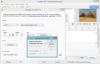
When creating an AVI using "Custom video and audio codecs", then on my German system (Win 8.1) the small window for customizing the video compressing always shows in German, independent of the language settings of my PTE main program. In the attached image: Main program is set to English, the small window is shown in German. jt
-
File size refers to the size of images. Size of Exe file does not seem to exist any longer. Regards, jt PS: You have edited your post while I was writing
-
Thanks, Lin. I am going to ask Jean-Cyprien about it. Regards, jt
-
Do you know the link? Regards, jt
-
Just a remark: You can avoid the missing Umlaut in "Froehliche Weinachten" (which should read "Fröhliche Weihnachten") by saying "Frohe Weihnachten", while inserting the missing letter "h" (in Weihnachten) Regards, jt
-
Question: What do people who buy PTE for their company with a tax ID number? They typically do not need to pay VAT. Regards, jt
-
Thanks, it is very interesting to see that. You must be person with infinite patience. Best regards, jt
-
I think that it does. If my observation will hold in the end (the soundtrack is unified, and it will either run completely synchronized, or completely un-synchonized) then you will have trouble. In the start section you want to run the sequence in an un-synchronized mode, while in the end section you want to have a synchronized start of a slide and a corresponding audio clip. I fear that this will not work. You seem to have a similar problem as the one that has been addressed here, and you could use the workaround that I have proposed in this topic (post #10), using 2 concatenated shows. jt
-
Look at my post above. Some competitors work that way. jt