Igor
-
Posts
13,675 -
Joined
-
Last visited
-
Days Won
288
Everything posted by Igor
-
Thanks, Lin, interesting comment!
-
New is well-forgotten old
-
Dave, Great! Thanks for the quick response. The article is fine.
-
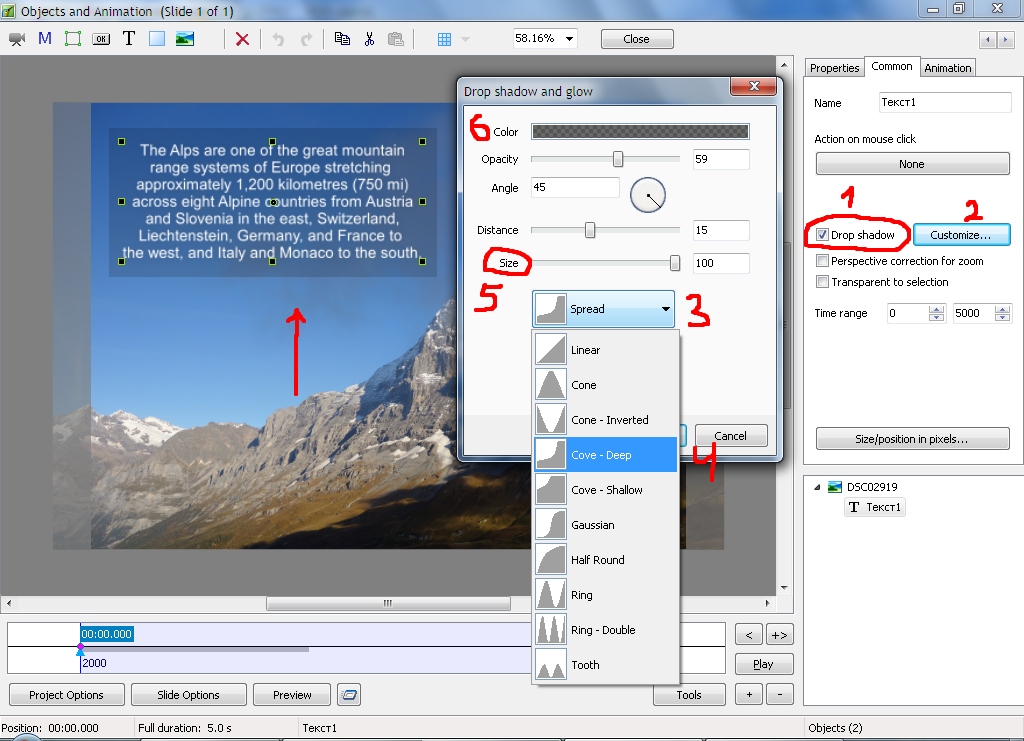
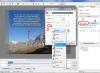
Hi, A simple way to add a background under a text object using only one object. You can choose a color and adjust size. This approach can be used for text comments to automatically add background to all text comments on all slides.
-
Peter, Thanks, but it's impossible. A configuration of toolbars may differ in new versions. New version may contain new buttons and a new configuration may conflict with the old settings. For this reason configuration of toolbars is not being imported automatically from a previous version when you install a new version. You can import toolbars manually from an old version. See "Save profile" / "Load profile" buttons in Toolbars tab of the Preferences window.
-
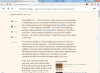
Hi, I have very sensitive eyes and probably my experience will be useful for other users who have eye strain. 1. Choose flicker free display Many LCD LED displays flicker (at 180-270 Hz) when you set brightness lower than 100%. It causes eye strain. Usually users don't see this flickering, but it greatly affects to eye strain. Read more here about LED flickering: http://carny.hubpages.com/hub/led-backlight-flicker Fortunately, now the more and more new displays manufactured since 2013 don't flicker (Dell, BenQ, LG, etc). Also all Apple devices and displays (since 2009) do NOT flicker at any brightness. Check the list of flicker free displays here: http://www.tftcentral.co.uk/articles/flicker_free_database.htm I found that new Dell P2314H, P2414H are pretty good (no flickering). 2. Brightness and Color temperature Right colors require to set high or medium brightness and calibrate your displays. It's good for the work with photos and videos. But if you mainly work with text on white background or read websites I recommend the following: Set as possible low comfortable level of brightness, especially if you work at night. I set 0% on my displays. Set warm colors (6500K) in the menu settings of your display. Cold picture (7000K-9000K in the menu of your display) affects to eye strain, because LED backlite emits blue light. And more warm picture reduces a level of blue light. Low brightness also greatly reduces a level of blue light. 3. Web browser Additionally you can set warm color temperature only for your web browser. I use Chrome browser and I installed very good extension - G.Lux: https://chrome.google.com/webstore/detail/glux/hinolicfmhnjadpggledmhnffommefaf Yes, the picture looks yellowish, but it helped me to vastly reduce eye strain:
-
jemhayward, We replied on your question 2 days ago. The key was attached to the reply. Please see your email box (or check up Spam folder). Dave, We reply on support requests every days including weekends and holidays
-
Tom, Thanks, Future PicturesToExe will support direct upload to YouTube at 60p.
-
Denis, Probably you're right.
-
Denis, Usually software products display a date of first major release. Windows 7 displays "2009".
-
Gary, This issue will be soved in future version. Thanks,
-
When you uninstall a version it removes all settings of this version. You need to simply install a new updated version. No need to uninstall previous version or the beta version of the update.
-
jt, Thanks. Interesting, your Photoshop shows same result as PTE. Seems to be a bug of Windows.
-
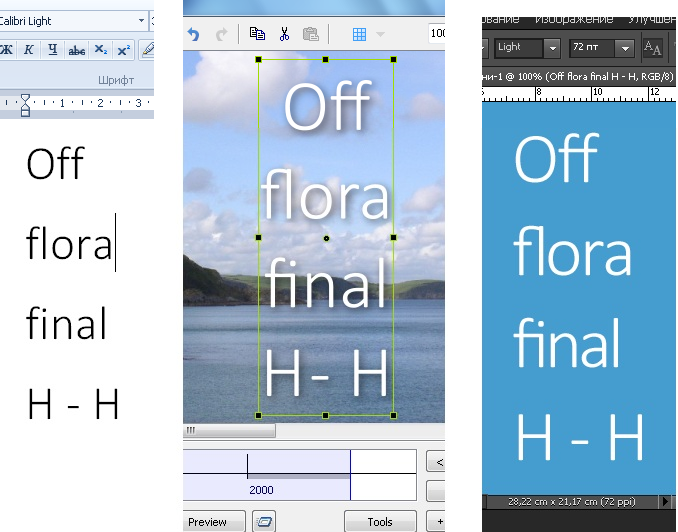
Denis, I see same problem in all recent versions (including 6.5) with Calibri Light. Also I tried the experiment you did in post #12. Same result.
-
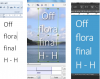
Vincent, Please look at a screenshot of PSP - in word "fiole" letters "f" and "i" are NOT linked in PSP. And these letters are linked in PicturesToExe and Photoshop. "fi" is a ligature in Calibri fonts. It should be rendered as one virtual symbol. PSP can't do it. We can easily fix the problem with a space and dash. When we disable support of ligatures the problem doesn't appear. It seems that a space + dash (" -") is a ligature in Calibri Light and it has wrong width. We don't know where this problem - in Calibri Light font or in Windows API.
-
Hi, We checked our code and we can't find a reason of this problem with a space and dash. PicturesToExe supports a text ligature (see Wikipedia ) Calibri Light font includes ligatures. For example, PicturesToExe correctly draws "ff", "fi", "fl" for Calibri font: Even Microsoft Word / Wordpress don't support ligatures: PSG/PSP don't support ligatures.We work with text objects on very low level using special Windows API. Probably the problem happens in Windows.
-

How to crash PTE by adjusting Picture information
Igor replied to JudyKay's topic in Troubleshooting
We'll try to do it in the next version. Indeed it's difficult to determine the upper limit. -
Laszlo, I'm glad that you discovered that problem! It was very important to fix the main problem with size/position of shadows. I hope that we will able to rework VideoBuilder and add Blu-ray support.
-
Denis, Thank you for the confirmation! It's the stable version and we'll publish it as official v8.0.7 soon.
-
Laszlo, I'm afraid we can't do more with the old code of VideoBuilder. Later we plan to completely rewrite DVD output and add new features.
-
Denis, Please try the updated test version: http://www.wnsoft.com/files/test/picturestoexe-setup-807-beta.exe
-
Laszlo, Wideangle, Please try the new test version: http://www.wnsoft.com/files/test/picturestoexe-setup-807-beta.exe If everything is OK, I'll publish it later as official v8.0.7 with other improvements.
-
Hello Laszlo, I confirm this problem. I see it only with NTSC (4:3 / 16:9) and PAL 16:9. PAL 4:3 seems to be OK. We'll try to fix this problem soon. Thank you!
-
I'm glad that your resolved this problem! If it possible, please send me the previous version of your project with that problem. All files (.pte project + images + audio files). I'll check up again. (Send me a personal message through the forum with a link to a ZIP archive.)
-
Please tell me how to reproduce this problem? By default the DVD menu already add shadow to all objects (thumbnails, title, etc)