Igor
-
Posts
13,474 -
Joined
-
Last visited
-
Days Won
220
Everything posted by Igor
-
Vincent, Please can you send me this project (source files) in a ZIP archive? I'll try to reproduce this problem and then we'll able to fix it. If it possible, please upload ZIP file to Dropbox or Mediafire and give me a link via personal message.
-
I already replied you in two different topics that PicturesToExe 8 requires at least 128 MB of video memory and video card should support DirectX 9: System Requirements: http://www.wnsoft.com/picturestoexe/requirements/ With new features we can't provide support for video cards older than 10 years.
-
Richard, What video card installed in your PC?
-
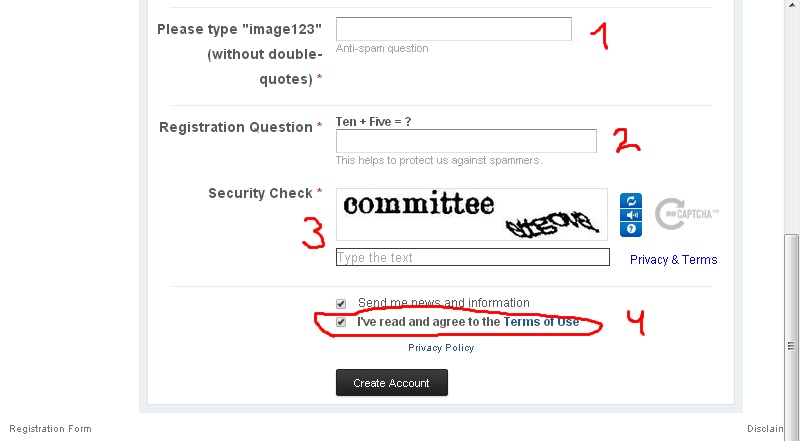
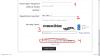
Eric, Please look on the attached screenshot. Did you fill all text fields? What web browser you use? Try in another - Chrome or latest Firefox.
-
Hi Bill, Thank you for the announcement and for the new gallery! I'd like to ask all PicturesToExe users publish your shows in the new gallery.
-
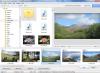
Dave, Do you mean a text caption on the button?
-
If this problem will occur again with custom slide styles, please let me know. I need a copy of the folder of all custom styles in ZIP archive. Then we'll able to easily find a reason of this problem.
-
Dave, Please explain in more details. I'm not sure that I rightly understand your suggestion.
-
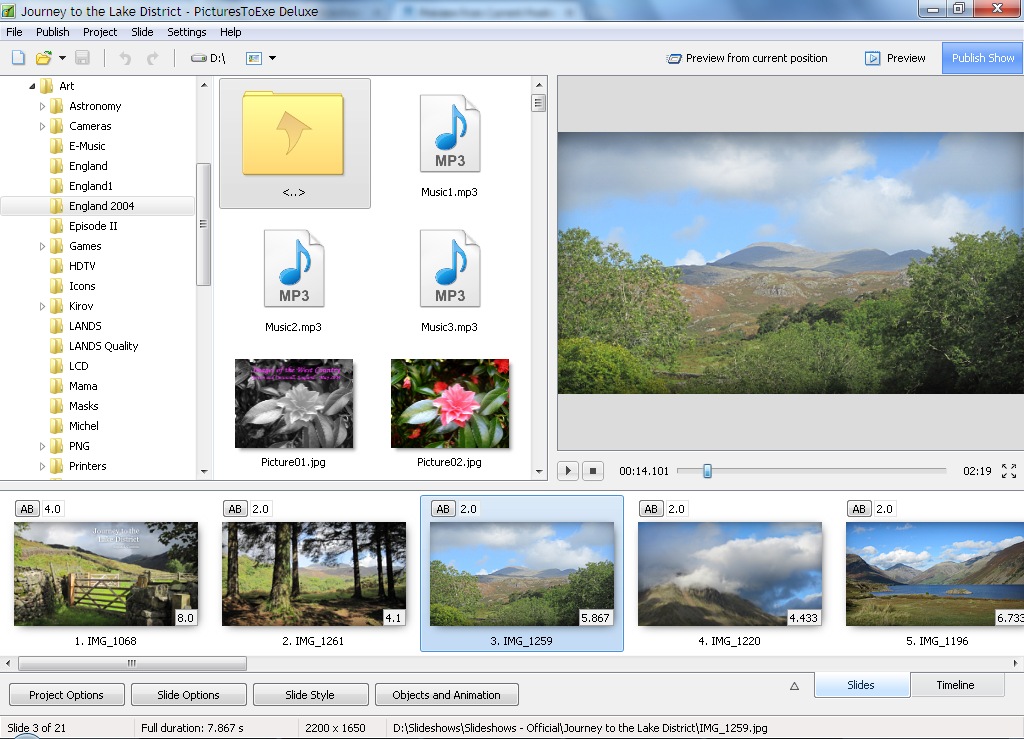
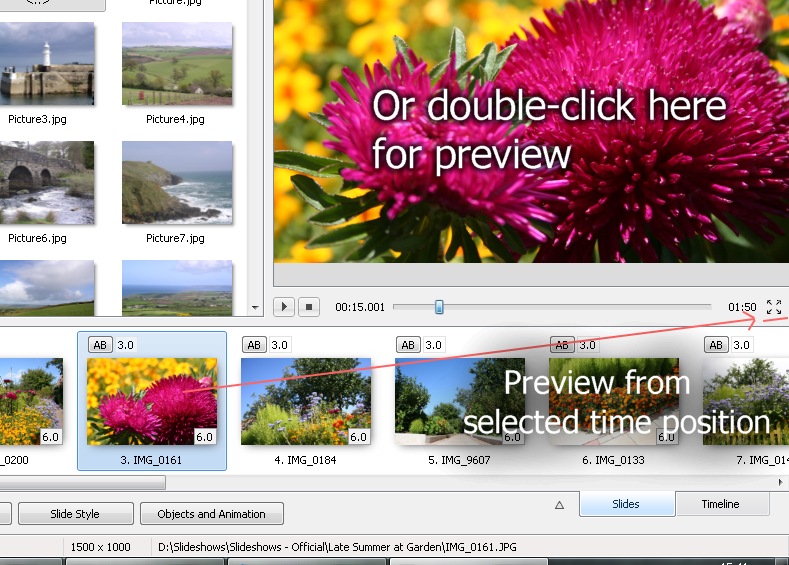
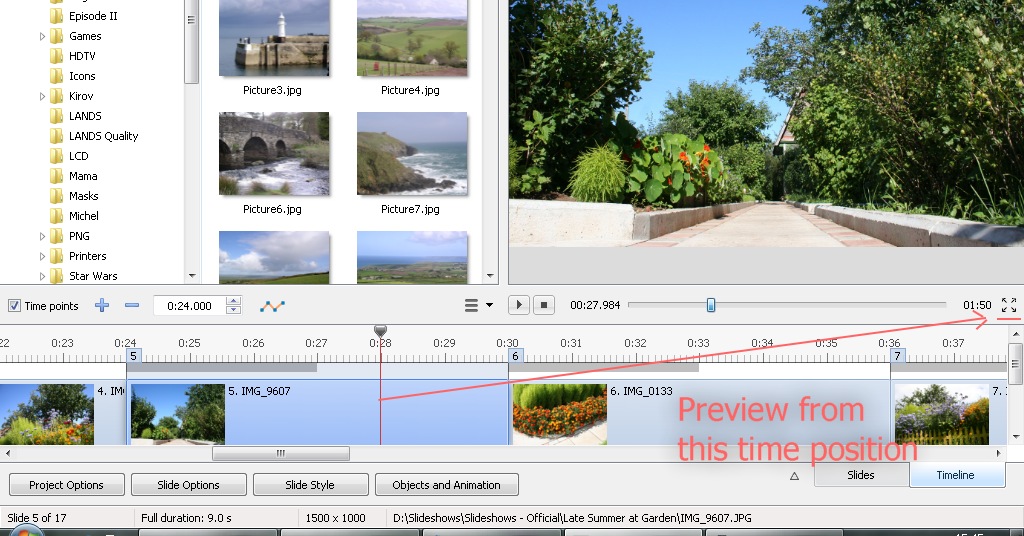
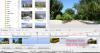
Hello Robert, We changed this interface in the previous version 7.5. I think that the old command and button to run a preview from selected slide is not intuitive for new users. Please look on the first attached screenshot - to run the preview you need to click a "4 arrow" button below the mini-player. This conception should be familiar to many users who worked with software video players or with online video players (YouTube). A button to switch the player to the fullscreen mode is located together with other controls of the player. This new button also allows to run a fullscreen preview from any TIME POSITION which you select in the timeline view. See the 2nd screenshot. With old command/button it was impossible. So why to keep two buttons for same task on the screen? Please explain me if we missed something important regarding the work of this function.

-
Thanks, Lin!
-
How you think - can I move this topic to the main section of the forum? More people will see it.
-
Steven, Dave, Many thanks for your comments on dpreview! I very appreciate it.
-
PicturesToExe Deluxe 8 Handbuch http://www.wnsoft.com/files/picturestoexe/user-guides/8.0/PicturesToExe_Handbuch_v80_DE.pdf © 2013 - Heinz Gebhardt
-
Carmelo, Thank you very much for you work! I think that Italian users will be grateful to you.
-
Also it's important to use high quality DVD discs. For example, Verbatim and TDK.
-
Dave, I configured this code to allow some tolerance to entered values. Just in case. jt, Aspect ratio is located on the Main tab to help new users understand how to start the work with PicturesToExe. Screen tab suggests more advanced parameters. If your project uses fullscreen mode, width and height are virtual values just to help calculate pixel values for complex slides with many objects.
-
Gary, Check the settings in Screen tab. I think that you choosed "Windowed mode" instead of "Fullscreen". In the windowed mode the aspect ratio can be choosed, because you set exact size of a window. By default, PicturesToExe creates new a project with "Fullscreen" mode. Probably you modified the default template for new project and saved it.
-
Denis, Sorry for my late response. This small problem will be fixed in the next update (8.0.2).
-

Slideshow presentation of PicturesToExe 8.0 ...
Igor replied to Aginum's topic in Slideshows & AV Shows
Yes, I asked the permission of Jean-Charles to use his demo project on WnSoft site. -
Slideshow presentation of PicturesToExe 8.0 ...
Igor replied to Aginum's topic in Slideshows & AV Shows
Jean-Charles, Amazing show about PicturesToExe! Thenk you very much! With gratitude, -
Vincent, Thanks, this feature in my TODO list for future version(s).
-
Well, suppose we do this. But what will happen when user opens this project in PicturesToExe where this style already installed? Should PicturesToExe use a style from a backup copy or from own storage?
-
A style may includes resources: - custom transition effect; - additional image/video files which are not main images. For example, background picture. These files are not being copied when you create a backup of a project in a ZIP archive. Because project links resources of a style. There is a global storage of the installed styles (built-in and user styles). If you want to copy your project to another PC, you have to export your style and copy a project. Import the style on a new PC and then open your project. Some built-in styles contain custom transitions ("Basic" -> "Blur - Zoom In/Out"). Users can create their project they don't see "additional" files of custom transitions. I understand that probably some users might find useful copying of all style resouces to a project folder. But it will mean one more option when author creates a new style. Also we should develope a new conception - THE FOLDER where to save project resources. Or several sub-folders - for images, audio, other resources. We could save audio comments there, custom transitions. Currently PicturesToExe is not ready for the idea which you asked.
-
That's correct work of PicturesToExe.
-
Dave, Do you mean renaming of objects or something else?