
goddi
-
Posts
3,601 -
Joined
-
Last visited
-
Days Won
27
Everything posted by goddi
-
Oh...now I see. I thought it was a 'style'... Got it....Thanks.... Gary
-
Dave... I can not import this Style. It looks like the extension is not right???? Gary
-
Yes, I understand that. But I want to be able to have some control over the conversion process. I am concerned about file size due to high bit rates. With PTE, I have no control. I can still reduce it below what PTE automatically sets it to and not have a problem. If I want to stabilize the video clip and trim it and set the Bit Rate, all at the same time, I have to use an outside program. If I let PTE convert the clip, and if I can get the Trim to work well (not that accurate), I still have to bring it into another program to run the stabilization and then I still have to convert it again to get it out of that program. I might as well do it all in one program. So I still want to know which is the best format to use in the above list of formats if I use an outside program, like Aiseesoft. Gary
-
Barry, No, I have only CS5 (not the Extended version). Seems I would need the Extended version for video. I don't get the Motion dropdown menu. Gary
-
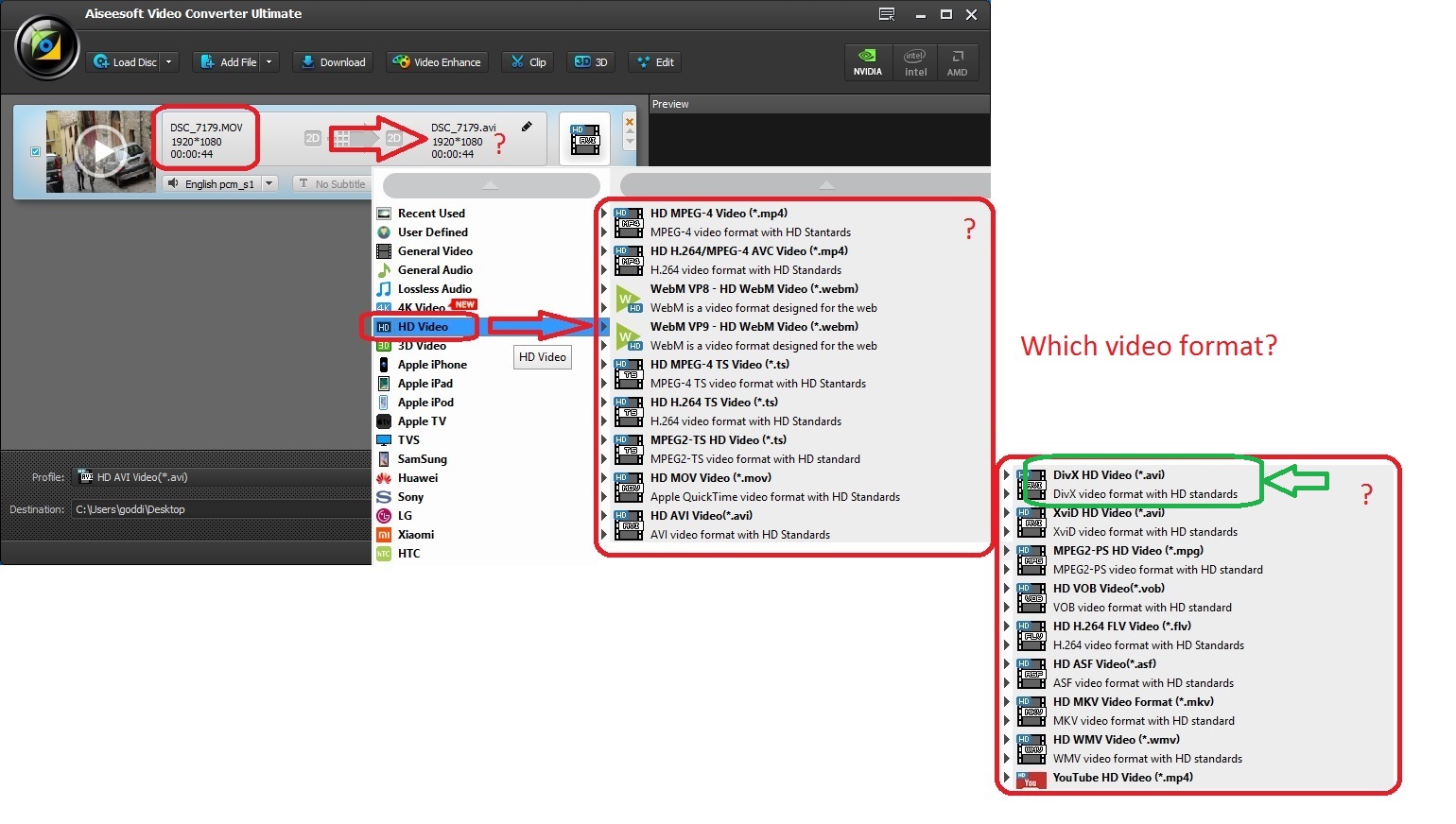
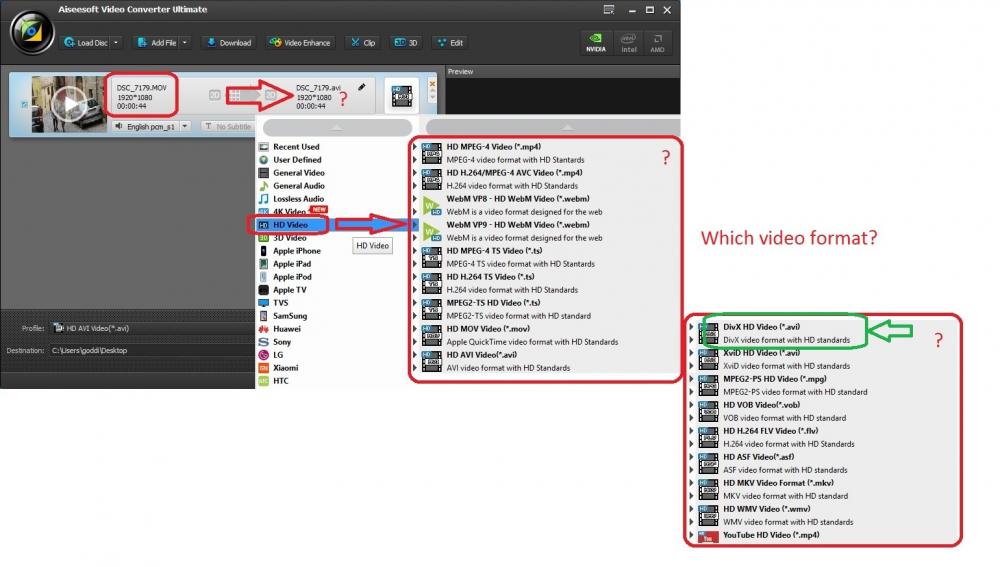
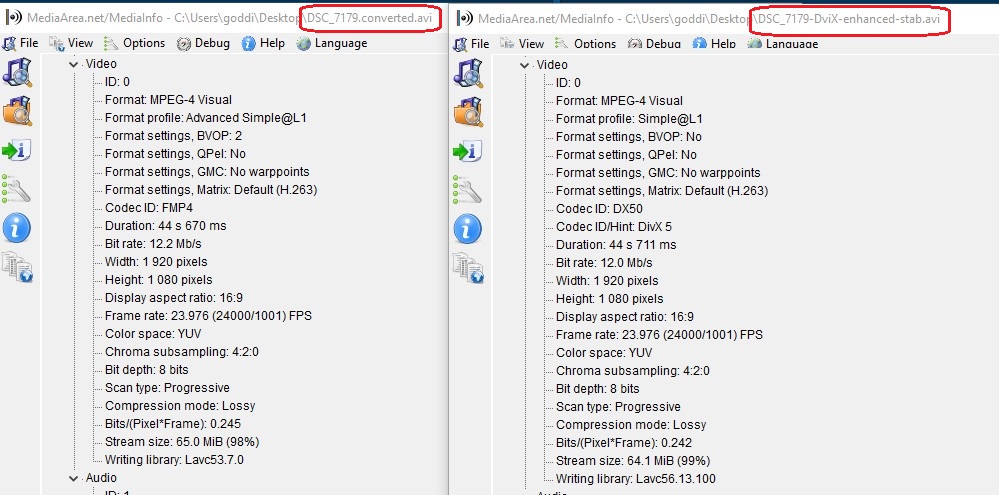
Greetings, I am trying to find a more efficient routine for converting video for a PTE show. Normally I would simply run my ‘.MOV’ video clip through the PTE Convert process. But it is sometimes difficult to use the Trim function and you can not modify the Bit Rate in this process within PTE. The PTE Convert process seems to always boost the Bit Rate higher and therefore increases the file size. So I am trying to find an outside method that will ‘convert’ the .MOV video clip to a format that will match or come close to matching the format that the PTE Convert process produces, but offers more controls. I am now trying the Aiseesoft program (Convert Ultimate) to do this. The advantage is that I can Trim and Enhance video clip, and add Stabilization, all in the same process. The main question is, which conversion format do I select that comes close to what the PTE Convert process produces? I have experimented and come to the conclusion that the ‘DivX HD’ format comes close to the PTE Convert process. It is close but some of the ‘format’ items listed in the MediaInfo results are a bit different. I’d like to know if anyone can tell me if this is actually the best format to choose from the available formats presented. When I add a video file that has been converted through Aiseesoft using this format, PTE does not ask to convert it. So it seems it must be acceptable to PTE. I have attached the video results from MediaInfo where you can compare an ‘.MOV’ video clip that was converted through PTE and converted using Aiseesoft’s ‘DviX HD’ format (with enhancing and stabilization). The ‘Format: MPEG-4 Visual’ are the same but other format items are not exactly the same. I have also attached the various conversion formats available in the Aiseesoft program. Any ideas or suggestions are welcomed. Gary
-
Greetings, I agree and I have also suggested to add the filename’s extensions to ‘Slides’ and ‘Timetable’. We might have the same image or video file in different formats and this would make it easier to distinguish between them. Gary
-
Igor, I have tried several time to reproduce the problem in 9.0.3, but could not. But I do know that it did happen twice before. I will let you know if it happens again. I also tried to reproduce the problem in 9.0.4, but could not. I'll keep you posted if it does. Thanks... Gary
-
V9.0.3-Rotation of Images (Ctrl+F and Alt+F)-SOLVED
goddi replied to goddi's topic in Troubleshooting
Igor, Ok, good to know. I never noticed them before until we got into this situation with the PTE rotation commands. Just caught me eye because most other commands do work within PTE. Thanks... Gary -
V9.0.3-Rotation of Images (Ctrl+F and Alt+F)-SOLVED
goddi replied to goddi's topic in Troubleshooting
Igor, Yes, in 9.0.4, the 'Ctrl+F' rotates the file clockwise and 'Alt+F' rotates the file anti-clockwise. However, if you try to do it through 'Explorer', 'Rotate Right' or 'Rotate Left', nothing happens. I notice it does not work in V8, either. Gary -
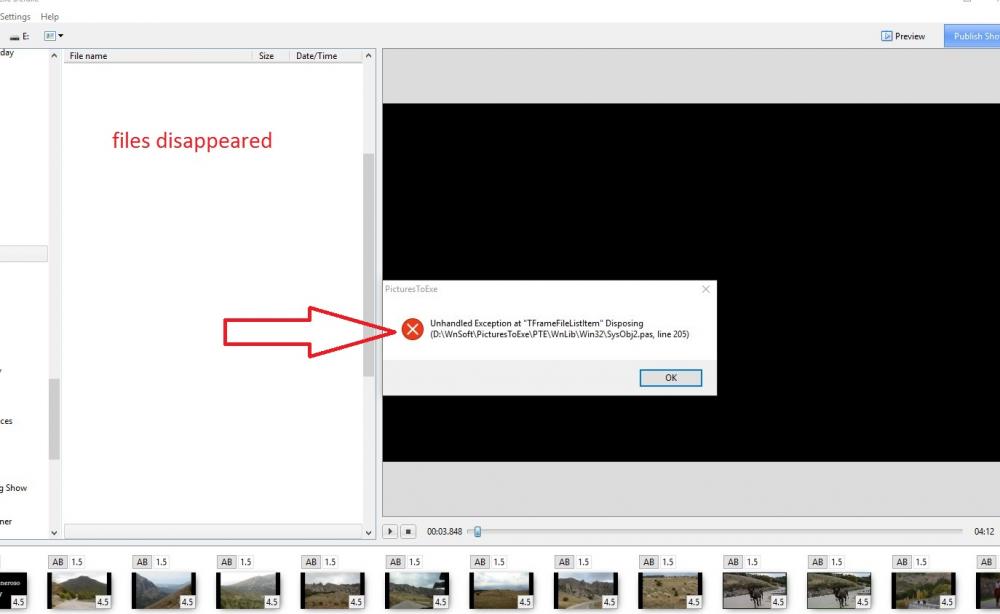
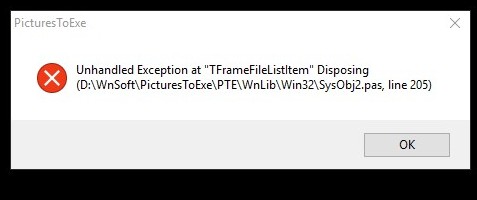
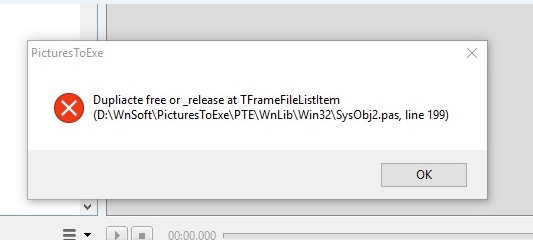
Igor, It just happened again. Let's see if I can explain what I was doing to create the error. I am starting to put together a new show. I had created a new folder for the images in MyComputer (Win10). I opened PTE to start a new project; I browsed to the new folder to poplulate the images in the File List. All the images were then put into the Slides. Now, while PTE was opened at this point, I went into MyComputer to transfer some new images from another folder into the folder that contains the images of the show that is shown in the File List (PTE still opened). As I closed MyComputer after transferring these new images, the File List was emptied of the images that were previously there and I got the attached error message. After I cleared the error message, I could not repopulate the File List. I could not either with 'File Open Recent Project'. It came back after I closed/opened PTE. I think this is how the previous error message was produced. I think I was doing a similar process with a different show. Gary
-
Igor, Haven't had this problem re-occur. I'll let you know if it does. Gary
-
V9.0.3-O&A Icon Greys Out - Inserting Blank Slides
goddi replied to goddi's topic in Troubleshooting
Igor, The problem has not re-occurred. It happened only this one time. When it happened, I could repeat the problem, but once I re-opened PTE, it has not happened again. I did try to click on any single slide in the Timeline or Slides, but nothing could activate the O&A button. I'll let you know if I can make it happen again. Gary -
Greetings, While working on a show in V9.0.3, I got 3 error. I was able to capture the first two. When the error popped up, the list of files in the File List disappeared. After I close and reopened PTE, the File List was back to normal. Gary
-
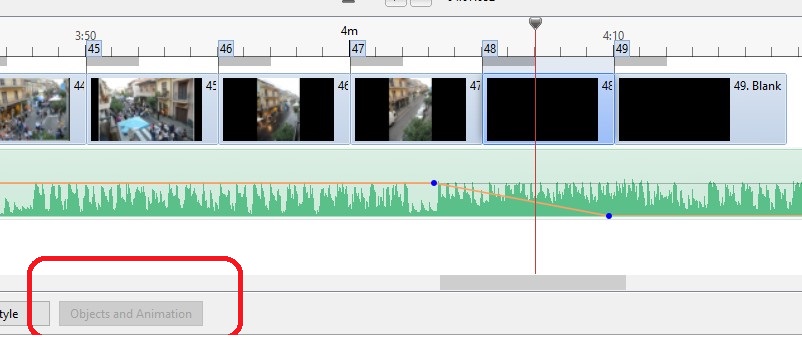
Greetings, I am making a new show. I "Inserted Blank Slide" at the end of the Timeline. When I click elsewhere in the Timeline, the O&A icon gets greyed out. Sometimes, removing the second blank slide brings back the O&A icon; sometimes it does not. If it did not, and I removed the first blank slide, the O&A comes back. This is repeatable. Also, if I removed both blank slides from the end of the show, and click elsewhere in the Timeline, the O&A gets greyed out. The O&A greyed out also when I was adjusting the slide time of a video and I got it back to working. After closing and reopening the show, the problem seems to have stopped. Gary
-
Igor When you try to 'Rotate' an image in the Slides, using Ctrl+F (clockwise), it rotates the image in the opposite direction. Also, the Alt+F (counterclockwise) opens the 'File' dropdown menu. I think this issue was also in older versions. (using Win10) Gary
-
Igor, Yes, 9.0.3 fixed the problem. (The download page still says '9.0.2'). Thanks... Gary
-
Thanks, Igor Gary
-
Greetings, When I open, for example, the 'Wedding' Style in V9 Beta22, I get certain information about the Style. However, in V9.0.2, there is nothing shown. Also, for any Style that I had in the Betas, there is nothing shown in that space in V9.0.2. (WIN10) See below. Gary


-
16. Allow a text input block in each Slide Styles for the user to input some text.

-
Jose, One new feature in V9 that I think is extremely useful is the ability to do animation within a Frame. This allows you to put in a Border around an image or video and do zooms, pans, etc., within the Frame. This comes in handy, at least for me, when you have video that might not have the resolution that looks good full screen. Also for images. I now have found in V9 that I like to combine a 'Border' (if you want to) with 'Aspect Crop' (16:9) within a Frame, and animate the image or video, giving more creative possibilities. So there are things, for me, that make V9 more useful. Also, I don't want to be left behind asking questions relating to past versions. Gary
-
Slideshowclub- 'Find their other files' not working
goddi replied to goddi's topic in Forum & Website
Greetings Dave, Thanks for the screenshot. Well, I tried to come up with the same screen you show above. It is the most ridiculous search function I have every seen. I can not easily duplicate what you have shown. Please...whoever is responsible for this site, fix it so we don't have to go through hoops to get results. It is clear that, if two people can come up with 3 different results, there is something wrong. I did finally figure out that you have to put in a 'Tag'. That is a guessing game, only clear after I saw your example. And, yet the results are not like the results that Ken's search gave. Your search does not show the show's icon images, while Ken's does. Ken's search gave exactly what I am looking for, only the slideshows, with the slideshow image icons. But I can not duplicate Ken's results. And what's the difference between 'Member Search' and 'Search by Author'? How do you know what 'Tags' you need to enter? Your Search shows 6 results. Ken's Search shows 7 results, but it says "Content Count 17". (It shows I've made 7 Comments, so it still does not add up). So all this is just too confusing and I suggest it needs to be fixed. Gary -
Slideshowclub- 'Find their other files' not working
goddi replied to goddi's topic in Forum & Website
Dave, That's the problem. I don't know what criteria was used or even how you and Ken created your searches. Ken gave one result and you gave two results from searches. All three gave different results. In the attached image (a screenshot of the first portion of the results), you can see the differences and the links that were used to obtain the results, #1, #2, and #3.. #1-This is the best result. It give only the shows and no 'reviewed' comments. (Ken's search results) #2-This produces the shows, but it also included 'reviewed' comments I had made. (Dave's first search results) #3-This produces some of the shows, but misses many, and it does not include the images of the shows. (Dave's second search results) These are inconsistent results. The 'Search...' function needs to be fixed so we get the same results and the results we are looking for, and make it intuitive. Gary
-
It took me a while to find it in V9, but I did find it. Go to the O&A's Properties of the video. Click on 'Adjust Time Range' and the 'Video Times' window will open. Then adjust the 'Speed'. I haven't tried it myself in V9 but I think this is the place to do it. Gary

-
Slideshowclub- 'Find their other files' not working
goddi replied to goddi's topic in Forum & Website
Ken, I noticed that your link, above, to my uploaded slideshows shows only the actual uploaded slideshows, which is what I am looking for. However, the link that Dave provided is different from yours. His link, below, shows the uploaded slideshows and any comments someone added: https://www.slideshowclub.com/profile/39-goddi1/content/ Can you tell me each step you made to get to your link? I can not figure it out. Thanks... Gary -
Slideshowclub- 'Find their other files' not working
goddi replied to goddi's topic in Forum & Website
Dave, Sure, I understand you can do that. My point is that the site's 'Search...' function is not understandable...not intuitive, and gives no results. If, at the top of the main page, you have a 'Search...' function, you should be able to search for all shows by the author or member's name. If I told a non-PTE user to find my or your shows on the Slideshow site, I don't think they would be able to find them. I wish that we could get a result of just the shows someone has uploaded (without the comments) made by others. If I wanted to see all shows by 'davegee', using the 'Search...' function, with 'All Content' checked, I get nothing. Why should I have to go deeper into the menus to decipher how to get the results. Whoever is responsible for this site should take note and make it usable to just do a simple search for shows by authors' names using the 'Search...' function. Gary