goddi
-
Posts
3,593 -
Joined
-
Last visited
-
Days Won
26
Everything posted by goddi
-
Locking Sound to a specific slide
goddi replied to Photofanatic's topic in Suggestions for Next Versions
============================ Joy, I don't have an answer to how you can 'lock' the music track to one specific slide. But, when I want the music to start after a slide or two, etc., I just add a silent mpg just before the music. I usually have made a few 'silent' mpgs for this use. Some a few seconds, some longer. They are easily made in Audacity and can be adjusted to keep the music to start exactly where you want it to start. Or just make one for one second and keep adding or subtracting this 'silent' mpg until it sounds right. Not an 'automatic' way but it will let you keep the music track starting where you want it to. Gary -
=============================== Maureen, As usual, a great show. I agree with Morturn about seeing shows about travel. This one was special for me because I was born in Florence, right down from the Ponte Vecchio. I noticed your shots of the 11th century San Miniato al Monte church. Not too many people make the trek up to that church. It is really spectacular. A few years ago, we went to place some flowers on my brother's twin who is buried at the church and it was interesting that they have all the grave site locations computerized...helps locate them. We happened to be there for an Easter morning service in the church. Really nice. Thanks for bringing back memories... Gary
-
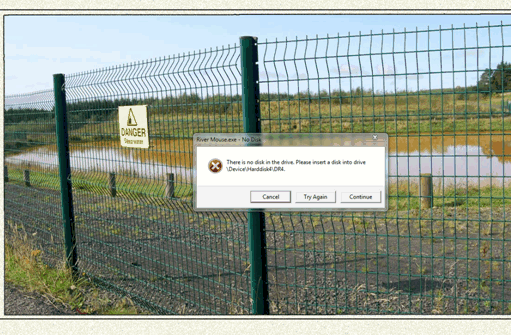
================================ Igor and Mickp, I have been getting the exact same error message when I have played the River Mouse.exe show. See here: http://www.picturest...h__1#entry95574 It always shows up at the exact same slide in River Mouse. I thought it was something in the show but no one else seemed to have be getting the error message. Using Malwarebytes, I had found a couple adware bugs and removed them. That seemed to be a fix but it might have only been a coincidence. A few days ago, Malwarebytes showed my PC was clean, but I got the error message again at the exact same spot anyway when I ran River Mouse. River Mouse is the only show that causes this strange error message. I have not run Montauban yet, but I will give it a try to see if that, too, causes the same problem. Gary ADDED LATER: I just tried River Mouse and Montauban but I could not make the error message show up...at least not yet. I have no clue as to what is going on. I have Windows7, both shows are played on the Desktop .
-
============================ Steve, Yes, I enjoyed the show. I also have Microsoft Security Essentials but it does not give me any alerts, even when Malwarebytes had detected some adware type bugs. PCs can drive you a bit nuts when there is no obvious explanation for what might be going on. I just ran Malwarebytes and it did not show any problems. I then ran your show again, and guess what...got the same error message. I re-ran Malwarebytes and it still does not show any problems. So, let's just chalk it up to alien activity..... I just have no idea what might be going on.... Gary
-
Steve, I just happened to play your River Mouse again. I got the same error message in the show in the same place as indicated in my Comment #4 above. I ran Malwarebytes again and it found a couple 'bugs' again (Adware and Toolbar type files). I removed the bugs and now your show plays just fine. It is really strange that only your show comes up with this error message and that Malwarebytes fixes it. This is not a complaint or any negative report. It is just interesting that this happens with only a PTE show and only your show and apparently only on my PC. But this is a good reminder to run Malwarebytes and other diagnostic programs to find what is lurking in the background. Gary
-
==================== Peter, I just had a look at the show. Really terrific. Lots of good techniques to learn from. Thanks... Gary
-
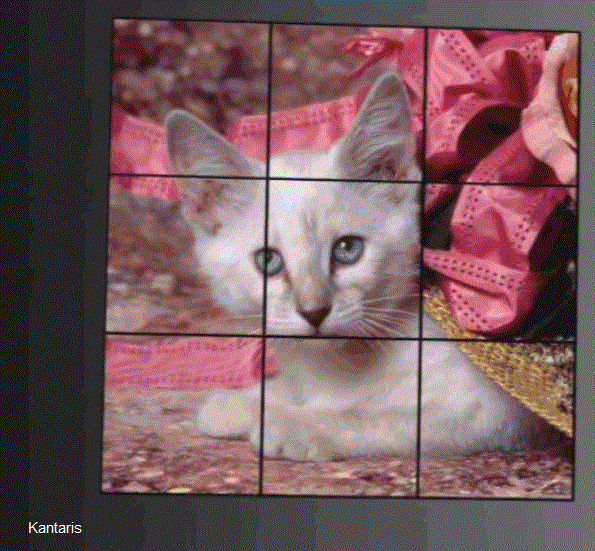
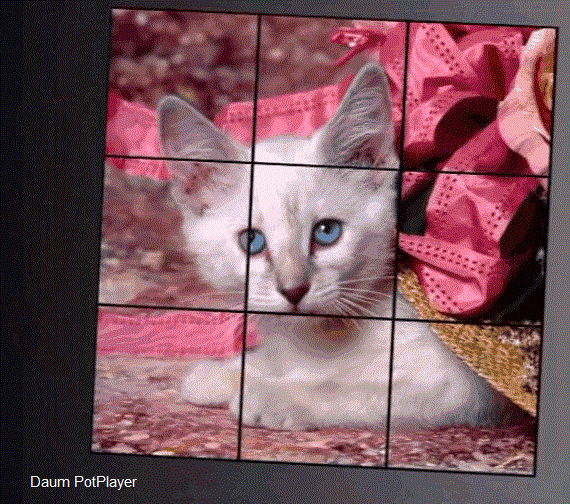
========================== Lin, I played your file on several players. Here is what I found: 1-Quicktime-It would not play because it said I needed the "XVID component for Quicktime". I did not download it because I wanted to first see how it played with other player in my Windows7 Pro. 2-VLC-The show looked 'fuzzy'. Played well but did not look 'sharp'. 3-Windows Media Player- It looked 'shakey'. Hard to watch. 4-Kantaris-Played well but it also looked 'fuzzy', not 'sharp'. 5-Daum PotPlayer-This player has been my 'default' player for some time. When I played your file, it looked the best compared to all the others. I actually played your file in the PotPlayer at the same time as the others to see if I really saw a difference and I did. My eyes kept going over to the PotPlayer version. Images were sharper and the colors more saturated. I don't know why there is a difference but I see a distinct improvement when using PotPlayer. See if you see the difference. Gary LATER: I just added screen shots of the white cat with the pink ribbons. One from Kantaris and one from PotPlayer. All I did was to rotate them.

-
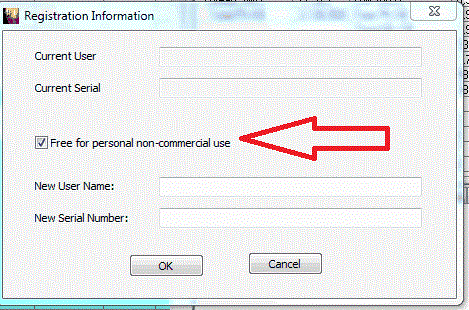
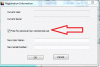
============================ Ken, I installed this program and discovered that it is free (for personal use). See below: "Now TaskInfo is "Free for personal non-commercial use". Check Corresponding "CheckBox" on "Help/Set Registration Information Dialog" if you really use it for "personal non-commercial use". " Gary
-
========================== Barry, Yes, it is coming back to me now. I remember when I started using the Autospread that I 'complained' that the Timeline did not display the actual spreading of the slides. I now understand what Peter was saying. I have transitioned to using the Timeline more now and I forgot all the problems that I had when I was trying to understand how the Autospread function worked. Funny how you forget things that you think you will never forget. Thanks for reminding me... Gary
-
====================== Peter, Apparently, I am not seeing what you are seeing. When I tick the Autospread, the Timeline gets grey-out, and nothing else happens. After highlighting a string of manually coded synchronized slides, I have to select the Time Points/Arrange Selected Points to get PTE to autospread them amongst their section in the Timeline (not affecting any other slides). If I understand what you are saying, I should be able to untick the Autospread feature and all the formally manually coded synchronized sides that I just Autospreaded will revert back to where they were? I don't see that happening. That does not happen to me. As I mentioned before, it seems the only thing the Autospread does when ticked is to grey-out the Timeline. What am I missing? When I first started to use PTE, I used Autospread for every show because I did not want to deal with the Timeline. I never was able to Un-Autospread them even if I had first manually adjusted any of the slides before I did the Autospread. Are you saying that by only ticking the Autospread feature (and nothing else) that something happens (besides greying-out the Timeline)? Gary
-
============================= Barry, I just discovered something. After reading these posts, I went back and started to play around with the Autospread function. It seems that there has been a change to this function or I did not understand fully how it worked in the past. Now, whether the Autospread is ticked or not ticked in Project Options/Main tab, you can autospread all or selected groups of slides. If you select Timed Points/Arrange All Points, all of the slides get spread evenly over the music(s) selections. If you highlight a group of slides, and then select Timed Points/Arrange Selected Points, only the highlighted slides are spread over their own time lengths--the other slides are not affected and the ending slide ends at the original ending point. I did this with the Autospread being ticked and unticked and it did not make a difference. Perhaps this is what you were pointing at in your original post. So it seems that the Autospread function in Project Options/Main tab should have a note for the user to then go into Timed Points to actually make it happen. Seems like the only thing ticking the Autospread does is to grey-out the Timeline (?). Gary
-
============================ Barry, I brought this subject up back in July 2010, and got no responses. When I started using PTE, the ability to Autospread the slides over a music selection(s) was what got my attention. No other program did this at that time that I could find. But it seemed a bit quirky since you had to, after selecting Autospread, then go into Timed Points/Arrange All Points to make it actually work. Now I am using the Timeline more, but I appreciate both functions, but as it seems, the Autospread is a bit tricky. http://www.picturest...h__1#entry77713 Gary P.S. I notice that I also brought up this issue back in November 2008:
-
===================== Eric, Cameras are getting so complex that I never use many of their abilities. Taking a still while taking video could come in handy. My Nikon D7000 does not do that (l think), so I have used VideoPad to take a still image of a frame of my video clip. I took a beginning and an ending shot and put the video in the middle. Nice effect to use as a fade in and out of the video clip. What will they think of next???? Gary
-
===================================== Eric, Yes, indeed, I could not remember who or where someone pointed out about 'abrupt' starts in one of my shows. Now I remember. But I thought the 'abrupt' starts had to do with the transition from a still image to a still image, not from a video clip to a still image (or another video clip). The technique to eliminate the 'abrupt' transition is a bit different. I think once someone starts shooting stills and video, it will be a natural desire to include both in a show. And I think it can work well...it just needs some trials and errors. I am happy to hear one of my shows encouraged you to start to dabble with the video. It really is a lot of fun. Hope you have thawed out. Gary
-
============================== Eric, I see one technique that would improve the transition from your video clip to a still image or from a video clip to a following video clip. If you look at, for example, the transition from the swinging pirate boat video to the next still image, the pirate boat stops swinging at the end of the video clip, then it transitions into the still image. If a video clip is, say, 10 seconds in duration and you insert the video clip, PTE will drop it in with a 10 second duration. This is the problem. This will cause the end of the video clip to show a 'freeze frame' at the end of the video clip and then do the transition to the still image. This is not a smooth transition. For a smoother transition, the solution is to shorten the duration of the video clip to about 9 seconds or so, so that the video clip will continue to play as the transition to the still image comes in. It will eliminate the 'freeze frame' at the end of the video clip and show a smoother transition from the end of the video clip to the following still image, or from a video clip to a following video clip. So it might be important to be careful where a video clip is trimmed at its end. Maybe leaving a couple seconds after the point that you really want the video clip to end so you have some leeway to work with when in PTE to be able to make the smooth transition without eliminating any important portions at the end of the video clip. Gary
-
=========================== Jean-Claude, Yes, I see that it is for the purpose of adjusting keypoints. But when I 'Play' the slide, I don't see it happening in the main screen. I don't hear the portion of the music that was associated with that slide. I don't see the keypoint move in the main screen as I make the adjustments. So I must be doing something wrong. Let me fiddle around some more and I will see what happens. Thanks for the program. Very interesting. Gary
-
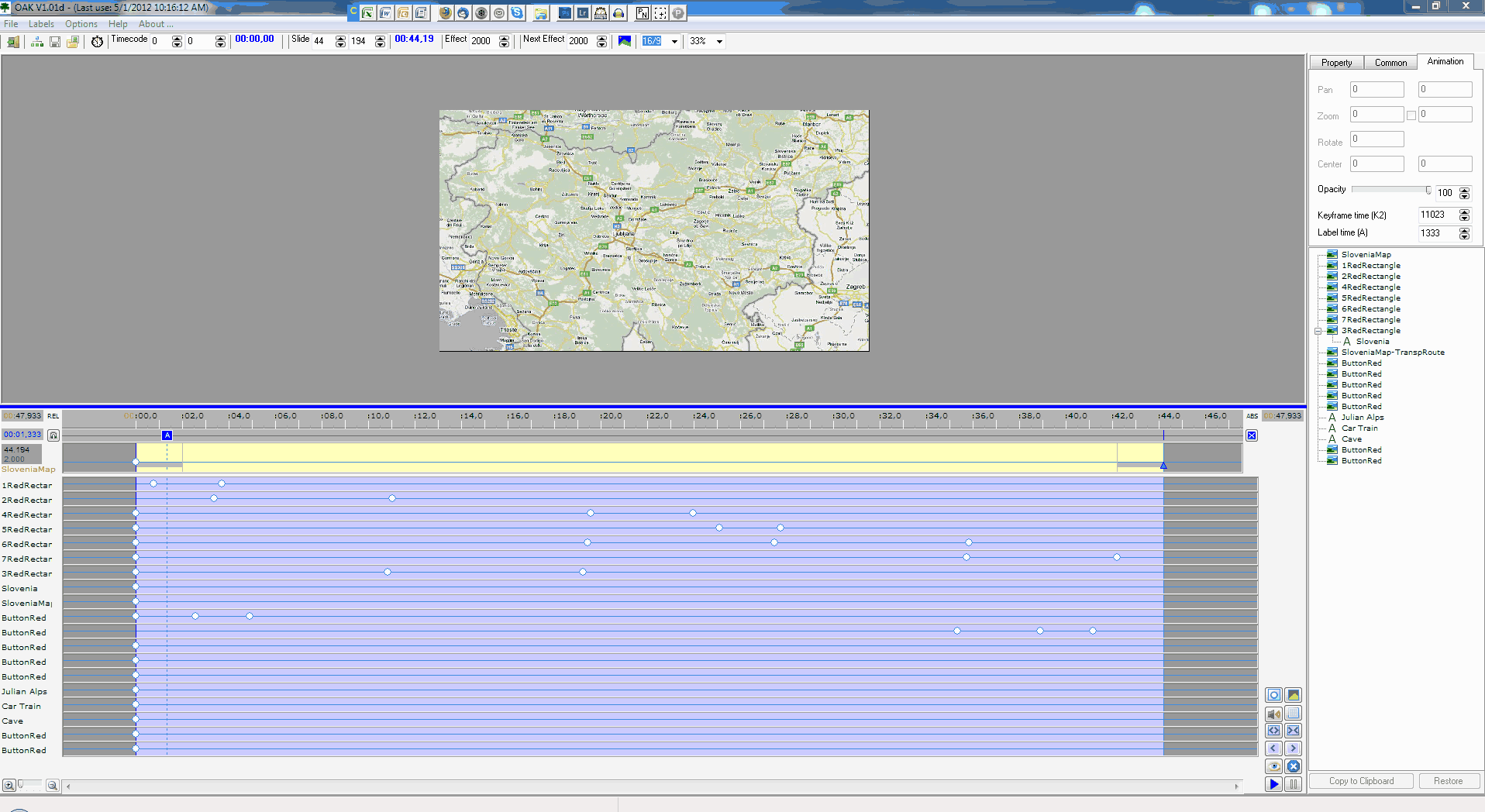
Greetings, I downloaded and installed the Oak program. I figured out how to get to the English menu. I figured out how to Copy one of my more complicated O&A's from one of my slideshows into Oak. I tried to read the PDF, but I am not sure of a few things. Here are my questions: 1-When I 'Play' the slide, I do not see any 'action' in the main screen. Why not? 2-The music associated with that screen does not play. Should it? The slide I am using is a map that automates the route driven through a country. A gif is attached. Thanks... Gary
-
====================== Greetings, I think I have resolved the issue. After running an updated Malwarebytes, it found 2 bugs. See below. After these were removed, the error message does not show up. I hope this holds up: Registry Values Detected: 1 HKLM\SOFTWARE\Microsoft\Windows\CurrentVersion\Explorer\Associations|bak_Application (Hijacker.Application) -> Data: http://shell.windows...edir.asp?Ext=%s -> Quarantined and deleted successfully. Registry Data Items Detected: 1 HKLM\SOFTWARE\Microsoft\Windows\CurrentVersion\Explorer\Associations|Application (Hijacker.Application) -> Bad: (http://www.helpmeope...p&l=%04x&ext=%s) Good: (http://shell.windows...edir.asp?Ext=%s) -> Quarantined and repaired successfully. Don't know where it came from but so far so good. Gary
-
============================== Steve... And then, I am not sure if I really understand what is happening. I just tried your original River Mouse.exe on my wife's PC, playing if from a thumbdrive. I get the same error message. Is it possible that one of the videos that you are using for the show are actually in a different folder than the other files? It just looks like the exe is trying to pull in a video file from some other location. I saw that Tom did not get the error message, but I am drawing a straws here to understand what is going on. Thanks... Gary
-
========================== Steve, I think I may have resolved the problem. Not sure exactly what was going on, but here is what I did. I went into my Windows7 Disk Management and deleted 'Disk 3'. This 'Disk 3' is one of the 6 inputs of my Card Reader/Writer. Now, when I play your file, it does not create the error message. But....why in the world would I have gotten the same error message when I was playing one of my PTE files on a different PC?????????????????? Still a mystery!!! Gary
-
===================================== Steve, Now I am not sure if your file has anything to do with this error message. I was at a friends house this morning and I played one of my PTE shows on her computer. I got the same error message!!! I was playing it off of my thumb drive. So, in this case, there does not seem to be any connection with your file. What is strange is that on my PC, your file is the only one that has created this error message. I have Googled around to see what I might find but nothing has shown up yet that helps figure out this problem. I have looked into my Disk Management (Windows7) but there is nothing strange in there. I can not get the error message to appear when I play my PTE files on my PC. But when I play your file on my PC, it happens every time, at the same place. I just don't know yet what is going on. Always something.... Gary P.S. And now the error message says "\Drive\Harddisk3\DR3", instead of "\Drive\Harddisk4\DR4"
-
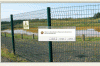
Steve, Here is a gif of the error message on the slide that it occurs. Do you know what it might mean??? Gary
-
====================== Steve, I downloaded and ran your show. However, in the middle of the show I got the following error message and it froze: "There is not disk in the drive. Please insert a disk into drive \Drive\Harddisk4\DR4" Had to do a Alt-Ctrl-Delete to get out of it. Gary
-
========================== Mary, I would be happy to give you the PTE file minus the videos but it really was nothing fancy. All I did was take a snapshot (using VideoPad) of the last frame of the first video and use that as a background image for each of the following videos. So I'd have the snapshot image as the background and bring in a video on top of it and resize it and put a thin white border around the video (using PTE). I did this for each video. Each video faded-out with the next video fading-in...just like still images. Nothing fancy. I can still send it to you if you want. Also, if I take out the videos, all you would have are the background snapshots. So let me know and I can give you the entire PTE file with the videos and I can put it on Mediafire. Then you can play with it. You saw only a tid-bit of the available food!!! It's all like a humongous collection of 'fast-food' joints that are great fun to watch the action. Most every thing was cooked and you could eat your way right to a heart attack!!! Looked great but we did not sample any of it. They had huge vats of hot oil cooking stuff--I thought if anyone bumped into it or it fell over--ouch!!!! But most everything looked fresh and tasty, as was all the food we had in Thailand and Cambodia! Gary Added later: I sent you a PM with link to PTE file.
-
========================== Morturn, The first thing I did when I watched the show was to place my hand over the 'white tee shirt' guy to see what it would be if it was cropped out. I think if the image can be cropped, it would give a more intimate feeling. In that vein, I would probably remove the image with all the tourist in it. I know it is almost impossible to take a full image of such a site without tourist. But by removing the 'white tee shirt' guy and the 'tourist' image, I think it will save the intimate mood throughout the show. I did not mind the thin white border. In my recent show of Phuket's Night Market, I put each of the videos in thin white borders because it helped to separate the video from the background image and make it stand out better. Probably I am comparing apples with oranges, but I am kind of liking the thin white borders now. I did not notice any 'sync' issues because the music was so mellow, I didn't see any reason for 'sync' being needed. And, yes...too short, but I liked it. Gary