goddi
-
Posts
3,593 -
Joined
-
Last visited
-
Days Won
26
Everything posted by goddi
-
Greetings, I would like the Slides view and Timeline view to not change its position of the images when we switch between the views. For example, if you are somewhere in the Timeline view, and switch to the Slides view, it can take you back to the first slide in the project. Sometimes it takes you to some other position you don't want to be at. It is confusing to have to re-adjust to the position when you want to switch views (but stay on that image) while working on a project. Sometimes it's not too far off but very inconsistent. It would be very helpful if the images stayed in the same position when switching between the Slides and Timeline. Gary
-
Full Screen View-removes bold indication from File List [SOLVED]
goddi replied to goddi's topic in Troubleshooting
Yes, Igor, that fixed the problem. Thanks... Gary -
Greetings Tonton, I do it to test what the results would be using different formats, with different bit rates from different programs used to trim, stabilize and enhance video clips. It is not to have different formats of the same video clip in the final or 'real' project. But I want to see the differences and which serves to be the better result. If the full file name with its extension is shown, it would help to distinguish the different results that are in different formats. This could also hold for images. Having the full file name with extensions just helps to spot which is which instantly, instead of having to click on each one, one by one. Less confusion. More info, better. It is sort of like what Windows does. Windows' default is to hide the extensions of files. I think it is silly to do that. If the extension is shown in the File List, and other places in PTE, then be consistent and show it in all places. Gary
-
Jill, If, say, you want to add a video clip that has been processed into different formats, like MOV, AVI, MP4, etc., using the same video clip, each clip would have a different extension. However, they would all show up with the same file name (with no extension). This would be confusion. Changing the file names would cause confusion and added time to name or rename each clip. If people don't work with video clips, they might not have experienced this problem. There are many different video processing methods and software programs that output in different formats. I like to try these and test them in PTE. Being able to quickly see which format they are when they are in the Slides, is a real help. So the 'confusion' comes when you can not see the full filename with the extension. Same holds true for images. I see no sense in not providing the full filename. The 'Full Screen View of File List' icon is the small triangle at the top just above the 'File name' title. Yes, it is like a light box. But you can not arrange your images there.You have to use the other small triangle next to the 'Slides' icon, at the bottom, if you want to arrange the slides in this lightbox look. I disagree when you say 'once an image is in the slidelist it's type shouldn't matter'.That is when it really starts to matter. Gary

-
Igor, I notice that if you click on the small triangle just below and next to the 'Help' (Full Screen View of File List), and then close it to get back to the main screen, the files in the File List lose their bold indication. Gary
-
Jill, Yes, I could just look at the File List to see what is file's format. But sometimes, for example, I might have video clips or images in different formats with the same name (with different extensions). The only way to spot them in the Slides or Timeline is to click on each one to see the full file name in the Status bar. Too much clicking around and and having to scroll around the File List to find them. Why not just give the full filename everywhere? If you have the full filename in the File List, why not have it in the Slides and Timeline, to be consistent? Also, speaking of consistency, if you click on the small triangle next to the Slides and Timeline tabs, you get all the images without the extension. So you have to click on each image, then look in the Status bar to see what the format is for each file. (not helpful) However, if you click on the small triangle just below and next to the 'Help' (Full Screen View of File List), you get the filenames with the extensions. But you can't do any rearranging of files. You can only add files that go only to the end of the slide show (not helpful). Sure I know what I added when I added the file. But, as you are creating the show, it would be much easier to have all the information about the added file as you look in the Slides or Timeline. Seeing the extension (format) of each file in Slides or Timeline, as you are working on the project, would make the process much easier. As I said before, better to have more info, than less. I understand Igor does not agree, but as a user, it really would be helpful. Gary
-
Igor, I could understand not showing extensions if we only used jpgs and avi files. But we don't and it would be very useful to have the full file name displayed in the Slides and Timeline. Being able to see what format a file is by just looking at it in the Slides and Timeline would be very beneficial. More information is better then less, IMO. Gary
-
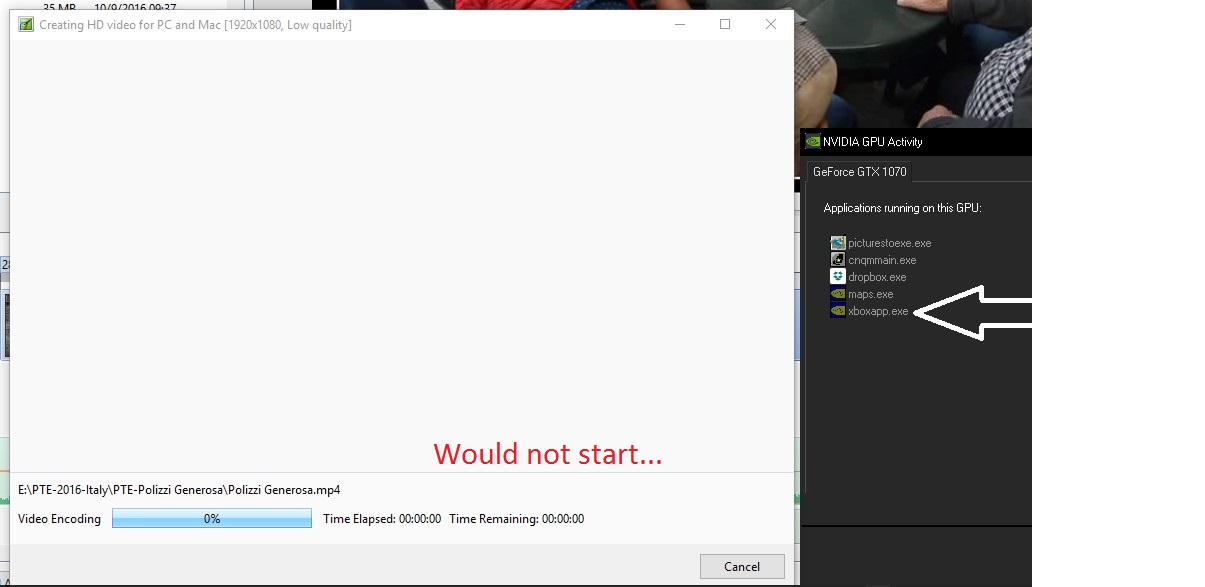
Igor, I have been trying to reproduce the problem. And I have, twice more. Here is what I think are the steps that created the problem. First, the xboxapp.exe did not show up so I don't think that has anything to do with the problem. Each time it happened, I had Published a show at 3840x2160. Then I tried to Publish the same show at 1920x1080. I must have done something in between but I can not remember exactly. But now it has happen a total of 3 times. So there must be something going on, but just not sure what. Here are the stats if I Published the same show at 1920x1080 and at 3840x12160: Publish MP4 -> 1920x1080 = 86,568KB - took 8 minutes Publish MP4 -> 3840x2160 = 258,512KB - took 25 minutes Gary
-
Igor, I have been trying to reproduce the problem, but I can not. The only abnormal thing was seeing the XboxApp.exe running in the background and I have never seen it before. Very strange. Once it was removed, by a restart, PTE work fine. Strange. Gary
-
Igor....Just curious. Is it a technical constraint or a design issue? Gary
-
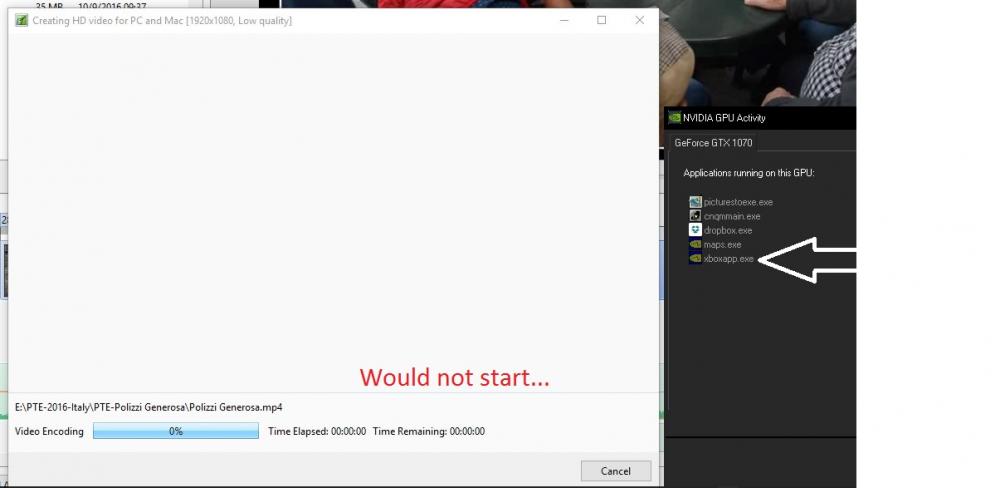
Igor, I tried the UltraHD on one of my shows. It does create the show and it plays in Windows Media Player, full screen. Nice. However, I went back to tweak this same show and process it as a regular 1920x1080 show (MP4). The process screen did not progress...it froze. I noticed that on of the applications still running in the background was 'xboxapp.exe'. I restarted Win10 and PTE and this app was gone and then, the processing for the MP4 worked. So it seems that, perhaps, the 'xboxapp.exe' is being retained and causing a problem? (WIN10) Gary
-
Igor, I was hoping that the file names' extension would also be added to the file names in the 'Slides' and 'Timetable'. I don't see that. Can that be implemented? It would help in quickly identifying files of different formats. Gary
-
Igor, Looks good to me. The 'disappearing' durations are gone now. Thanks. Gary
-
Jose...Yes, that would be a good step in the right direction. At least get the duration to be displayed correctly. Gary
-
Greetings JT, I disagree that there is nothing to correct. I have had a similar event when I swapped out a video of a different length. If you do that, and readjust the rest of the images that follow to mate up with the end of the new shorter video, you still have to re-synch all the audio that follows to fix the void that was created. When you swap a video, it would be very helpful that the insertion take the duration of the inserted video, and just deal with the re-syncing of audio that you would have to do anyway. Gary
-
Jose, The problem I posted about the FD showing on and off in the main menu, I just figured out partly why I was having this 'issue'. When I updated to the latest version, I did not go into my 'Settings/Preferences/Toolbars' and insure that all the blocks were checked. Once I did that, Duration and FD stayed on, but only for images in Slides. It would stay if I clicked on the Timeline just for that image, but as soon as I clicked on another image, the D and FD disappears. Why does it not just stay on also in Timeline for each image? If I understand what you want is it to show also in the O&A. Gary
-
Jose, I never use the Full Duration feature so I don't really know when it should show or not show up or in which menu. But, when I open PTE, the FD is there in both the Slides and Timeline. If I am in Timeline and click on an image, the FD disappears. If I click Slides, it does not reappear. Then, if I click on an image, FD comes back. I never see it in O&A. Not sure what you mean by 'Do you name "Slides" to "O&A"?'. Gary
-
Jose... I was looking into this in v9.0.4. Sometimes, the Full Duration would show up in Slides and Timeline. But then, when I did something, it disappeared or only showed in Slides, not Timeline. So I think there is a bug. I can make it reappear, but then it disappears again. So maybe Igor can see what's going on. Gary
-
Oh...now I see. I thought it was a 'style'... Got it....Thanks.... Gary
-
Dave... I can not import this Style. It looks like the extension is not right???? Gary
-
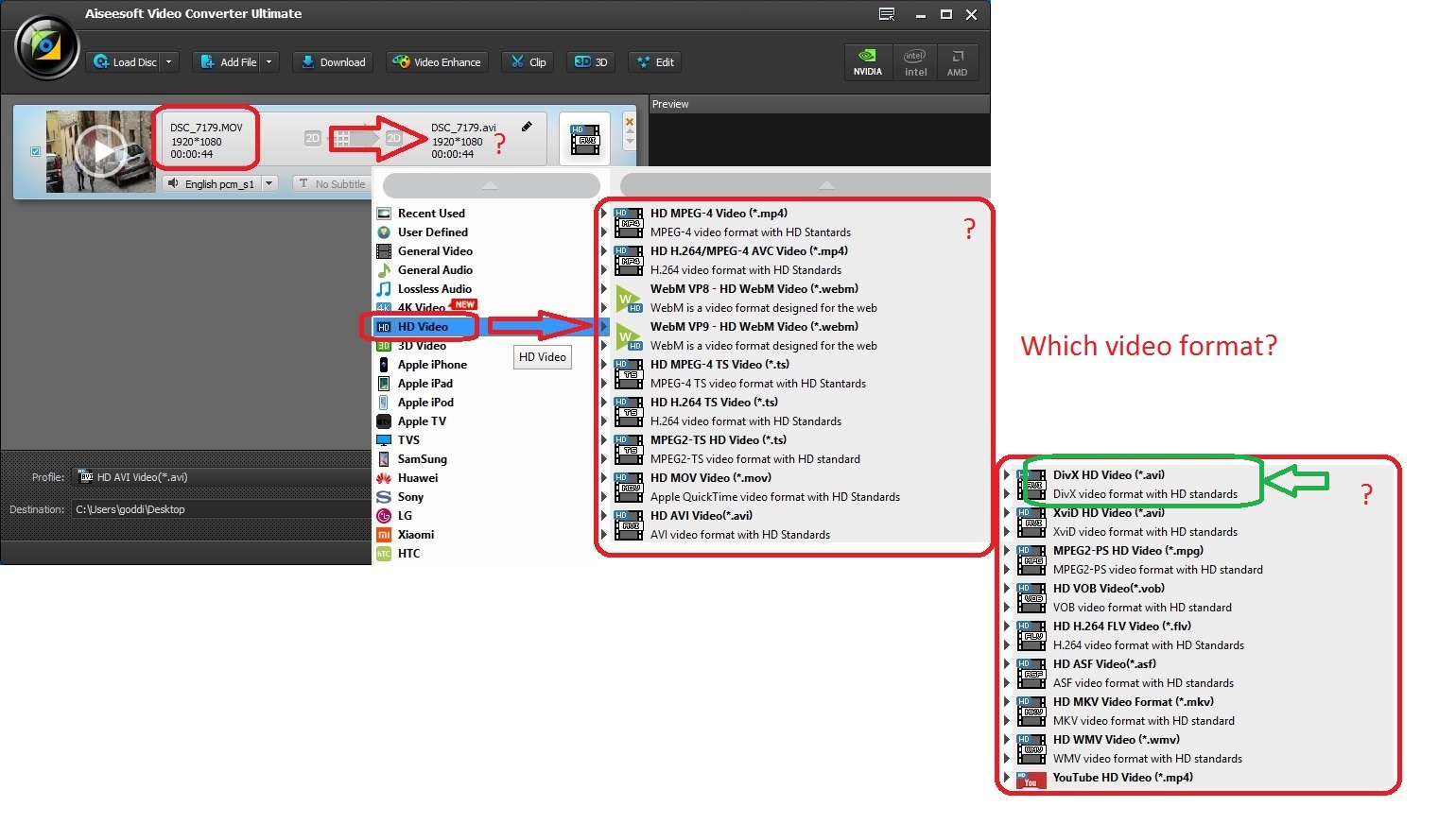
Yes, I understand that. But I want to be able to have some control over the conversion process. I am concerned about file size due to high bit rates. With PTE, I have no control. I can still reduce it below what PTE automatically sets it to and not have a problem. If I want to stabilize the video clip and trim it and set the Bit Rate, all at the same time, I have to use an outside program. If I let PTE convert the clip, and if I can get the Trim to work well (not that accurate), I still have to bring it into another program to run the stabilization and then I still have to convert it again to get it out of that program. I might as well do it all in one program. So I still want to know which is the best format to use in the above list of formats if I use an outside program, like Aiseesoft. Gary
-
Barry, No, I have only CS5 (not the Extended version). Seems I would need the Extended version for video. I don't get the Motion dropdown menu. Gary
-
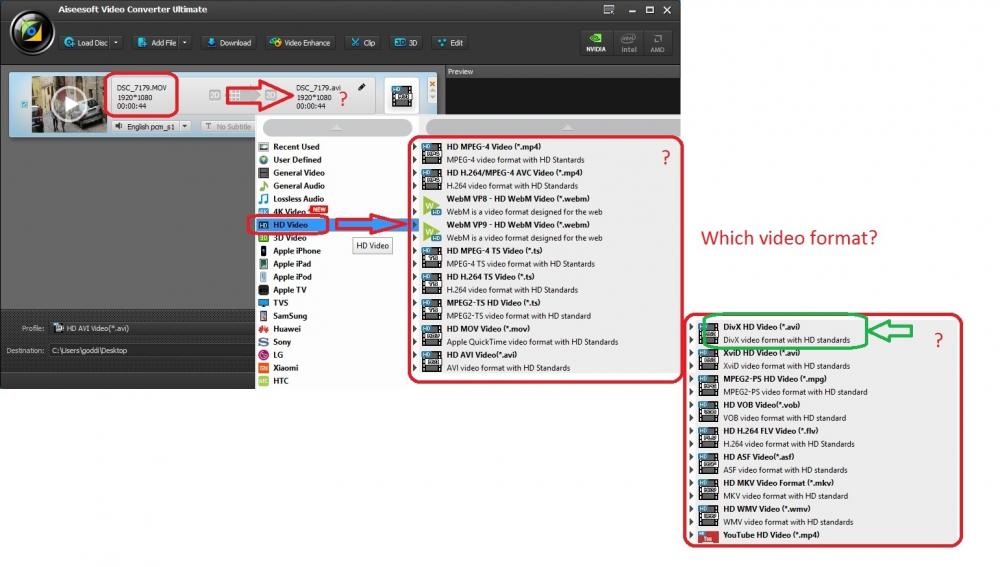
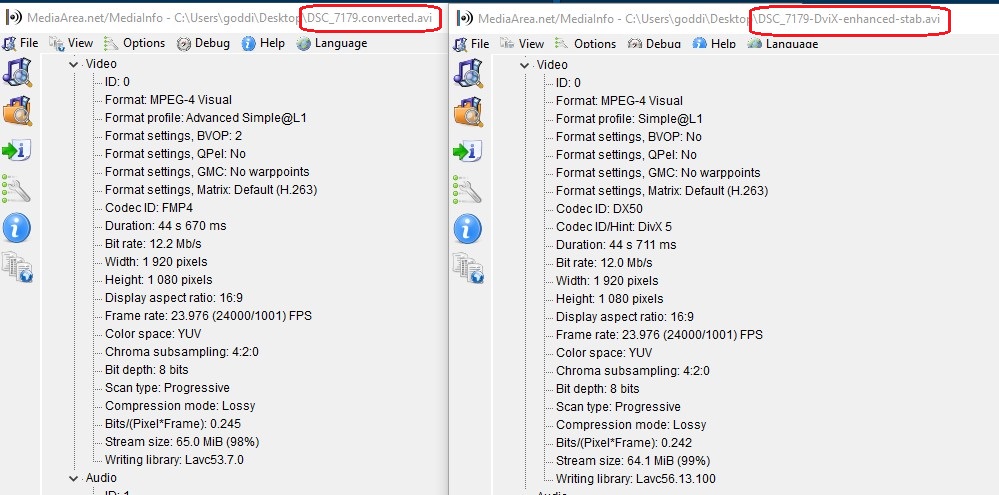
Greetings, I am trying to find a more efficient routine for converting video for a PTE show. Normally I would simply run my ‘.MOV’ video clip through the PTE Convert process. But it is sometimes difficult to use the Trim function and you can not modify the Bit Rate in this process within PTE. The PTE Convert process seems to always boost the Bit Rate higher and therefore increases the file size. So I am trying to find an outside method that will ‘convert’ the .MOV video clip to a format that will match or come close to matching the format that the PTE Convert process produces, but offers more controls. I am now trying the Aiseesoft program (Convert Ultimate) to do this. The advantage is that I can Trim and Enhance video clip, and add Stabilization, all in the same process. The main question is, which conversion format do I select that comes close to what the PTE Convert process produces? I have experimented and come to the conclusion that the ‘DivX HD’ format comes close to the PTE Convert process. It is close but some of the ‘format’ items listed in the MediaInfo results are a bit different. I’d like to know if anyone can tell me if this is actually the best format to choose from the available formats presented. When I add a video file that has been converted through Aiseesoft using this format, PTE does not ask to convert it. So it seems it must be acceptable to PTE. I have attached the video results from MediaInfo where you can compare an ‘.MOV’ video clip that was converted through PTE and converted using Aiseesoft’s ‘DviX HD’ format (with enhancing and stabilization). The ‘Format: MPEG-4 Visual’ are the same but other format items are not exactly the same. I have also attached the various conversion formats available in the Aiseesoft program. Any ideas or suggestions are welcomed. Gary
-
Greetings Lin,
Always enjoy your very helpful video postings. I'd like to ask if, when you create one, that you increase your microphone's volume, if possible. The volume always comes out very faint and hard to hear. Yes, I can turn up my speaker's volume but then the quality is a bit distorted. Just wondering if this is possible.
Thanks... Gary
-
Greetings, I agree and I have also suggested to add the filename’s extensions to ‘Slides’ and ‘Timetable’. We might have the same image or video file in different formats and this would make it easier to distinguish between them. Gary