davegee
-
Posts
9,323 -
Joined
-
Days Won
59
Everything posted by davegee
-
Try highlighting all slides and then use ctrl+c to copy. Ctrl+v to paste. http://docs.picturestoexe.com/en/techniques/copy_slides DG
-
It is pretty much as you described. http://docs.picturestoexe.com/en/techniques/copy_slides In v8 you can have two instances open at the same time and copy from one slide list to the other. Instance one will be the "Source" project and instance two will be the "Target" project. Highlight the slides to be copied in the Source Project and copy to clipboard. Open the Target Project and paste into the Slide List. I just tried it to make sure that there are no glitches. DG
-
That's Progress!! Did you act on Lin's suggestion about re-writables? DG
-
I asked Igor about a year ago. His reply was not encouraging (at that time). DG
-
Mick, Could you split the show or even reduce it to just the first slide or two? If it still doesn't work you could post a template of the short version so that someone else could try to analyse it? DG
-
Agreed, It would be interesting to know if his DVD Player is NTSC Compatible. I wondered if it was a Keyboard setting in the original Project? Unlikely but.......... Also, my BR Player sometimes responds to the OK Button but not the Play Button. DG
-
Some people print out the Hotkeys PDF but it is fairly simple to hit HELP from within PTE and access it on line? DG
-
Sort of guessed that. DG
-
Barrie, The usual advice is to take one of your most demanding shows to the Laptop on a Memory key and ask for a demo with it. BTW this is an old thread? DG
-
Stu, I am not sure that it would make any difference. All/most Modern DVD Players will handle both NTSC and PAL without problem. Mine will, DG
-
Ctrl + Mouse Wheel? http://docs.picturestoexe.com/en/hotkeys/main DG
-
You could check the ISO in media player classic home cinema? DG
-
You have been making Executable Files for PC. The File you downloaded was a "Safe Executable for Internet". It is another option in Publish. It should not affect the current problem. DG
-
Updated FLASH - Still the same. DG
-
Today's try on my W7 Desktop M/C (Firefox). DG

-
Raymond, Have you tried a different file to upload? DG
-
Slideshowclub Upload Instructions updated. http://docs.picturestoexe.com/en/slideshowsclub/main#upload_instructions DG
-
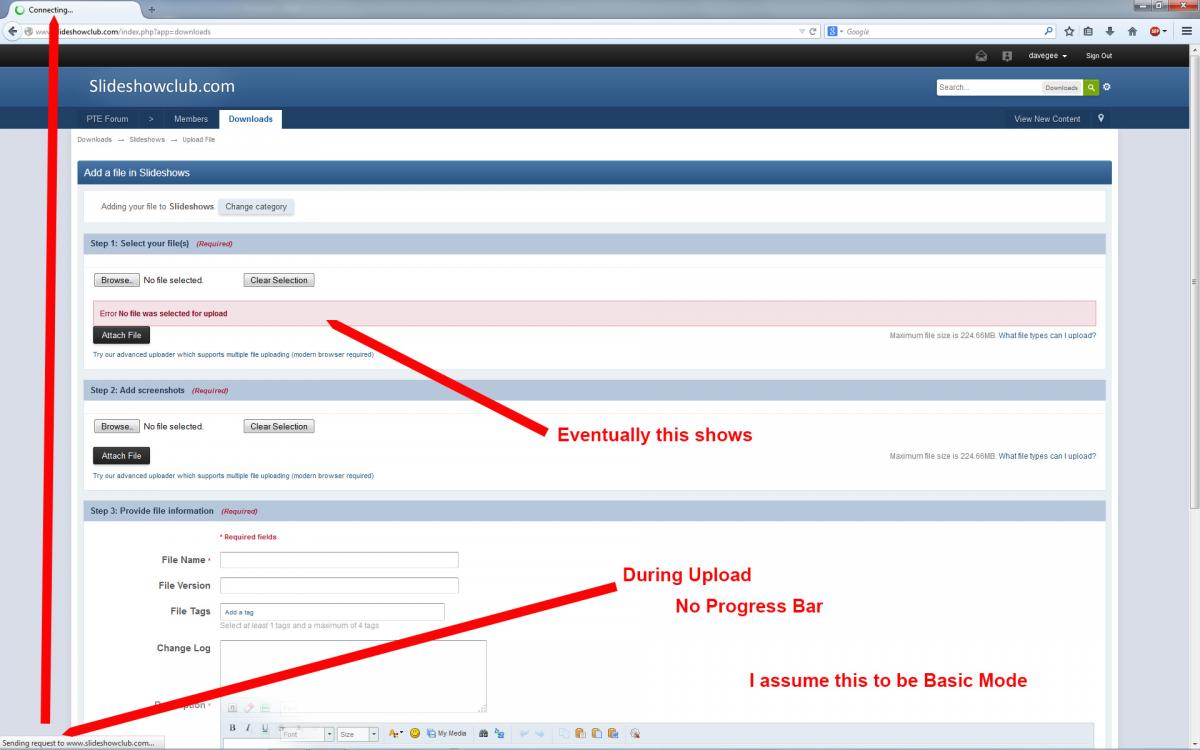
Just tried again. Advanced works - Basic does not. DG
-
There seems to be no one set of symptoms - it varies between users. On a Vista laptop using Firefox and advanced mode I uploaded a test for Igor last evening and sent an image to him. Using basic mode I could not complete the processes for SSC and MPs. DG
-
Barry, Which browser? Advanced Mode or basic? The exact same problem exists when attaching a file to a PM. Firefox and Basic Mode don't work here. I tried test files last evening: Fire Fox and advanced - OK. Firefox and Basic - no progress bar - file does not upload. That applies to both SSC and PM. DG
-
Raymond, Advanced Uploader works here. Basic Uploader does not work. Same applies to adding a file to a PM. DG
-
Stu, That works fine! DG
-
J-C, How would this affect "Synch Slides and Music"? If there were a Hyperlink from a "Dummy First Title Slide" to the actual "normal" show this would allow normal operation of the actual show. DG
-
Just to re-inforce what Peter said: Publish > HD Video > HD (1920x1080) Preset > Medium or High Quality works fine on any Sony TV with a USB Socket and Media Player. DG
-

What am I doing wrong? Pictures go all funny/useless
davegee replied to theoverberg's topic in Troubleshooting
Post a single image which shows the problem in PTE. Max size 3Mb. Use Full Editor to select the file. DG