davegee
-
Posts
9,366 -
Joined
-
Days Won
60
Everything posted by davegee
-
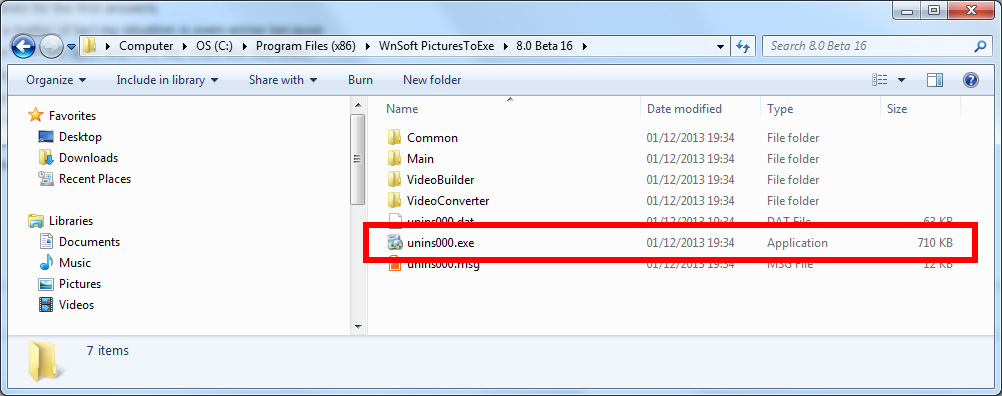
Claudio, Use this and then re-install version 8: DG
-
If a video were added to the Background in Project Options some other decisions would also have to be made. Does the video duration constitute the Full Duration of a single slide? Does the video play continuously over multiple slides? What happens if the video duration is more or less than the required total duration of the Project? Does the video stop or repeat? The method could be used to create a portion of a larger project which could be copied into the main project when completed. Whilst I don't see any major obstacles to implementing this suggestion, I think that it is probably safer to leave this application to the current available methods which allow greater flexiblity and accuracy to achieve the desired result. DG
-
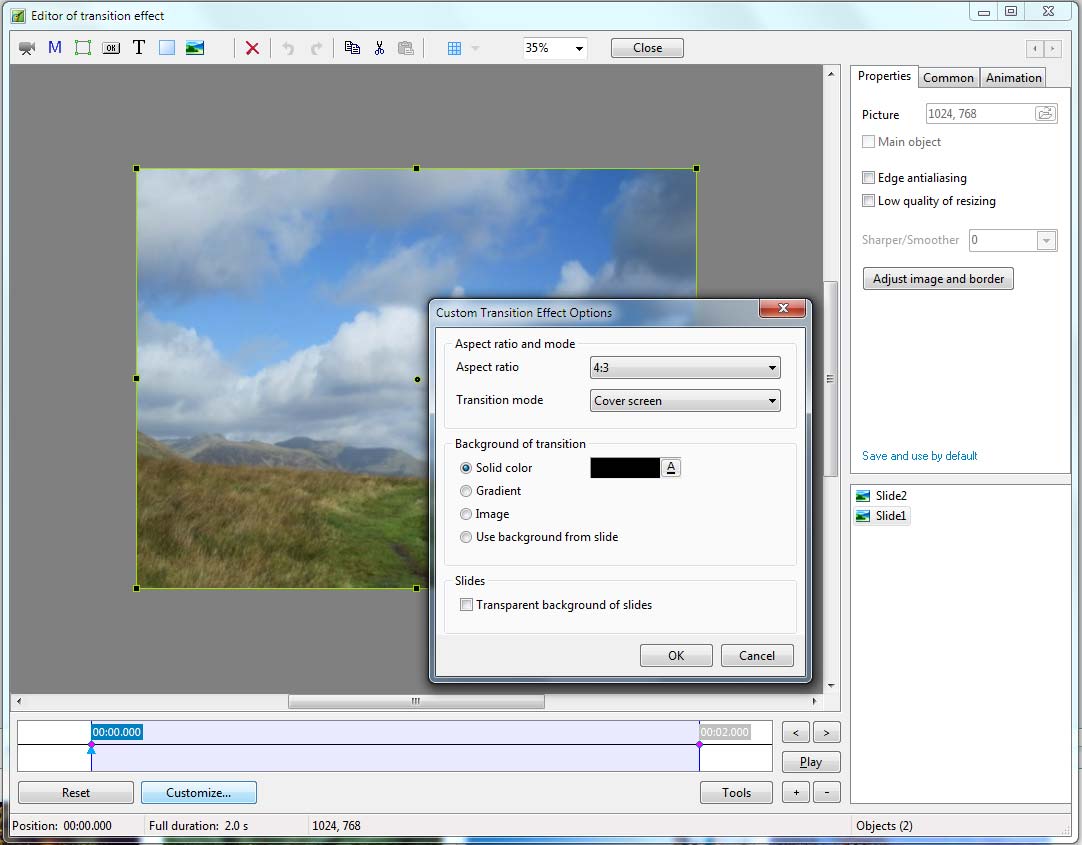
Revolver Custom Transition. Has "Use Backgound From Slide" and "Transparent BG of Slide" enabled. Use sparingly. RevolverDG.ptef DG
-
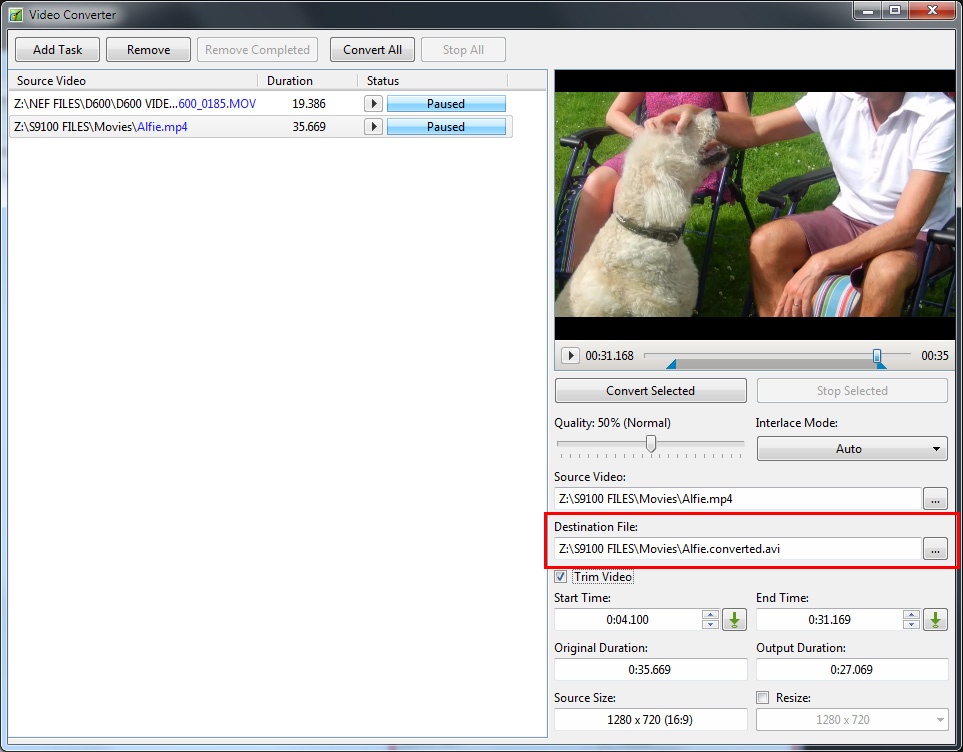
I would go along with "Destination / File Name". It offers you the opportunity to change both the File Name and the Destination Folder. DG
-
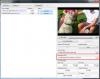
May I offer an alternative solution while you await Igor's comments? When you convert the movie for the second occasion change the name of the converted file by adding the suffix to the DESTINATION FILE. Click on the BROWSE Button to choose destination folder and name. DG P.S. http://docs.picturestoexe.com/en/video/addvid?convert_video
-
Slide Options / Transitions Tab has been updated. DG
-
"NB. No work around suggestions please" D**n!!!!!!*! DG
-

Background on standard flip 3D transition.
davegee replied to a topic in Suggestions for Next Versions
Investigate: "Transparent Background of Slides - For instances where the Main Images are less than full screen size. Used in conjunction with “Use Background from Slide” the Main Images are then animated independently of the Background." DG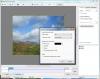
-
Background on standard flip 3D transition.
davegee replied to a topic in Suggestions for Next Versions
http://docs.picturestoexe.com/en/techniques/customtransition?s[]=custom&s[]=transition DG -
Background on standard flip 3D transition.
davegee replied to a topic in Suggestions for Next Versions
In the meantime you could create your own CUSTOM TRANSITION with any colour background that you wish? You could even add another image as a BG. DG -
Video stabilization software good or bad?
davegee replied to tom95521's topic in Equipment & Software
http://rungunshoot.com/why-you-probably-dont-need-the-amazing-movi-camera-stabilizer/ DG -
drag and drop several images on the same slide
davegee replied to Picsel's topic in Suggestions for Next Versions
I think that it would be best left as it is. If you add multiple images to the slide list they become multiple slides. You can add multiple images to the objects list in O & A. DG -
Dave's inovative use of Time Lapse in PTE is a valid technique and can't be done any other way. However I would not like to buy a used camera from him! I think that the same "effect" is possible by extracting frames from Video in an Image Editor. I thought perhaps someone having a suitable Image Editor would have explored that possibility by now? DG
-
Tom, Can you not just remove the exe file from the zip when sharing? It seems to me though that it would lead to even more confusion over versions etc. What about the sharing of shows with those who do not have PTE? DG
-
P.S. If I untick the "Always Ask" box in the security warning it opens OK subsequently. DG
-
Runs fine on W7 PC. Refuses to work on a Vista Laptop. ???????? DG
-
Peter, Having some problems with this. Sequ#1 will run albeit with the Security Warning box appearing. Sequ#2 will not run. Transferring to W7 PC to try there. A question - why did you put all of the files in one folder? My first instinct would be to keep the three folder structure. Just asking. I think I know why. DG
-
Your middle name is not Gary - is it? DG
-
Hi Maureen, Sorry I didn't see this earlier. That's a special case - you're allowed . However, consider this using the same 92 yr old as an example: what if the Anti Virus gave a "false positive" to the "unsafe" version - how would she cope with that? Us old timers are a pretty savvy lot - tell us once and it's permanently locked away in some far off corner of the mind. DG
-
I assume it is because the two files contained within the resulting folder need to stay together? Moving the folder (as opposed to moving the individual files) maintains the link between them? DG
-
Hi Tom, On this aspect I have always been puzzled by the variety of Unzipping methods. Right Click on Zipped Folder - Choose Extract All - Done! DG
-
Hi Lin, No, my PC came with W7 and I don't change OS during the life of a PC. When it's no longer supported I will take it off line and use my new Laptop for Internet. WSE was updated this morning. DG
-
Hi Lin, I use Microsoft Security Essentials and whilst it has, on a few occasions, stopped a threat which was nothing to do with a PTE File it has NEVER stopped a PTE file of either variety. I would argue that if your AV is warning about "Safe Executable for Internet" files then Igor should know about it in order to do something about it? Also if you are also using MSE and you get warnings and I don't - what is going on? But my question was more about why people don't use "Safe Executable for Internet". Is it ignorance of its existance and what it is designed to do? Is it laziness (in the nicest possible way)? Or is it perhaps that having to extract the folder and keep the two files together is a problem? DG
-
"Safe Executable for Internet" Why do so few people seem to be using it? (Genuine question - not exasperated comment). It is supposed to obviate the Anti Virus problems and yet I see very few examples of it being used in Downloads from Slideshowclub etc. Does anyone know of an example of Anti Virus blocking a "Safe Executable for Internet"? DG
-
It runs really well on my system - no glitches of any description. 10 Minute D/L. DG