davegee
-
Posts
9,323 -
Joined
-
Days Won
59
Everything posted by davegee
-
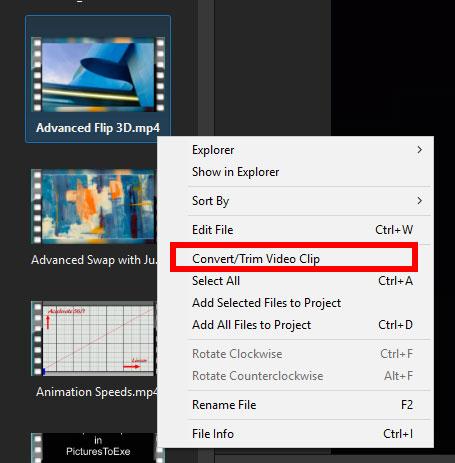
Do you mean "Convert to a different video format"? DG
-
https://docs.picturestoexe.com/en-us/10.0/video/main?s[]=convert In the file list:
-

DURATION and TRANSITION TIME for high frame rate sequence of STILLS
davegee replied to John M's topic in General Discussion
Try starting with a Quick (i.e. No) Transition and alter your Slide Duration until you get the "flow" that you want. Start with a One Second Slide Duration and then halve it. If it needs less halve it again etc. Select all slides and changing the Slide Duration on one will change all. Or do it in Slide Properties. When you are happy with the "flow/speed" you could then try a very short Dissolve Transition to try to smooth it. Using the Timeline View will show you if you are in danger of overlapping your transitions. P.s. Barry and I were typing at the same time. -
I can only speak for myself but juddering of mp4's is a thing of the past with version 10. Could it be your system and not the software which is the problem? Could it be the settings that you are using to create your mp4 files? Could it be the player that you are using? More details? DG P.s. We have the same graphics card. Could you post a link to a short sequence which displays the juddering on your desktop pc?
-
No, in PTE on your desktop. Open your show project. In the File Menu choose Backup in Zip. Transfer the resulting folder to laptop. Extract. Double click on the .pte file. DG
-
Is there a .pte file in there? Extract the zip file and, if you have created a proper "Backup in Zip", there should be. Just double click on the .pte file and it should open in PTE. DG P.s. Backup in Zip is in the File Menu (on the Desktop PC).
-
In the Timeline you can still Cut Transitions - sends all but the first slide to the End - or use the "-" Button. You can still re-introduce those Slides/Transitions in real time using the + Button - by positioning the cursor and pressing the "+" Button. Can you remind us of any other method? I prefer to use the F4 Option in the Slide View and organise Slides in the Full Screen View of the Slide List. DG
-
If you create a “Backup in Zip” on the desktop pc and transfer that to the laptop then yes, you can open the project on the laptop and add to it.
-
.......and if PTE A/V Studio 10 is running? Will it ask you to Save and Close the Programme? DG
-
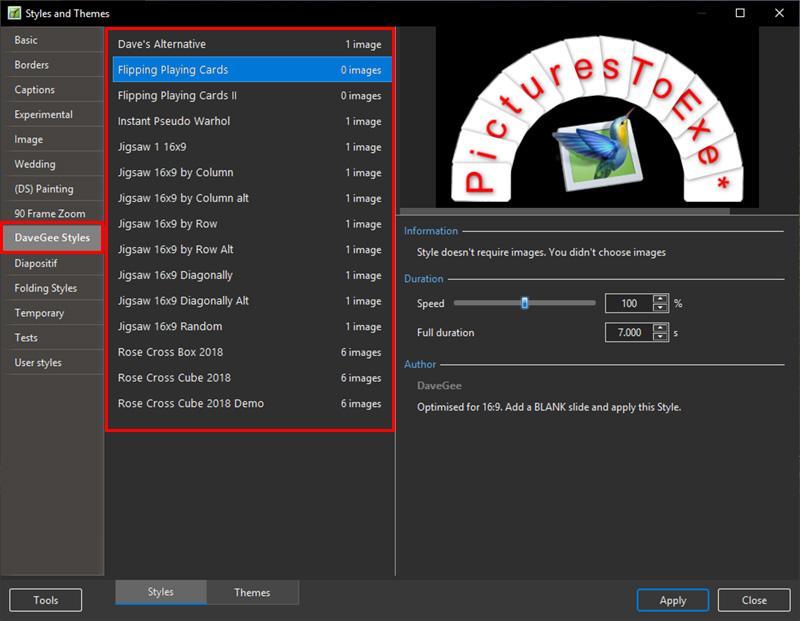
You can think of a Category as being a folder and as you can see there is quite a lot of scope for Categories/Folders :
-
Not in Styles, but you can now Export a Category of Transitions. DG
-
Styles showing the different approaches: Text with Time Range.ptestyle Text with Key Frames.ptestyle DG
-
If you type 2000 in the first box and 7000 in the second the Text will be visible between 2 seconds and 7 seconds. Consider using Key frames which allow you to fade the Text in and out. Are you familiar with Styles? DG
-
Toolbars and Fullscreen view of Filelist/Slidelist [SOLVED]
davegee replied to jkb's topic in Troubleshooting
I am seeing what Igor sees - if I alter the status of any toolbar item it changes immediately without clicking OK. But you have to have a slide in the slide list in order to see this. DG -
That is not the case with my version - can you check it? DG
-
I copy that behaviour. It works for Lists. But shadows for Slide 1 and Slide 2 in transitions rarely work effectively. DG
-
Congratulations to MARK ALLEN on his success in the RPS AV Championship. DG
-
Perhaps you could post the Style. Would love to see it? DG
-
Judy It might help if you attach a sample of the specific file that you are trying to use. I just created a style with a mask stencil which is a JPEG and it works OK. Indexing will only be required if you want the Mask Stencil to be different each time you use the Style. DG P.S. If the "6032:4096" reference above is an indication of the size of your specific file, you might try using a more normal size file if only to keep the size of the Created Style to a manageable level. It is included in the Style.
-
Cell Phone Video Clips - borders [PARTIALLY SOLVED]
davegee replied to goddi's topic in Troubleshooting
I get the same problem with my iPhone video. Converting does not work at all with my particular .mov files.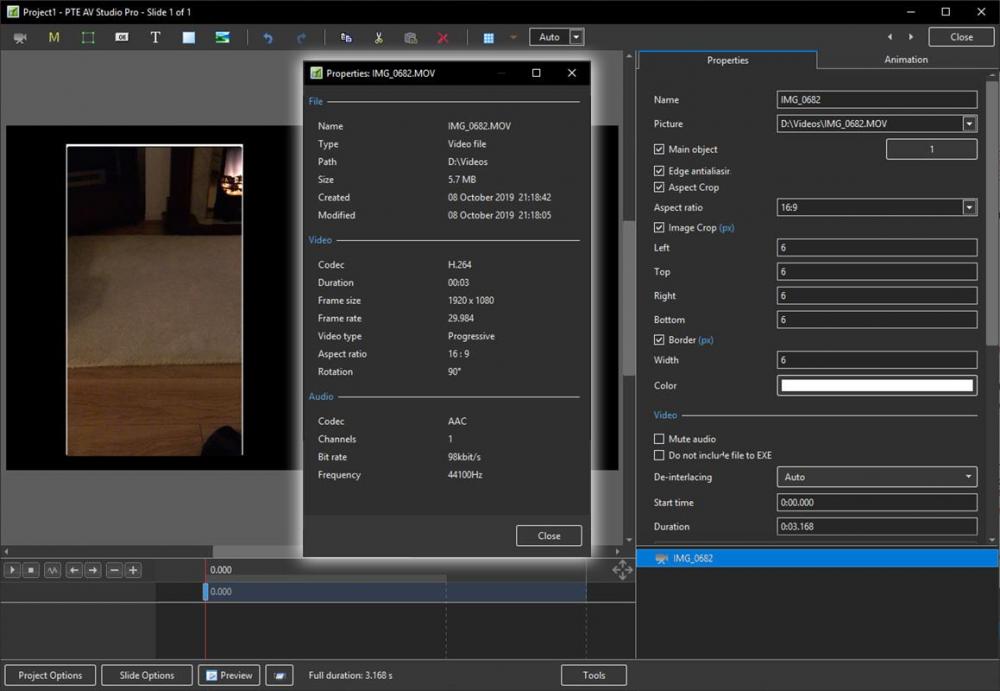
-
Works ok for me with both Photoshop CC and Audacity. DG
-
Instead of writing to a DVD, use the "ISO" option (un-tick everything else). When completed and if successful you should be able to play the ISO in VLC for instance. If successful, you will have proven whether the problem that you have is with PTE or your DVD burner. Right click on the ISO and one of the options should be to Burn the Image. DG
-
Large project, latest version won't produce .exe file [SOLVED]
davegee replied to JudyM's topic in Troubleshooting
Batch resize all images to a new folder at screen resolution and try again? -
How To: Split an Audio Clip in PTE AV Studio Pro. https://docs.picturestoexe.com/en-us/10.0/how_to_v10/split_audio DG
-
Carmelo, The Version 10 OH has been updated for the sections which relate to new features. It is continuously evolving and changes will be made on a daily basis. DG