goddi
-
Posts
3,593 -
Joined
-
Last visited
-
Days Won
26
Everything posted by goddi
-
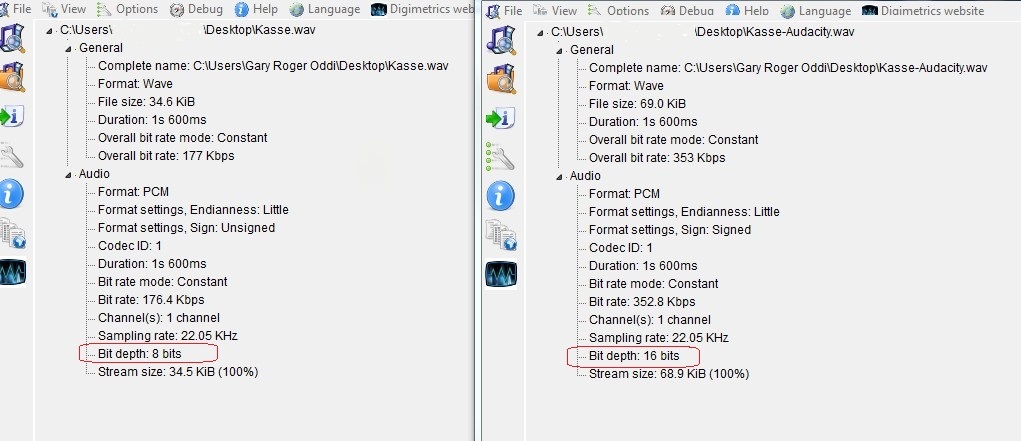
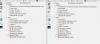
======================== Xavier, I ran both of the Kasse files through MediaInfo. The only thing I see different is the "Bit Depth". (See attached.) I don't know what this means but maybe that has something to do with it? Also, wav files have presented problems in the past, I think. Perhaps converting them to MP3 might remove the problem. Gary
-
==================== Xavier, I played the show but I had no problem hearing both cash register sounds, with the piano in the background. They all played in the mini-viewer and in preview. (Ver. 7.5.8) Gary
-
Installation of PicturesToExe. Question [SOLVED]
goddi replied to Igor's topic in General Discussion
=========================== Igor, When I recently installed ver. 7.5.8, I did not have any delay in the install process. It started right away. I just re-ran the install just until it indicated the path, when I stopped it. No delay. I have MSE. Can there be any difference in what the 7.5.8 version does compared to the earlier ones? I don't see anyone else that has installed 7.5.8. Just wondering.... Gary -
Installation of PicturesToExe. Question [SOLVED]
goddi replied to Igor's topic in General Discussion
================================== Igor, I am sure that I have had 'delay' problems in the install process in the past, for a good while. When I went to install the program, I thought there was a problem but I learned to wait for it to pop-up and start the install. However, I just tried your two files and had no delays at all in downloading or starting the install process. I started the install process on each but cancelled in the middle. -I have Windows/32bit; MSE. -Firefox 20.02 Gary -
A Problem with audio playback in published EXE [SOLVED]
goddi replied to PGA's topic in General Discussion
========================= Peter, I can't disagree with you that you should expect that an audio track that is ripped to a wav file should play in PTE. However, I am curious why you bother with creating wav files, and not MP3. If a CD audio track is ripped as an MP3 file, it is smaller and it does not contain the ITRK and ITOC components (that seem to be causing the problem). And it plays in PTE with no problems. Is this a 'quality' issue? Just curious. Gary -
A Problem with audio playback in published EXE [SOLVED]
goddi replied to PGA's topic in General Discussion
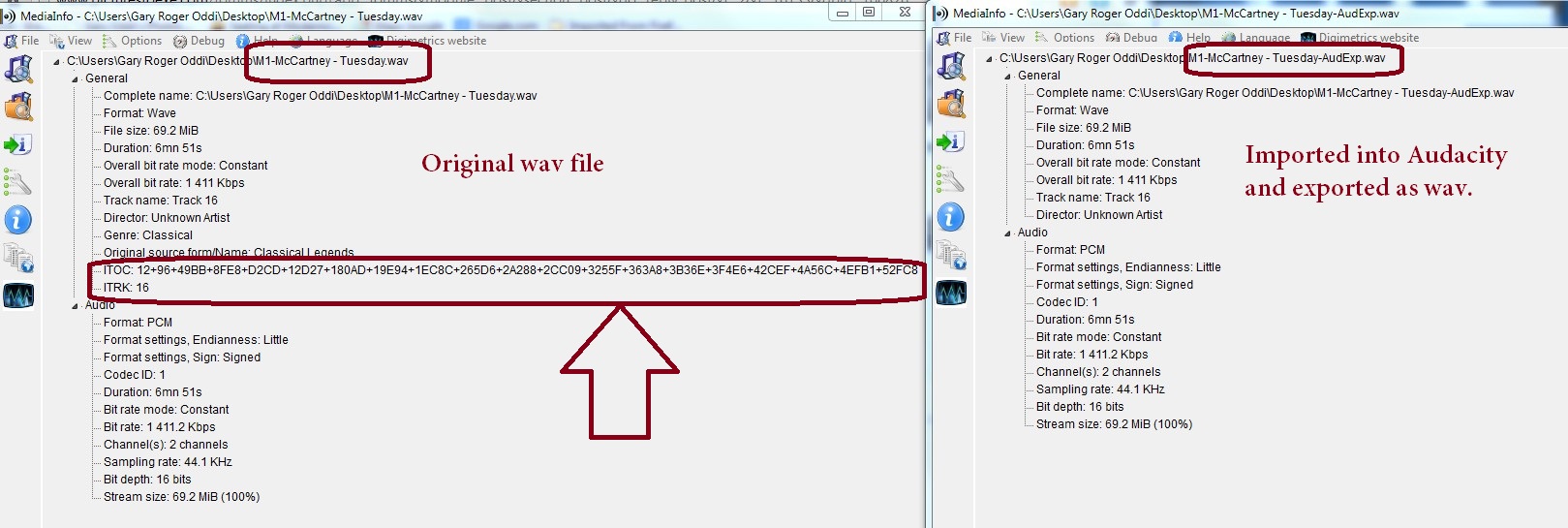
============================== I just did a test. I ripped a cut from a CD using Windows Media Player and saved it as a wav. I looked at it with MediaInfo. The wav contained the ITOC and ITRK components. When put in your show and created an exe, the wav did not play. I ran the wav through Audacity and exported it as a wav and those two components disappeared. I put this wav into your show and the music played. I can't explain why but it looks like those two components might be causing the problem. Perhaps, there is a setting that can be unchecked in WMP to prevent them from being added to the output...I don't know. Gary -
A Problem with audio playback in published EXE [SOLVED]
goddi replied to PGA's topic in General Discussion
==================== Peter, As a temporary fix, just run it through Audacity and export it as a wav. It should work, at least until we can figure out what actually is causing the problem. Gary -
A Problem with audio playback in published EXE [SOLVED]
goddi replied to PGA's topic in General Discussion
==================== Dave, I don't know if there is any other way to get that info. But this program is really a simple but useful utility program to use. I am always using it to see what the attributes are of video and audio files. Never had a problem. Gary -
A Problem with audio playback in published EXE [SOLVED]
goddi replied to PGA's topic in General Discussion
========================= Dave, Can you take a look at your wav files with MediaInfo and see if they contain the ITOC and ITRK components? If yours contain these components and they play OK in exe, then that is not what was causing the problem. Gary MediaInfo: http://mediainfo.sourceforge.net/en -
Video file remains highlighted in File List... [SOLVED]
goddi replied to goddi's topic in General Discussion
========================= Igor, Yes, I gave this special version a try and it solved the problem. Thanks for checking it out. Gary -
A Problem with audio playback in published EXE [SOLVED]
goddi replied to PGA's topic in General Discussion
====================================== Peter, I imported your original wav file into Audacity and just exported it as a wav file. Made no changes or adjustments. I switched the wav files and created an exe with the new wav file. It played just fine. I took a look at your wav file with MediaInfo. The only difference (see attachment) between the two wav files is that the original wav files has two additional components: ITOC (table of contents) and ITRK (track number). I think this has to do with informational tags that are created when a file is ripped from a CD into a wav file. If you did rip the wav from a CD, this might be the problem. This is just a shot in the dark because I really don't have a clue but this what I found. Gary
-
========================== Ken and Igor... I just got a reply from the IPS Staff concerning my problem with not being able to attach files to the PTE Forum using an earlier version of Flash: "Hello, 3.1.4 version is end of life and unsupported, I would suggest contacting the site's administrators and having them upgrade the site to a supported version." It looks like the current version of IP.Board is 3.4.4. I don't know if updating this Forum's version 3.1.4 is possible or if it will solve this problem, but I'd appreciate it if you could look into it. Thanks, Gary
-
============= Thanks for the notice. I updated my 7000. Gary
-
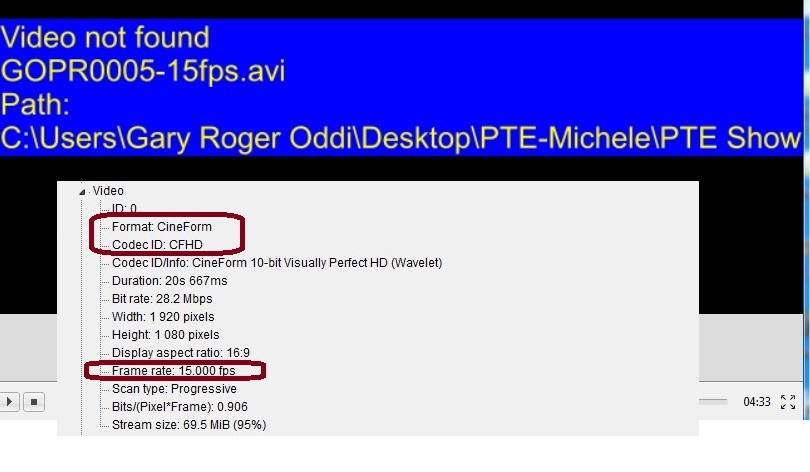
======================= Xaver, At first it was bad news, but now it is good news. After reading your posting, I searched Google using "ffmpeg support cfhd" and found a ticket where someone had asked a similar question. That prompted me to call the GoPro CineForm tech people. After some conversation, we figured out what the problem is. In CineForm you can process a GoPro video clip into slow motion. I had converted a 30 fps clip to a 15 fps clip. The output at that point is an AVI, but the codec format is CFHD and is not readable by PTE. However, they pointed out that there is a 'Step 2 Edit' in the CineForm program that I missed. You can take that AVI clip and Export it to an MP4 file. Now, this MP4 file can be read by PTE. So, for anyone that uses GoPro's free CineForm program, just be sure to use the 'Step 2 Export to MP4' so that it can be read by PTE and it plays it in slo-mo. I need to experiment more with this process but it looks like it will work for inserting GoPro slo-mo clips into PTE. I hope this can be of help to others. Gary
-
=========================== Ken, I just figured out what is going on. I have an earlier version of Adobe Flash. I have not upgraded to the latest version because it will not work well with Firefox. This has been going on for some time. Lately, however, with this older version of Flash (10.xx), a window will pop up to active the old version, and tell me there is a newer version. I just active the old version and normally everything works well. I did not see this pop-up window when I was trying to enter my post in PTE. I just tried it again and I just saw it pop-up very quickly and disappear. I finally caught it and activated the old version of Flash and now I can attach files to my postings. I did not know that there was a relationship in attaching files and Flash. Gary ADDED LATER: No, I thought it was solved but it is not. I was able to get the Attach icon to work once. But now it will not appear at all. If I go into Full Editor, the posting window is blank. There seems to be something that this Forum does not work now with the older version of Flash. Is this possible? I still can not get it to work. Sometimes the Flash window will pop-up to let me active it but not always. And even it it gets activated, there still seems to be a problem with this Forum and the older version of Flash. Any ideas? ADDED LATER: Hmmmmmm.... I just tried attaching files using Chrome and I had no problem. Must be a Firefox/Adobe Flash (old version) issue....(?)
-
======================== I had tried that, but it, too, does not work. Gary
-
Greetings, I have tried in two separate postings to 'Click To Attach Files' but it does not seem to be working. I can not attach any files. Is this a problem with the forum or is it just me??? The icon is not active. Thanks... Gary
-
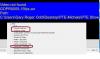
Greetings, There has been some discussion before about this problem but I let it fade away, not finding any solution. I'd like to bring it up again. I recently got the GoPro Hero3 and trying to put some video into PTE. The out-of-the-camera MP4s that it creates will play in PTE. The problem occurs when I use the GoPro CineForm program to convert a clip from 30fps to 15 fps. The CineForm converted clip will play in Windows Media Player at the 15fps. However, when I bring that clip into PTE, I get 'Video Not Found'. The CineForm format is CFHD and it seems PTE can not handle it. Can anyone provide any way of working this format into PTE, if possible? The PTE Convert process will not even accept the CFHD format clip. Gary PS This is the second posting that I have tried to attach a screenshot but the 'Click To Attach Files' does not work. Is it me or is there some problem with this forum?
-
Video file remains highlighted in File List... [SOLVED]
goddi replied to goddi's topic in General Discussion
============================ Eric, Deleting the clip from the conversion system has no effect on the highlighted file in the File List. Gary -
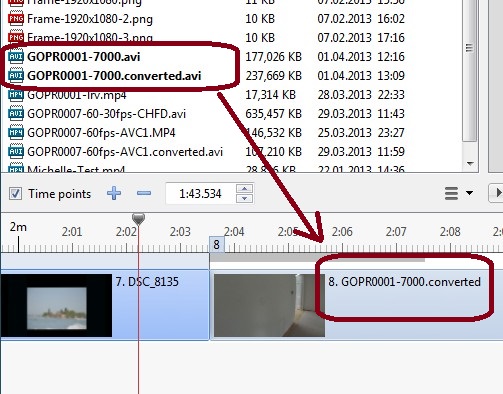
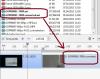
Greetings, I am using 7.5.7. I just noticed that if I convert a video file (that had not been converted yet) that is already in the Slides/Timeline window by right-clicking on the video file and choosing Convert Video Clip, the file will convert and the filename will change in the Slides/Timeline window. However, the problem is that the original video file remains highlighted. So now, both video files in the Files View are highlighted as if both have been placed into the slideshow. The only way I can see to clear the original non-converted highlighted video file is to close the program and reopen it. Is there another way to do this without having to close/open the program? I don't see any way to refresh the file list. This can be avoided if you convert the video file before adding it to the Slides/Timeline. But I don't think this 'double-highlighting' of the video files in the file list should happen if the video file is converted from the location in the Slides/Timeline. Any thoughts...? Gary
-
====================== Dave, Great resource. Thanks. Keep them coming. Gary
-
======================== Greetings, Bingo!!! That is where I put it. The audio was removed from the video and put in the Add Audio or Voice input. I have no idea why I did that originally. I think I was in the learning stage of dealing with video's audio files. I have now figured out that it is better to add the audio to a new Track. You see everything there. So if I mute a video's audio, I can then add that video's audio as an mp3 to its own Track and have better control...or at least I will see where it is in relation to other track inputs. And I can just drag it to the point I want in the track without having to input a specific Offset for it to start (it will automatically put in the correct time in the Audio Clip Properties window). Wow.... I though I was going a bit crazy. Thanks for pointing me to the Add Audio or Voice selection. Your suggestion to use the Add Audio or Voice input is good too, so that it moves with the slide, if you remember that is where you put the audio track.../> Gary
-
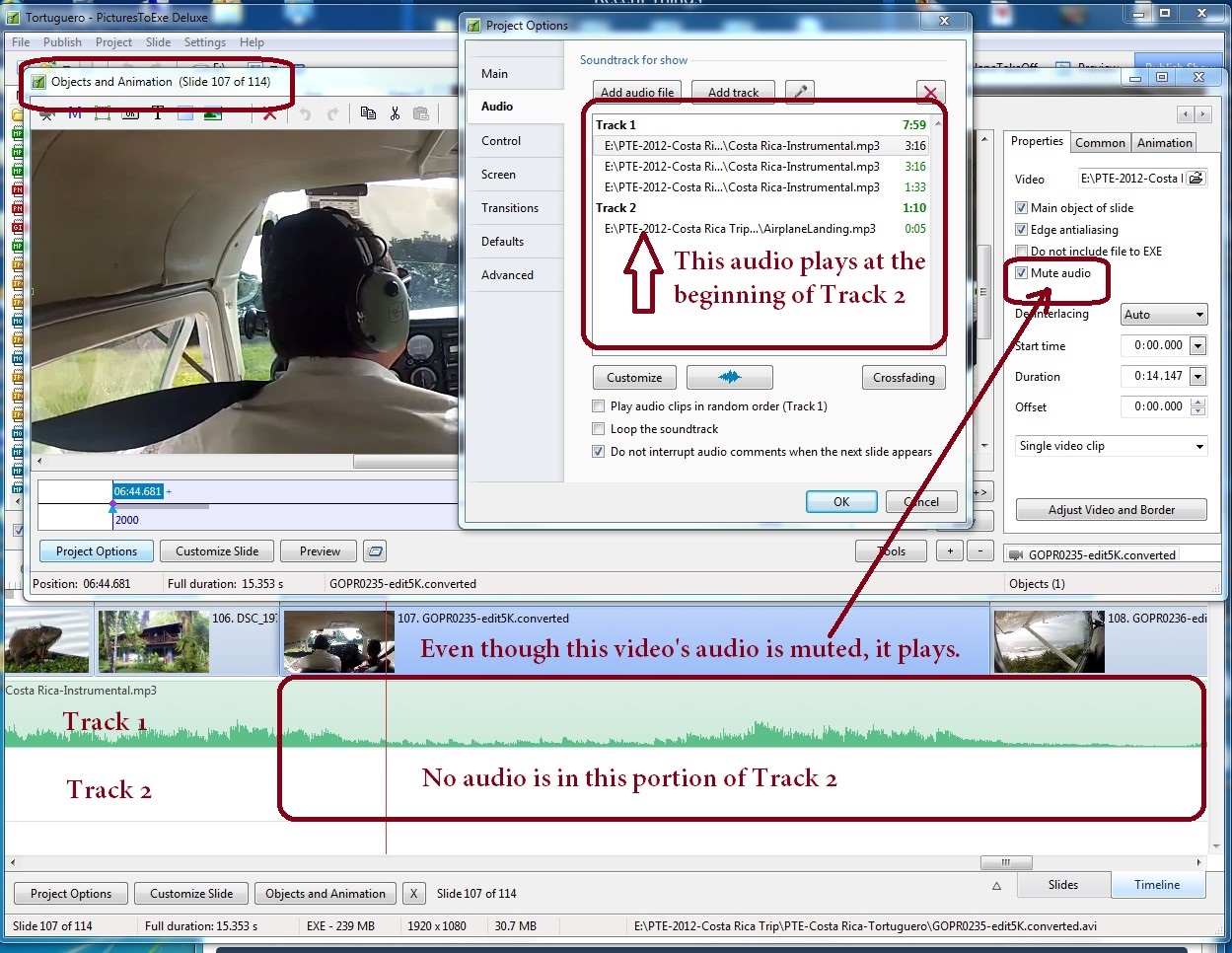
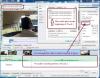
=========================== Dave, Yes, I checked the Audio Files in Project Options. Take a look at my attachement. It is a screen print that I think shows everything. I just can't see why the video's audio does not mute when it has been ticked in Properties. Gary
-
============================ Lin, After reading your instructions, it reminded me that I had dealt with muting a video's audio in one of my video segments in a previously made show. Just to remind me of the steps, I went back and checked if I had followed your steps to mute the audio in my video. In oneof my shows, I looked at one video segment and went into its O&A/Properties tab. The mute audio was strangely ticked to be muted. Even though I did not want the audio muted, the video's audio did, in fact, play. I was puzzled why it had been ticked to be muted. I unticked it. The audio still played. I reticked, the audio played. I could not get the video's audio to be muted. So, I then when to a second show that I had a video segment with the audio not muted. The video's audio played as expected. I then ticked the audio to be muted and the audio was, in fact, muted. I am a bit confused as to why the muting of the video works in one show, but not the other. I looked to see if there was an added track with some audio in the first show, just in case I had added it separately, but there is not. The video's audio in the first show is coming from the video, even though I tried to mute it. Any explaination???? Gary
-
======================== Greetings Deepak, I have had the pleasure of watching both Sightsavers 1 & 2. You are telling a super great story. Much appreciated and wonderful photography. These are the kind of shows that make an impact. Thanks... Gary