denisb
-
Posts
887 -
Joined
-
Last visited
-
Days Won
14
Everything posted by denisb
-
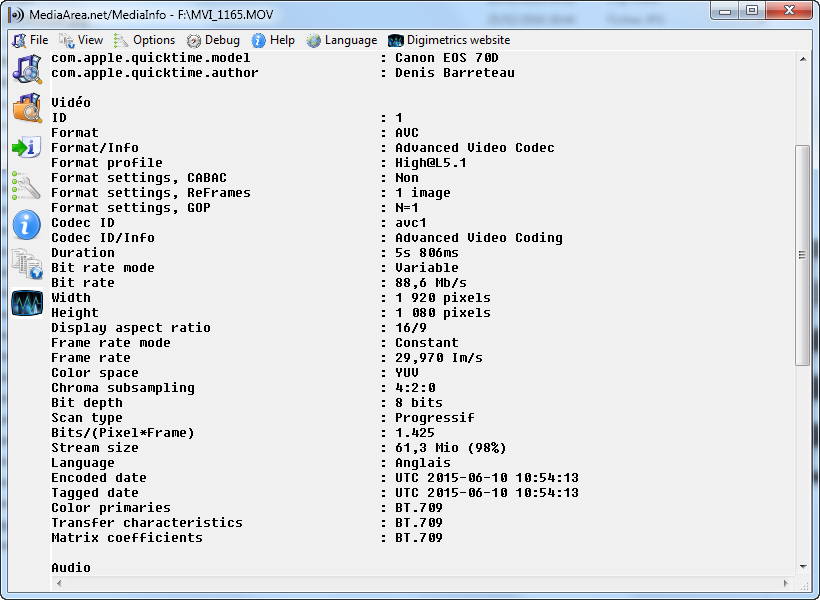
Hi Orizaba, If your final product is an mp4 file and not an exe, you can keep your MOV file in PTE. Of course, the preview is very bad but the final MP4 is very good. I use sometimes MOV file from my Canon 70D and its fine. When I want ti create an exe, i create avi files with avidemux : video codec MPEG4-ASP(xvid4) and mp3 codec for audio Denis
-
Hi, with the keyboard, you can control mouse move: http://windows.microsoft.com/fr-fr/windows7/use-mouse-keys-to-move-the-mouse-pointer My Windows is in French and this link is in French, but I suppose it will be in English for you. I test this method and it works for PTE buttons. The change for the button which has "focus" (in France we said the same thing) is not sufficient in PTE, I think, but you can see with the mouse pointer. Denis
-
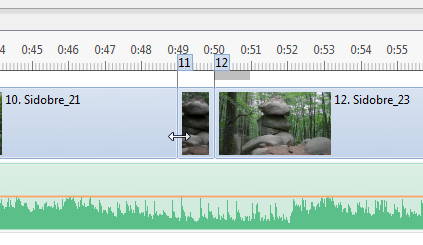
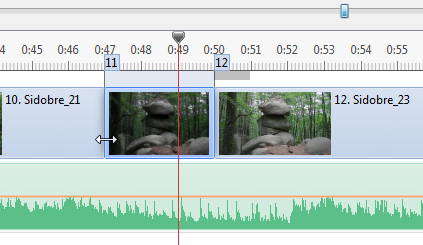
I'm not sure to understand your problem, but if in the timeline view, you put the mouse at the beginning of he slide click and drag, the position of the next slides are not changed. Denis
-
Free Music / SFX Resource - Over 2000 Tracks
denisb replied to Eric Matyas's topic in General Discussion
Hi Eric, Thanks I put your link to the French forum dedicated to PTE: http://www.diapositif.net/forum/viewtopic.php?f=9&t=39722 Denis -
It's not a PTE troubleshooting, it's a windows problem (the cache for exe icons) In some hours, the icon of the first exe will appear. If you want to clear the icon cache, in a command prompt type ie4uinit.exe -ClearIconCache Denis
-
Hello, Mayotte is a French island in Indian Ocean. http://www.slideshowclub.com/files/file/383-mayotte/ In tropical landscapes, we can see bats, lemurs, under the sea, corals, tropical fishes, sea turtles. Some dolphins and whales are visible around the island. Denis
-
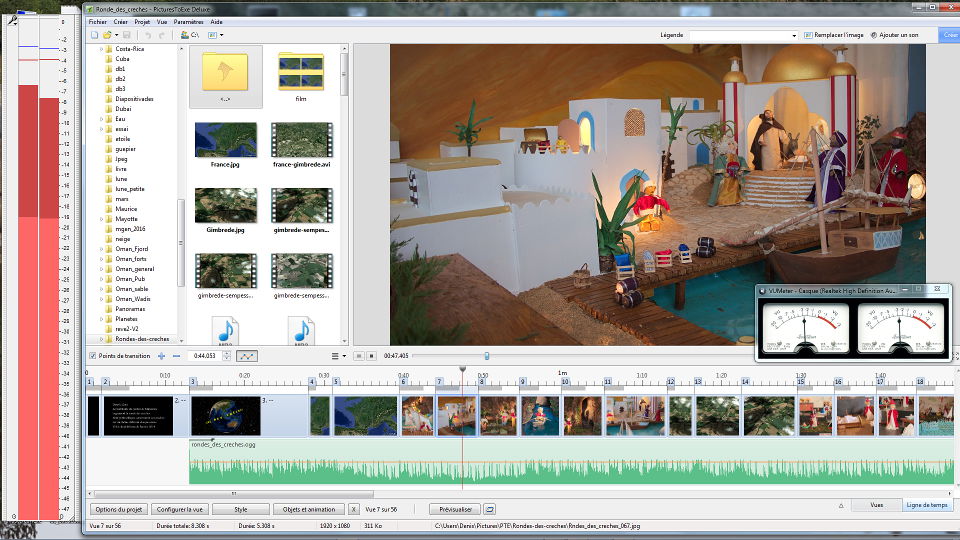
For audacity, I select Windows Wasapi (not MME or windows direct sound) Then click on the vu-meter with the microphone image to monitor the entry. For The old style vumeter, it's a portable application( no installation). I use it on a pc with Windows 10: after open it, right click and select "always on top" Denis
-
Hi, I use audacity vu meter: Open audacity, put the vu-meter outside the main windows at the left of the screen, and PTE at the right I use also another vumeter (old style) http://www.vuplayer.com/other.php Denis
-
Unfortunately Lin, the JPG exif date is not the date taken but the date modified. Denis
-
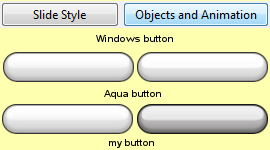
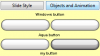
Hello, buttons in Windows get a slightly different appearance when the mouse is over them, to indicate to the user that something is going to happen when they click there With the aqua button (default button) in PTE, the difference is not really visible. So I made my own button with a noticable difference when the mouse is over it. Denis Boutons.zip
-
I don't agree. Look at the Windows Explorer, Word, Excel,... The look of the button change when the mouse is over, not the mouse cursor.. If the button change like in the example below, it will be correct. http://www.diapositif.net/forum/viewtopic.php?f=55&t=39452 Denis
-
conflict between "insert templates" and "control of mouse
denisb replied to Picsel's topic in Troubleshooting
Hi Daniel, the button "Apply to all" in inset templates work like a checked box and in your test 1, I suppose you click two times on this button. Normally on win 7 the color change a little. Denis -
Hi Lin, Thanks for your tutorials. some time ago, I used Avidemux (2.5.4) to extract the first frame from a video. I want to put it before the video itself in a PTE project. But I observed a difference between the picture extracted and the video. When I used FFmpeg to extract the first frame it was correct. Do you observe the same difference ? I made a small example to show you the difference: four slides in PTE 2s picture from avidemux 2s video 2s picture from FFmpeg 2s video Best regards, Denis TestAvidemux.zip
-
Thanks Dave. You can also move the frame outside the screen instead of rotating it Denis
-
I'm not sure but look at the project. Look at the 3D parameters of the frame of the two keypoints. Denis Projet1_Sep18-2015_18-25-22.zip
-
May be I'm wrong, but you don't need to use square images. With the slide style cube, images are automatically cropped to get the aspect ratio 1:1 needed for a cube. If you don't agree with the cropped area, you can use offsetX or offsetY to change it. Best regards Denis
-
Igor, I agree that the value itself 0.2 or 0.3 s is good enough and the example is just to évaluate the time needed. The real slideshow was with larger image (zoom effect) each second. The surprise was that the time under windows 8.1 is larger than the time needed under windows 7. I don't know why, but i suppose you know. Denis
-
Hello, on a specific slideshow, with a kind of time-lapse and zoom, there was a lack of fluidity (jump). I made a small example (100 jpeg pictures) to estimate roughly the minimum slide duration needed. With my PC (2009): Intel Core 2 Quad Q8300 @ 2.50GHz 1024MB GeForce GT 220 (MSI) Windows 7 64 bits The minimum slide duration is 0.19 s for jpeg pictures 1920x1080 (374 ko) For an up to date PC(2015): INTEL Core i7 4790K Unlocked 4.0Ghz LGA 1150 RAM DDR3 - 32 Go GeForce GTX980 G1.Gaming SOC 4G 2 x SSD PLEXTOR M6Pro Xtrem Series 256GB PlexTurbo Windows 8.1 64 Bits The minimum duration is 0.25 s You can see (in French) examples : http://www.diapositif.net/forum/viewtopic.php?f=55&t=39300&start=0 It show that the problem is PTE slideshow on Windows 8.1 OS. The slideshow is attached. Select the time duration and look at the progress bar. Regards Denis Speed_test_PTE.zip
-
Hi, select "members" then find the member you want to see the shows. At the right of the line, select "find content" you can see "find content" when the mouse is on the button. Then, at the left, select what you want (download) Or select a slideshow of the author: at the right, just below the name of the author select " View other files from this member" Denis
-
Following object movement with audio balance?
denisb replied to tom95521's topic in General Discussion
Hi Tom, I use the technique you describe in one slideshow for a car. In audacity, i take my audio clip and split left channel and right channel, and make two stereo audio clip, one with original left channel and soundless right channel, the other with soundless left channel and original right channel. Denis -
I see the same thing and now I know why. http://www.picturestoexe.com/forums/index.php?/topic/18267-new-project/ Denis
-
Hi Lin, I found a picture not present: Denis

-
Question About Video Screen Capture Tools...
denisb replied to Lin Evans's topic in Equipment & Software
Are you using ShadowPlay to record PTE and for screen captures? Perhaps I'm missing something... No my Nvidia Card is noy compatible. I thought that as it use the GPU of the Nvidia, it could be a good free solution. Denis -
Question About Video Screen Capture Tools...
denisb replied to Lin Evans's topic in Equipment & Software
Hi Lin, have you try shadowplay ? Denis -
Dave, I make three styles with three different png with three different names. User can use the three different slide styles to vary the intensity of the snow (on the same project) Denis