denisb
-
Posts
887 -
Joined
-
Last visited
-
Days Won
14
Everything posted by denisb
-
Hi, I prefer "A" I propose 3 slide styles of snow (on diapositif) Suppose a user try this 3 slide styles: Three png images of the snow will be copied if solution B is retained. If solution A is implemented, only one png image will be copied in the zip. Denis
-
Not sure http://www.picturestoexe.com/forums/index.php?/topic/17261-problem-with-styles/#entry114794
-
Hi Lin, the problem is known. Look at http://www.picturestoexe.com/forums/index.php?/topic/17261-problem-with-styles/ Denis
-
(SOLVED) - user error - An interesting Problem With Export Styles...
denisb replied to Lin Evans's topic in Troubleshooting
Hi Lin, I agree that 1920x1080 don't work on my PC, but I used 1280x720 animated gif without problems. I think it depends also of the number of frames and maybe of the graphic card used. Denis -
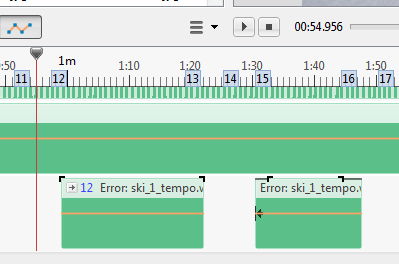
Hi Igor, I see this problem only on one project. I open another project with a lot of audio clips without problem But now, I can't reproduce the error. I restart Windows but don't change PTE version. What I can say is that I cleared PTE's WaveCache and The first time I open the project, only the first audio clip waveform was correct. Then I closed pte and open again the project, and the first and second clip were correct; Then I closed pte and open again the project, and the first,second and third clip were correct. Denis
-
I have similar problems(not the same problem) : but you can preview the slideshow or create with success the exe . Just close PTE and open again the slideshow, it is correct. And close PTE and open again, it is not correct Pte Deluxe 8.0.13 Denis
-
What is not clear for me is PTE and variable bitrate audio clip: Why is it written that CBR is better than VBR for mp3 ? When I use VBR mp3, or VBR ogg Vorbis, it seems to work correctly. For example, I use directly an mp3 VBR audio clip from Jamendo.com, It works fine, and I don't want to transform it in CBR just to follow recommendations, if PTE has no problem with it. Is the problem only with some mp3 codec ? For other mp3 codecs, and Ogg Vorbis,... it works I think it would be interesting to know what to do: Normally, use VBR and transform in CBR only when there are problems ? Denis
-
Hello, when we use mp3 audio clip, we must use CBR (Constant BitRate) mp3 and not VBR (Variable BitRate) mp3. If we use OGG Vorbis audio clip, Audacity don't give us the choice CBR. So OGG Vorbis files, made by Audacity, are only VBR. Is it correct to use VBR ogg vorbis audio clip or not ? Denis
-
Hi Lin, just for information, I used : ffmpeg-20150223-git-6c9537b-win32-static.7z ffmpeg-20150223-git-6c9537b-win64-static.7z On windows 7 and windows 8 and FFmpeg version: 2014-04-20 git-f57ac37 On windows 7. But I never try ffmpeg on XP. Denis
-
Convert Video Clip process - renaming and resizing
denisb replied to goddi's topic in Suggestions for Next Versions
Ok for the first. For the second, you can do that in one time with th keyboard: type the pixels you want (512x288 works well) 480x270 is changed in 480x272 Denis -
Hello, "Charlie" show us Route generator on Diapositif : http://www.diapositif.net/forum/viewtopic.php?f=11&t=37747 And if you use ffmpeg as the BMP to avi convertor : http://www.diapositif.net/forum/viewtopic.php?p=296624#p296624 , it's a video perfect for PTE Denis
-
Hi Dave, I don't understand. May be you can send me a project with a frame 400x400, and zoom 100% in a 1920x1080project and this frame is really 400x400 on the screen. On my PC, all the frames 400x400, 600x600, 1080x1080, etc with zoom 100% occupy the surface 1080x1080 (with the mode "fit to slide") The only advantage of fixing 600x600 instead of 1080x1080 is that if you click on size/position in pixels of parent >> size, you get the original size 600x600 with, of course the zoom of 55,556%. Denis
-
Sorry but we have not the same TV and on mine, the menu is not the same and screen display for the usb(video) entry has only -2 and -1 and Normal not +1 I think i can understand the manual of the TV and the differents menus.
-
Hello, for the howto: Square Frame in a Rectangular Project( http://docs.picturestoexe.com/en/techniques/square ), another way could be: after adding the frame, go to "Properties" and change the "Native size" to 1080x1080 Denis
-
Hi Dave, I know the manual (in French), but you forgot the last line: "These options may change depending on the input displayed." I'm not enough fluent in English to describe a methodology for this problem. Just a resume: Make your normal show Export it in HD (mp4) with the highest quality Open a new project Put the video without optimization Select the quick transition In O&A zoom the video (for me its 95%) Make your HD video or your DVD It is easy but long for the PC. Denis
-
I have not thie possibility (only Nomal, -1, -2 for this USB(Video) entry For other entry, I have the possibility all the pixels which should be better Yout TV is better than mine for playing slideshow. But my TV was not the purpose of the post. Other peoples have the same problem (see http://www.diapositif.net/forum/viewtopic.php?f=55&t=38995 for example) when they want to make a DVD It was just a suggestion for Igor for PTE and you for the howto: DVD project, not more. Denis
-
Dave, I have a SONY KDL40-W5500 I can change the settings to play 100% for the "Normal TV", for the hdmi entry but not for the usb entry when I want to see video. In fact, this TV read .m2ts file and I must change the mp4 to m2ts (let the video codec to h.264 change audio codec aac to ac3 and the container like AVCHD or Blu-Ray) To see all my slideshow, I pad the video from PTE with black strips with FFMPEG, so I don't need another woraround Denis
-
Hello, I can see only 95% of a slideshow on my TV (mp4 on USB video entry). So, I try to use the howto: DVD project http://docs.picturestoexe.com/en/techniques/dvdproject. The first problem is that the bold font used for pictures already placed in the slideshow is only for main picture not for "child". I think all the pictures used should be showned with the name in bold font. Tthe possibility to show only the pictures used, or only the pictures not already used or all the pictures would be very useful, and it would be perfect if it was done also for audio tracks and videos. The second problem is that you must put your pictures normaly if you want to use slide style and then put your blankblack picture, cut and paste. The third problem, which is more important, is that you cannot use standard transitions like Push, Slide, Curling of page, swap 3D. May be, it could be mentioned on the help So this workaround seems to me not really usable. PictureToExe allow us to specify a fixed size of slide, and you can have black strips around your slide with the executable form of the slideshow. Depending of the different aspect ratio, you can have black strips on a video. It would be useful if we can specify the % of the video occupied by the slide (the video is 1920x1080, the % is 95, then the slide is 1824x1026) Denis
-
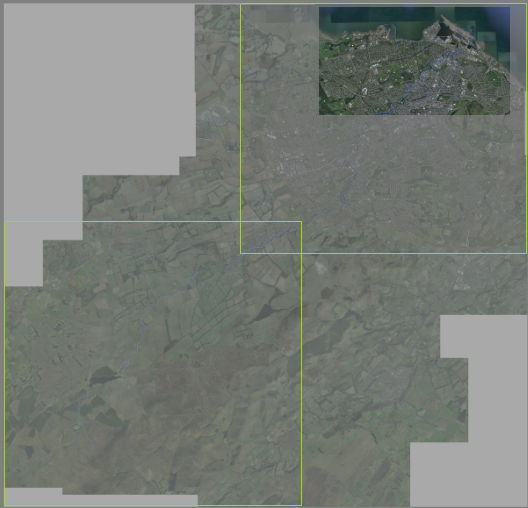
With my PC ( and my graphics card), it is jerky. May be you can split the png into 2 or 3. It will decrease the needs of graphics card memory. Denis
-
Yes, I understand. It works if i define a new name for the project. If we use Blank project and customize it without changing its name, it work when we open PTE and begin a new project If we select File>new, it doesn't work. Denis
-
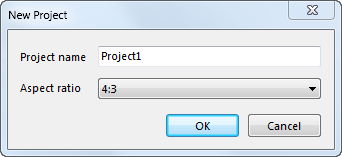
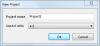
Hi, Suppose that the "Blank project - Template for new projects" is with an aspect ratio 16:9 If you select File>new, you get: If you validate (OK) , the new project is 16:9, not 4:3 !!! Denis
-
Hi Barry, with my wacom intuos tablet (CTH 480), scroll is achieved with 2 fingers on the tablet. I think I inverted only the express keys CTRL and ALT and don't change anything else. Denis
-
For Audio Track Height, I think CTRL+SHIFT+ Mouse wheel is what you are looking for.
-
Hello Igor, thank you. Denis
-
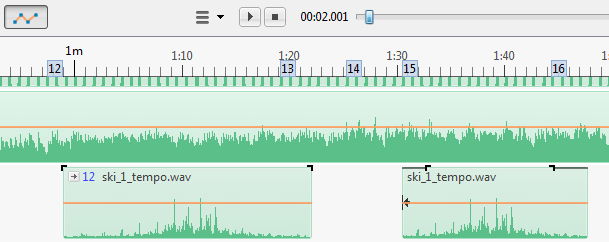
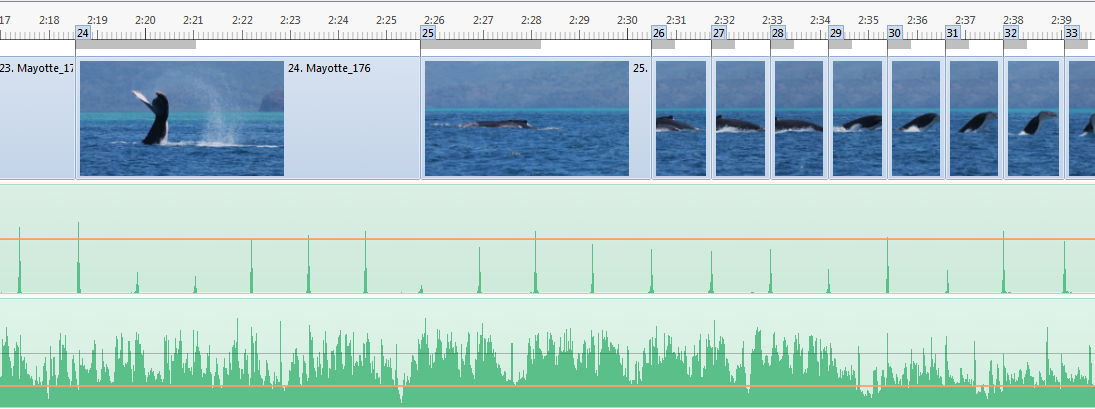
With an old microphone and Audacity, while listening the music , I record the beat by tapping with a fingernail on the microphone . I put this track "beat" in addition to the normal music in PTE and mute it. In the timeline mode, you get : This help me to synchronise music and slides. Denis