davegee
-
Posts
9,323 -
Joined
-
Days Won
59
Everything posted by davegee
-
Geoff, Perhaps a suggestion for next version might help? DG P.S. I tend to rely on Auto Save every 5 minutes.
-
DG
-
I don't think any package gives you confirmation of a Save via Ctrl+S ( could be wrong). Try Word or Photoshop? DG
-
Try Ctrl+Shift+S (Save As). DG
-
Works ok for me. I opened a project and made a minor change in O&A, hit Ctrl+S and closed the project. Was not asked to save. When I re-opened the project the minor change was still there. DG
-
Igor, Works OK here. DG
-
mascara.ptestyle Just add a central photo portrait to the slide list- one image - and apply the style. DG
-
https://docs.pteavstudio.com/en-us/10.0/hotkeys/main#objects_and_animation Alt+G DG
-
You do not have to guess. Using Global Times: Start value = 40354 - 36354 = 4000 End value = 52354 - 36354 = 16000 Using Local Times (if only temporarily) is much easier. DG
-
Use the mouse? DG
-
The Global Times only apply to KF. DG
-
Try 8000 and 18000. Both figures must be within the 0 - 29011 range. DG P.S. If you untick "Show Global Times..." in Preferences..Editor it might make more sense to you (in this case).Your Video Clip is showing Global Times and the Text (Time Range) in Local Times. Also you can use the mouse to alter the Time Range values same as Zoom etc.
-
Use the Blank Mask Option and add your mask to the Mask Stencil. DG
-
There was no need to upload the MP4 version other than the slight decrease in file size. The .pteav file in the original upload worked perfectly well on my PC. Both versions come with a "_MACOSX" folder. DG
-
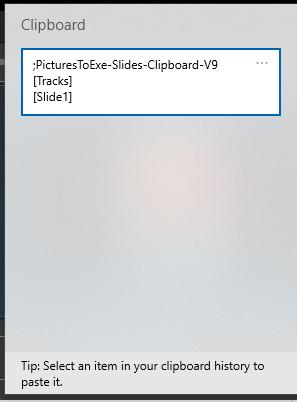
Tried the Copy and Paste between a Project and a New Project and all is well. Windows+V shows as below but states "V 9" - I am using latest version.
-
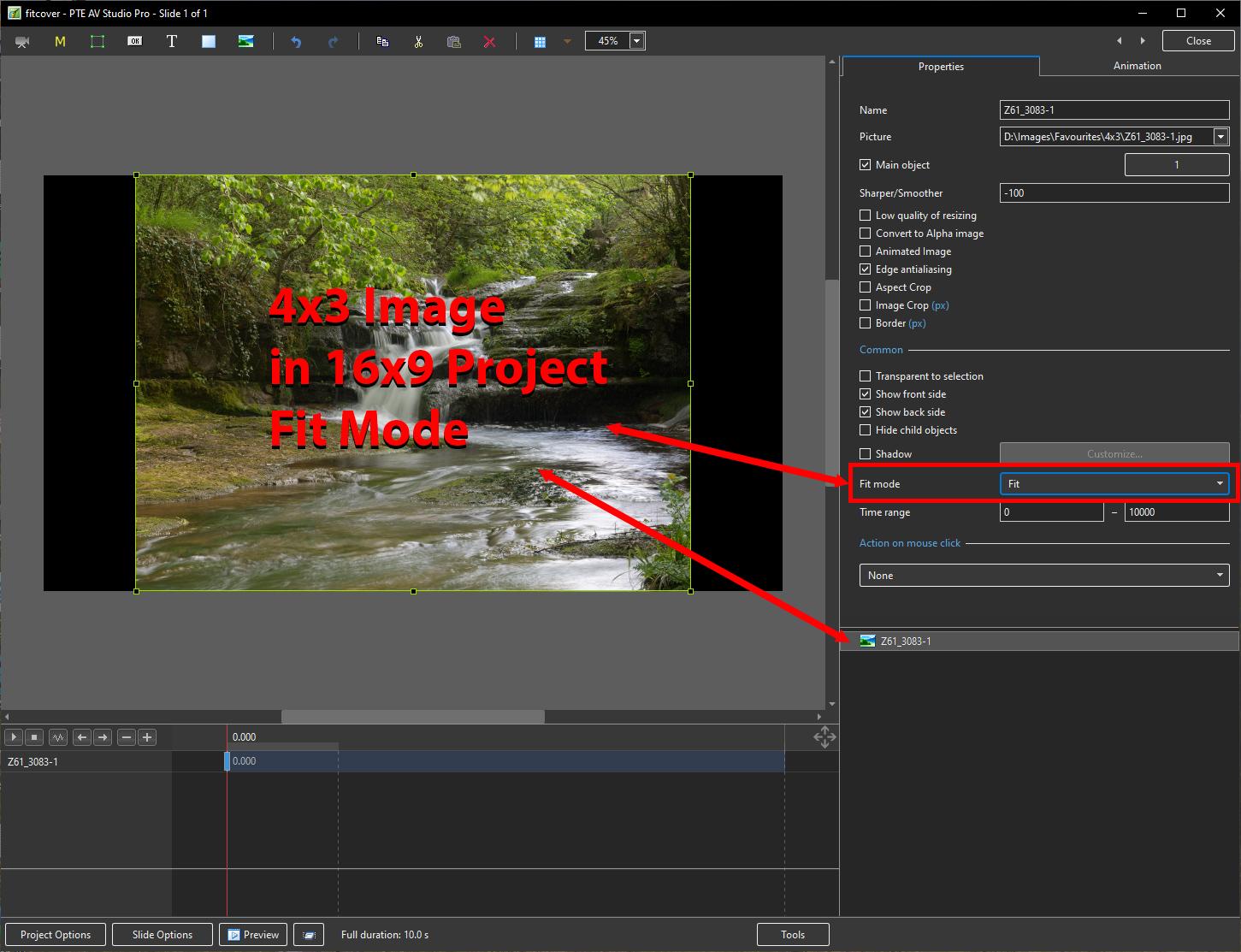
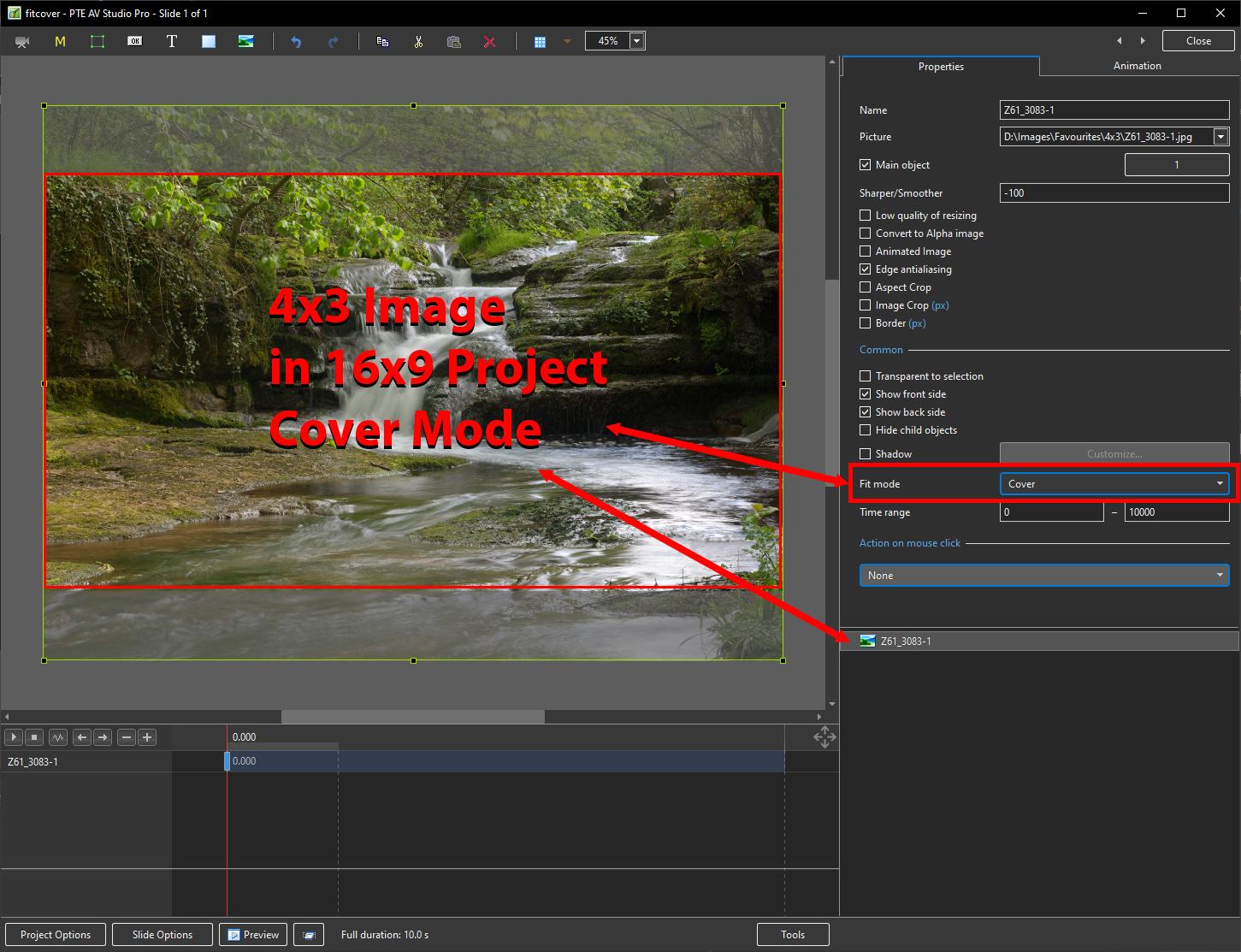
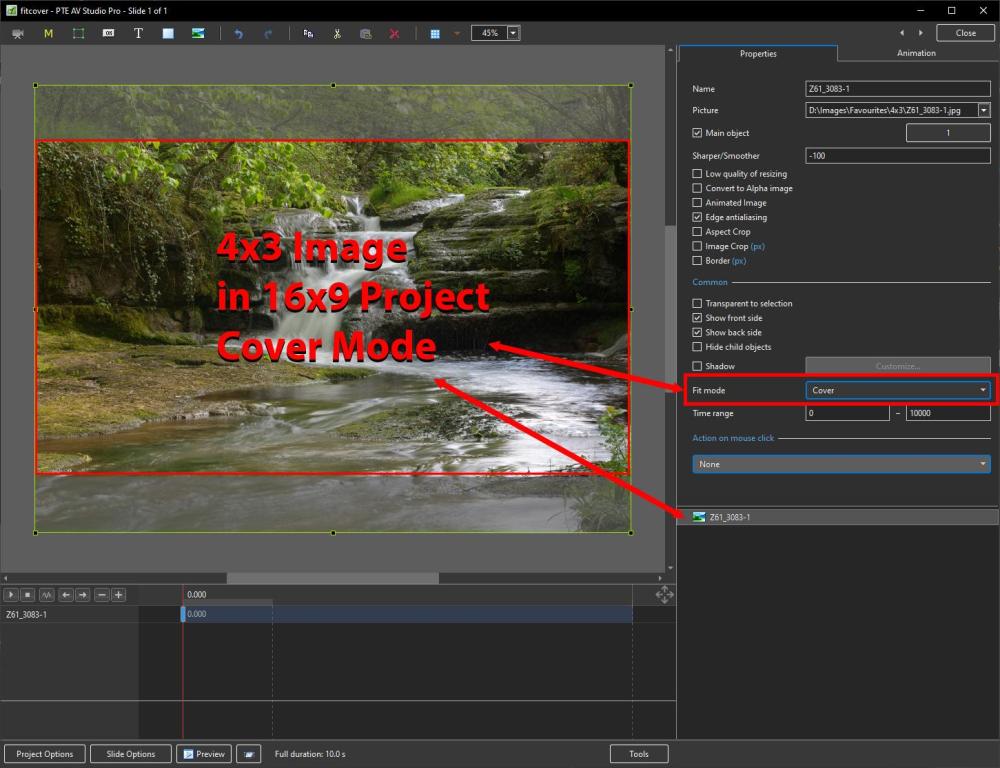
The option that you probably need is COVER MODE in O&A / Properties / Fit Mode. DG
-
Thank you Maureen, for a beautifully presented show of your part of the world. I love the barely noticeable pans - they add to the overall experience. The transitions are great. DG
-
Some Links to User's Sites have been removed from the OH because the links are "broken". Please check yours and provide correct links if you wish to continue. DG
-
Ken, Your post makes me wonder if you have the Percentage figure for display of the project area (top middle in O&A) set to something OTHER THAN Auto? DG
-
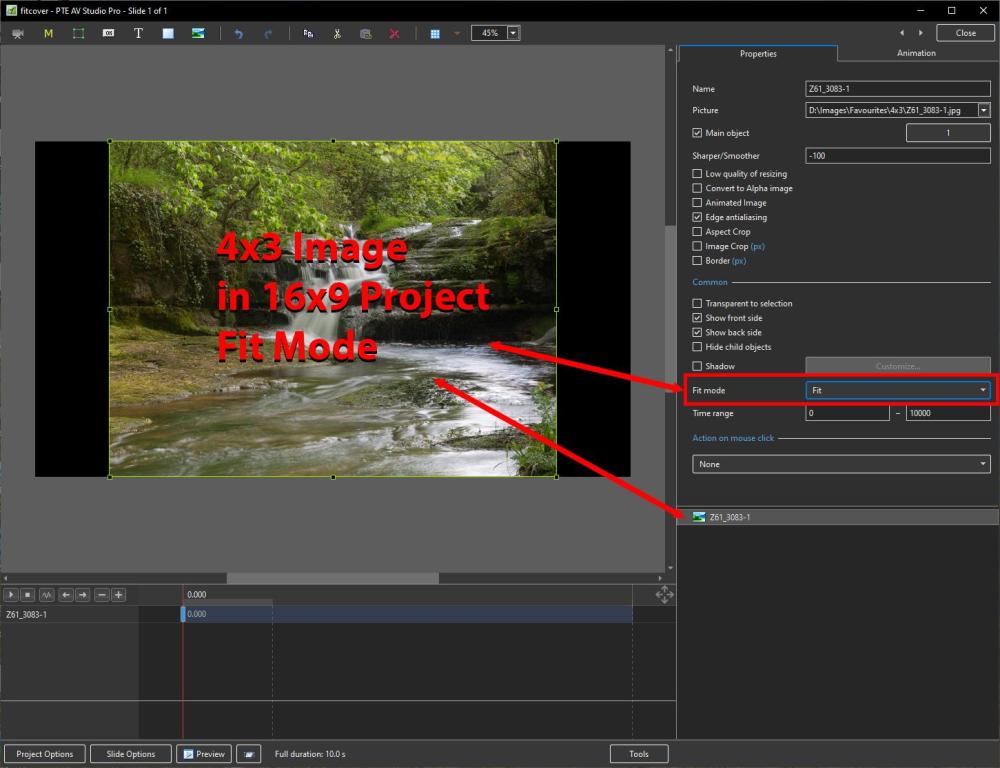
Trying to be helpful: This is what I see in O&A / Properties. NO Animation. Check Project Options / Defaults - Cover can be set there.
-
For Photoshop CC users, presumably a fix will be included in the next update albeit that the circumstances which cause the bug to show up are Extremely rare. I don't envisage an update for CS4/5/6 or earlier versions of PSE so users of earlier versions will just have to steer clear of "S-Quit" in file names. Gary, you are unique DG
-
In the Timeline: https://docs.pteavstudio.com/en-us/10.0/hotkeys/main#timeline Ctrl+Shift+Mouse Wheel on SELECTED Track. In Preferences/Timeline: https://docs.pteavstudio.com/en-us/10.0/project_settings_1/preferences#timeline DG
-
To identify an Applied Style in the the Slide List: https://docs.pteavstudio.com/en-us/10.0/how_to_v10/identify_a_style DG
-
No, you are not. Only Main Object=1 in a slide is highlighted in the File List. DG
-
Here is my interpretation of your original post image with shadow etc. Five images - Image 5 is BG. Style will appear in TEMPORARY Category. POSTCARD2.ptestyle DG