Igor
-
Posts
13,675 -
Joined
-
Last visited
-
Days Won
288
Everything posted by Igor
-

Stripping out audio from PTE project
Igor replied to smokinggoldfish's topic in Suggestions for Next Versions
Future version:
-
Dave, Good idea! I agree.
-
We published the official update - v8.0.11 with OpenType fonts support.
-
jt, Thanks, we'll add a protection for this case in future version.
-
I decided to wait a couple of weeks to make sure that OpenType fonts are supported correctly before publish official update.
-
Hi Tom, We're working on PicturesToExe 9.0. Beta version should be ready in 2-3 months.
-
Hi, If you have a license for any previous version of PicturesToExe you can purchase the upgrade to PicturesToExe Deluxe 8 wth the old price - $34.
-
Hi, Please can you send me source files of this project? Or at least .pte project file in ZIP archive. If you send a whole project, please use Dropbox or Mediafire to upload ZIP archive.
-
Peter, Tom, Thanks for your help!
-
Stripping out audio from PTE project
Igor replied to smokinggoldfish's topic in Suggestions for Next Versions
Dave, OK, no problem -
Stripping out audio from PTE project
Igor replied to smokinggoldfish's topic in Suggestions for Next Versions
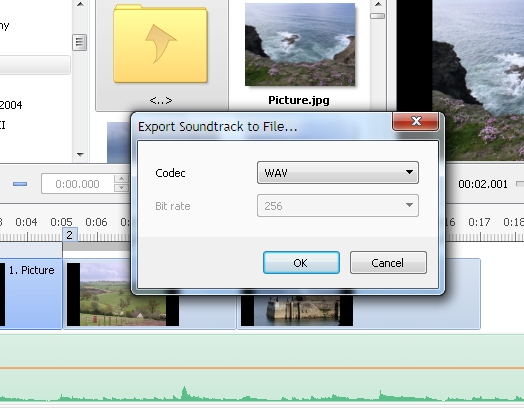
Future PicturesToExe 9 can export whole soundtrack to MP3 file. I added this command to the menu. -
Peter, Please can you post a report here: https://forums.malwarebytes.org/index.php?/forum/42-file-detections/ It's a special page for false positive reports in MalwareBytes antivirus software.
-
Thanks, but it's impossible at this moment.
-
Hi, Russian TV channel "Culture" shows animated paintings in weather forecast. I think it's a great idea for AV shows. Probably we will see something like this in PicturesToExe shows? https://www.facebook.com/video.php?v=773655739348484&set=vb.108849065829158&type=2&theater
-
Great!
-
Hello, PicturesToExe 8 now supports OpenType fonts. Please try a version 8.0.11 Beta: http://www.wnsoft.com/files/test/picturestoexe-setup.exe This is a stable beta version and we plan to release v8.0.11 next Monday. See also this topic
-
Please try version 8.0.11 Beta: http://www.wnsoft.com/files/test/picturestoexe-setup.exe It should solve this problem. Now PicturesToExe supports OpenType fonts and you'll see new fonts in the list of available fonts.
-
Currently Open Type fonts are not supported. We're working on this problem. Please use True Type fonts.
-
(SOLVED) How do I Remove Filename from opening slide?
Igor replied to mfetterhoff's topic in General Discussion
Do you see a filename of an image file on the 1st slide or you see filename of the video file? -
Hello, I apologize for this problem! It seems that your antivirus software has locked PicturesToExe's file "PteViewer5.exe". Try to check this file manually with your antivirus: If you have 32-bit version of Windows: C:\Program Files\WnSoft PicturesToExe\8.0\Main\ If 64-bit: C:\Program Files (x86)\WnSoft PicturesToExe\8.0\Main\ My version of Microsoft Security Essentials doesn't find any problem with this file. And PicturesToExe 8.0.10 can create EXE shows and run preview. If you have other antivirus or security software, please disable them temporarily. P.S. Try also install PicturesToExe 8.0.10 into a new folder. For example: C:\Program Files\WnSoft PicturesToExe\8.0temp\
-
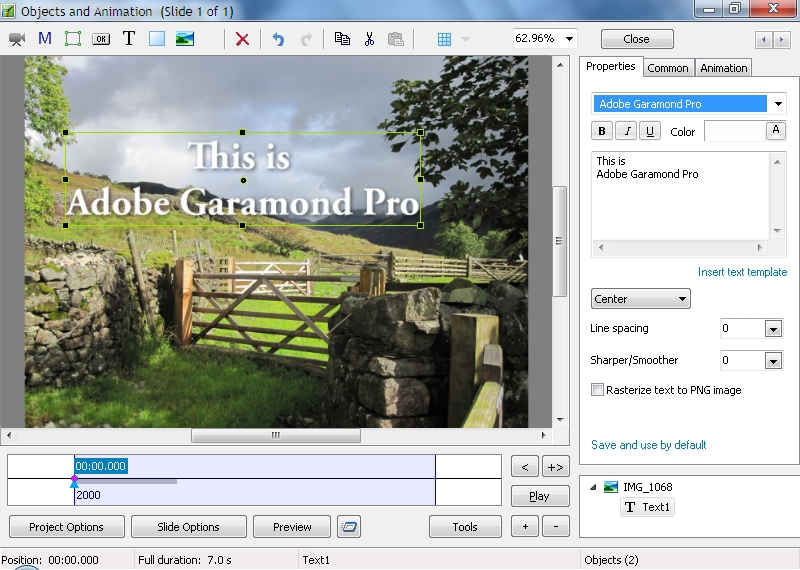
I checked Adobe Garamond Pro Bold font and it works correctly with PicturesToExe. The problem happens with Garamond Premier Pro font family. We'll try to solve this problem.
-
Mur, Your show is published now. Sorry for this delay!
-
Morturn, Congratulations!
-
Problem of downloading with safe exe file created with PTE v8.0.9
Igor replied to Picsel's topic in Troubleshooting
Thanks, Daniel! I'm glad. -
Hi Jill, Thanks for these news! I'm happy that PicturesToExe was chosen for majority of AV shows on the 20th Great Northern AV Festival in the UK!