Igor
-
Posts
13,614 -
Joined
-
Last visited
-
Days Won
266
Everything posted by Igor
-
Laszlo, It's impossible. PTE doesn't uninstall any other programs. If I understood rightly, you called external graphical editor for a selected image from PTE 10. Probably you chosen a wrong executable file of Corel Video Studio as an external editor? Check > Main menu > Settings > Preferences > Program tab for assigned external editors for Images and Videos.
-
Manuel, Tell me more.
-
Yes, you can use one license key for PTE AV Studio on 2 computers which belong you.
-
Gary, I will check WMV playback and rewinding later. In Quality mode, video encoder uses optimal bitrate according video picture. Usually 100% value is quite enough. In Custom mode you can set 150% quality value, if you feel that need more bitrate. I never use Bitrate mode last 6 years for any video encoding.
-
P.S. Please update links to PTE AV Studio on your pages: English: https://www.wnsoft.com/en/pte-av-studio/ French: https://www.wnsoft.com/fr/pte-av-studio/ Deutsch: https://www.wnsoft.com/de/pte-av-studio/ Italiano: https://www.wnsoft.com/it/pte-av-studio/
-
Hi, Yesterday we published a successor of PicturesToExe 9 - PTE AV Studio 10 https://www.picturestoexe.com/forums/topic/22160-pte-av-studio-10-picturestoexe/ PTE AV Studio 10 includes all features and possibilities which you used in PicturesToExe 9. We chosen a new name, because we feel that it better responds to all new possibilities of this product. It includes a word "PTE" which was used as an unofficial name of PicturesToExe during many years. "AV" means "Audiovisual" - a program which helps to create Audiovisual shows - a main purpose of this product. I also hope that "AV" can be intrepreted as Audio/Video Studio. Because the new version works much better with video clips, using hardware acceleration and new video encoders/decoders. And we plan to improve work with video and add new possibitilies in future versions. I'm very grateful for all your help with Beta testing, for your suggestions for this new version, and big thanks for your support! Please tell about PTE AV Studio 10 to your friends, in your camera clubs. Igor,
-
Hi, We plan to show Beta version of PTE 10 for Mac this winter.
-
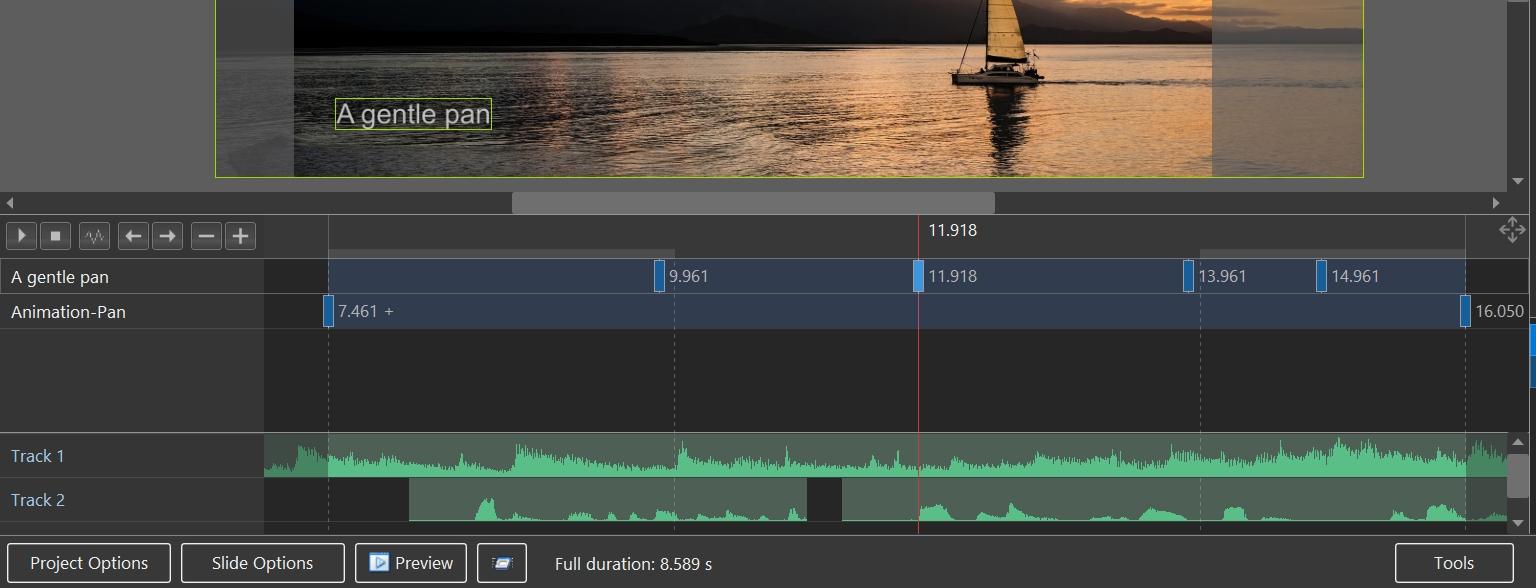
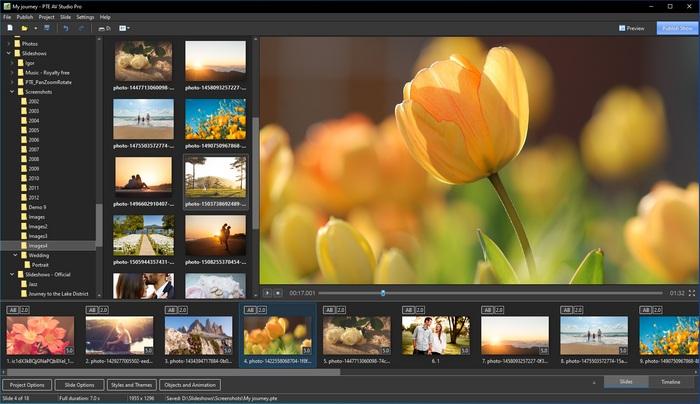
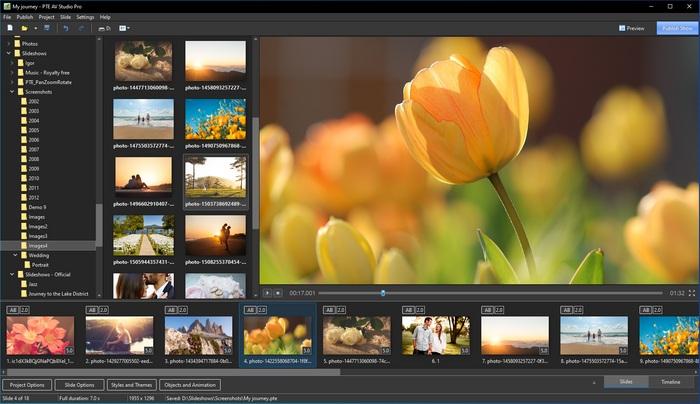
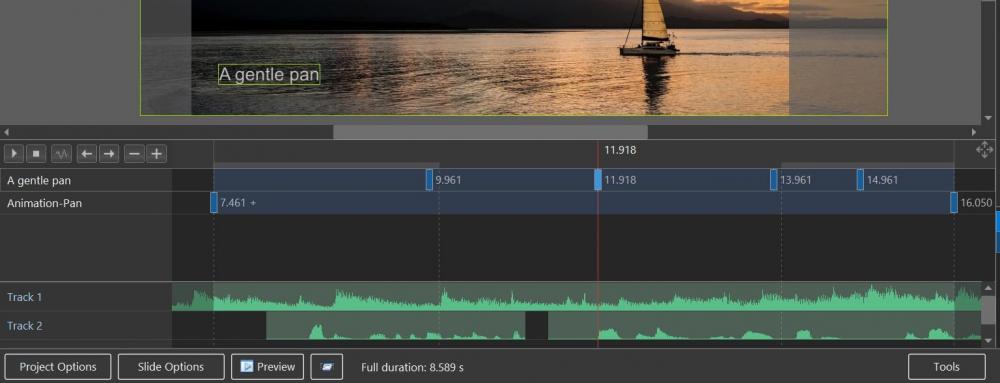
Hi, We introduce new PTE AV Studio 10 - a powerful software for photo slideshows and AV shows. This product is a successor of PicturesToExe 9. WnSoft website: https://www.wnsoft.com/pte-av-studio/ Download for Windows and Mac: https://www.wnsoft.com/pte-av-studio/download/ Prices and Editions There are two versions: PTE AV Studio 10 Pro - 139 EUR (including VAT) This version replaces previous Deluxe edition. PTE AV Studio 10 - 69 EUR (including VAT) This version replaces previous Essentials edition. Buy full version: https://www.wnsoft.com/pte-av-studio/buy/ Upgrades Upgrade from PicturesToExe Deluxe 8.0 - 9.0 to PTE AV Studio 10 Pro - 39 EUR (incl. VAT) Upgrade from PicturesToExe Essentials 8.0 - 9.0 to PTE AV Studio 10 - 29 EUR (incl. VAT) We hope that you will enjoy using new PTE AV Studio 10! Thank you very much for your support and help with Beta testing! All topics related with Beta versions are moved here _______________________ What’s New in PTE AV Studio 10 Dark mode 64-bit application Audio waveforms are shown in the Objects and Animation editor FLAC and M4A audio support HEVC video support Split audio clip, Duplicate audio clip and Separate audio from video clip commands Motion Blur effect for video output GPU acceleration for video playback, encoding and graphical interface Introducing Themes of Slide styles 64-bit Application PTE AV Studio 10 is now a 64-bit application and can use more than 2 GB of system memory for large projects Dark Mode and GPU Acceleration PTE AV Studio 10 offers Dark Mode for the graphical interface. Classical Light Mode is also available. The main window of PTE AV Studio 10 uses GPU acceleration to show graphical interface. Slide list, Timeline view and File list work faster with smooth scrolling Audio Waveforms in the Objects and Animation Editor Easily synchronize keyframes of your objects with soundtrack (Pro version only) New Audio Tools, FLAC and M4A Support FLAC and M4A audio files support Split Audio Clip command Separate Audio from Video command. This command will extract a soundtrack from a main video clip of a selected slide and insert a linked audio to the timeline on a new track. The sound of a main video object will be automatically muted Duplicate Audio Clip command. Motion Blur Effect This option simulates a shutter effect in a camera and adds a cinematographic look for your show. Parts of objects with a fast motion will be blurred automatically. This feature available when you create a video (Pro version only) Improved Playback of Videos and Fast Video Encoding GPU acceleration for a smooth playback of video clips in H.264 and HEVC formats GPU acceleration for video encoding on NVIDIA, AMD and Intel graphics. Works 3-4 times faster Support of HEVC and VP9 video files Support of rotated video files Trim Beginning of Video command in the Timeline view Slide Styles and Themes PTE AV Studio 10 introduces Themes of Slide Styles. A theme is a pack of several slide styles which can be applied in one click to multiple slides. Users can create new custom themes and share them Other Improvements Save/reset font command for a Text object in the Objects and animation editor Show in Explorer command in the popup menu files for files and folders in the File list EXIF Date sorting method for images in the File list Faster work of the File list in folder with a large number of images (1000 and more) New video converter to trim video or downscale resolution Improved quality of edge anti-aliasing for images and video clips with 3D rotations Auto Updates of PTE AV Studio
-
Gary, Thanks for the video file and screenshot with settings. I see the problem with out of sync after rewinding in original WMV video in PTE 10. If I convert the original WMV video to a MP4 using a new converter of PTE 10 (without trimming), a resulting video file plays correctly and synced with audio. Do you observe this? I'm afraid that we can't quickly (if at all) find a reason of out of sync problem with WMV, because this video format is terrible. I often observed slow rewinding in WMV and other problems. Note, that same problem occurs in previous PTE 9, althought we fully rewrote the code of video/audio playing in PTE 10, using new video/audio decoders. It seems to be a bug in WMV decoders. The most likely there is a secret knowledge how to correctly rewind WMV video keeping audio synchronization in other players. P.S. I noticed on your screenshot that you use Bitrate 8000kbit mode for video encoding. We recommend to use Quality mode, because it gives better video quality and optimizes file size. If some scene in a video is simple for encoding it uses less bitrate, more complex scenes may use higher bitrate. It works like Quality in saving of JPEG images. So I highly recommend to use Quality mode, but Bitrate mode. Using Bitrate mode you have to manually calculate it's optimal value according pixel size of a video picture, refresh rate, type of scene. Quality mode is very smart and performs all this job for you.
-
Gary, Please send me a project(s) where both problems occurred. Also send me a screenshot of a window with video encoding settings which you chosen. I can't reproduce these problems. I tried to add a a video clip with separated audio, video encoding works correctly. Sound is synced with video.
-

Large project, latest version won't produce .exe file [SOLVED]
Igor replied to JudyM's topic in Troubleshooting
Final EXE file should not be larger than 3.9 GB. Please read the advise above. Or you can create a MP4 video. -
Hi, Thanks for your info. If it is not late, can you rename the group according new name of PicturesToExe - PTE AV Studio
-
Carmelo, Please check my email message.
-
Hi, It seems that PS3 doesn't fully support H.264 video format. According this article PS3 has no support for B-Pyramid and P4x4 options which are used in PTE 9 and 10 by default to improve quality and reduce file size. More info: https://www.quora.com/How-do-you-play-MP4-files-on-the-PS3 Try the latest PTE 10 Release Candidate 4 version: https://files.wnsoft.com/test/10/picturestoexe-setup-x64.exe I'm not sure that it may help, but it's better to try it. Also did you try to update firmware of your PS3? Probably Sony already improved playback of H.264 videos. Another solution would be use of Handbrake free video converter. And use a preset for Playstation 3. Or create AVI videos in PTE 9 and PTE 10 to make compatible with PS3 video files.
-
Gary, Thanks for your sample video from GoPro. Original video plays fine in PTE 10. And PTE 9 shows it, but not smooth. After converting it plays better.
-
Thanks, Lin
-
Hi Lin, I recommend to try new PTE 10. It supports a wide range of video formats. Also I can check PTE 9, but I need a sample video file from GoPro Hero 7.
-
(Solved) Error PTE with testing Windows 10 build 1903 (19h1) [SOLVED]
Igor replied to wmc's topic in Troubleshooting
Judy, Did you try to run PicturesToExe 9.0.22 and then call File > Open and choose your .pte project ? -
Hi Judy, I saw your post in another topic. Did you solve this problem by installing newest version 9.0.22?
-
Today I helped my friends from a local museum to create an audiobook for YouTube. Project lasts 8 hours. With enabled Hardware acceleration for video encoding PTE 10 created this MP4 video in 2.5 hours at 1920 x 1080 30p. And during waiting I was able to work with the forum and emails, also test PTE, because my CPU stayed cold and fan system worked quietly. PTE 10 rendered about million of picture frames to create this video and processed 8 hours of audio clips. No faults, no errors, everything worked perfectly.
-
OK, thanks.
-
Can you send me this transition effect and small test project which has this problem? We'll check it.
-
Hi, Can you run two short EXE shows which I created in PTE 9.0.22 and new PTE 10: https://files.wnsoft.com/test/shows/pte9022.zip https://files.wnsoft.com/test/shows/pte10.zip If the problem occurs with a certain project, please send us this project - all files in a ZIP archive (images + audio + .pte file). Use "Create Backup in a ZIP" command from the main menu > File menu. You can use https://send.firefox.com/ free service to upload the ZIP file and send me a download link in a personal message.
-
Geoff, Graphics looks to be good for PTE 10.
-
Bert, In PTE 9 you can rotate video clip only in the Objects and animation editor. PTE 10 automatically rotates such video clips to show it correctly (File list, Slide list, Preview, etc).